> ## Documentation Index
> Fetch the complete documentation index at: https://docs.turbodev.ai/llms.txt
> Use this file to discover all available pages before exploring further.
# Ask Text
> Use the Ask Text Card to ask customers open-ended questions and capture their responses. The answers can be stored in variables and reused anywhere in your BotFlow to create personalized conversations.
### Understanding Ask Text
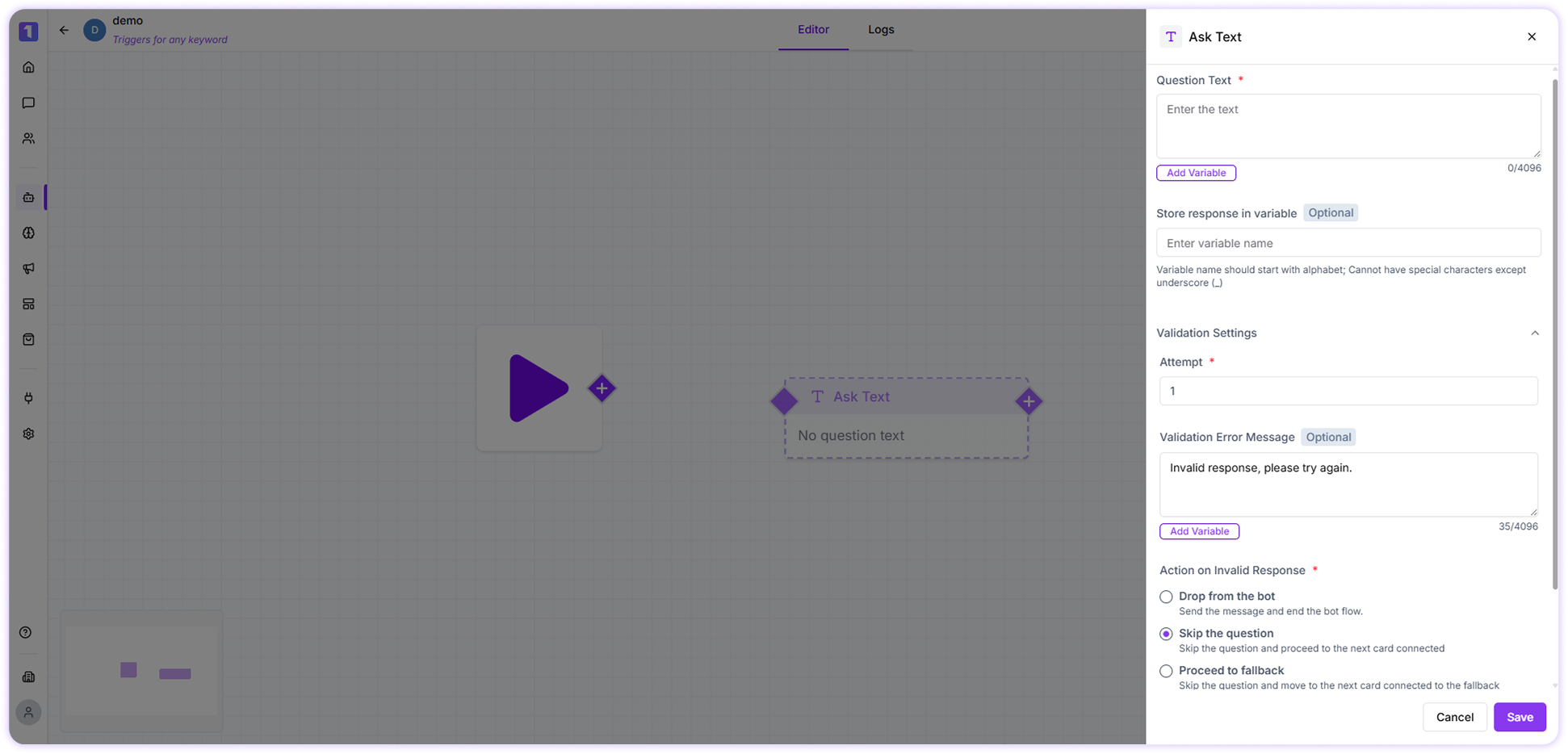
The Ask Text card allows bots to collect input from users. Customers can reply with their own text, opinions, or details based on the question asked. The captured response is saved in a variable, making it easy to reference later in the flow.
 ### Implementation Example
Imagine you need to collect a customer’s **Aadhaar number** for identity verification.
* In the **Question Text**, enter:\
*Please enter your 12-digit Aadhaar number to continue.*
* Select or create a variable (for example, `aadhaar_number`) to store the user’s response.
* Set the **attempt limit** to control how many times the user can retry entering the Aadhaar number.\
You can also add an optional validation error message such as:\
*Please enter a valid 12-digit Aadhaar number.*
* Enable **Additional Validation Settings** and configure:
### Implementation Example
Imagine you need to collect a customer’s **Aadhaar number** for identity verification.
* In the **Question Text**, enter:\
*Please enter your 12-digit Aadhaar number to continue.*
* Select or create a variable (for example, `aadhaar_number`) to store the user’s response.
* Set the **attempt limit** to control how many times the user can retry entering the Aadhaar number.\
You can also add an optional validation error message such as:\
*Please enter a valid 12-digit Aadhaar number.*
* Enable **Additional Validation Settings** and configure:
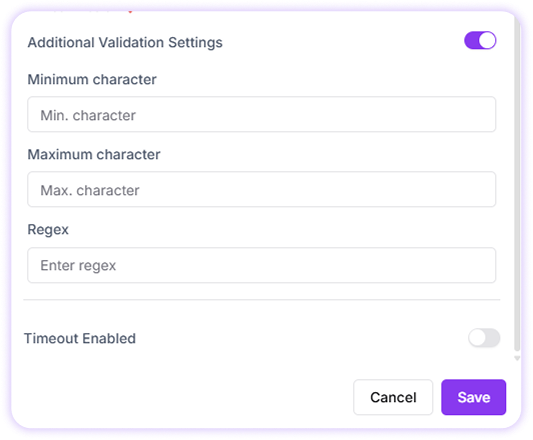 * Minimum characters: **12**
* Maximum characters: **12**
* Regex pattern for validation
* Use the following regex to validate the Aadhaar format: " **^\[0-9]\$** "
* Minimum characters: **12**
* Maximum characters: **12**
* Regex pattern for validation
* Use the following regex to validate the Aadhaar format: " **^\[0-9]\$** "