> ## Documentation Index
> Fetch the complete documentation index at: https://docs.turbodev.ai/llms.txt
> Use this file to discover all available pages before exploring further.
# Send Text
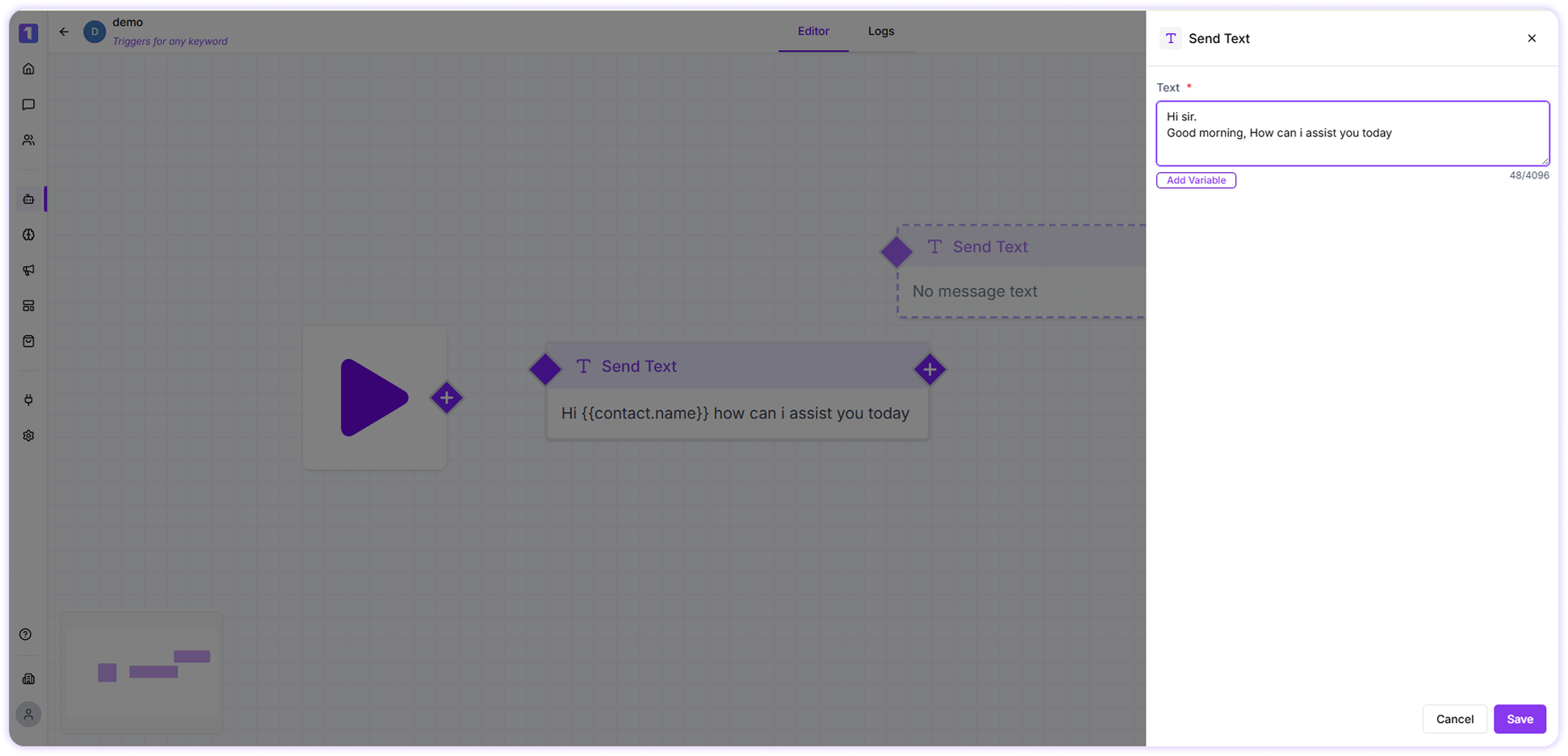
> Send text messages to your customers easily using the Send Text card in Turbodev. This feature lets you compose messages quickly, personalize them using variables, and manage message blocks efficiently within your automation flows.
### Send Text Card
The **Send Text Card** allows you to send plain text messages to customers with just a few clicks. It is commonly used in bot flows, automated follow-ups, and conversation handling to deliver clear and timely messages.
 ### Use Variables
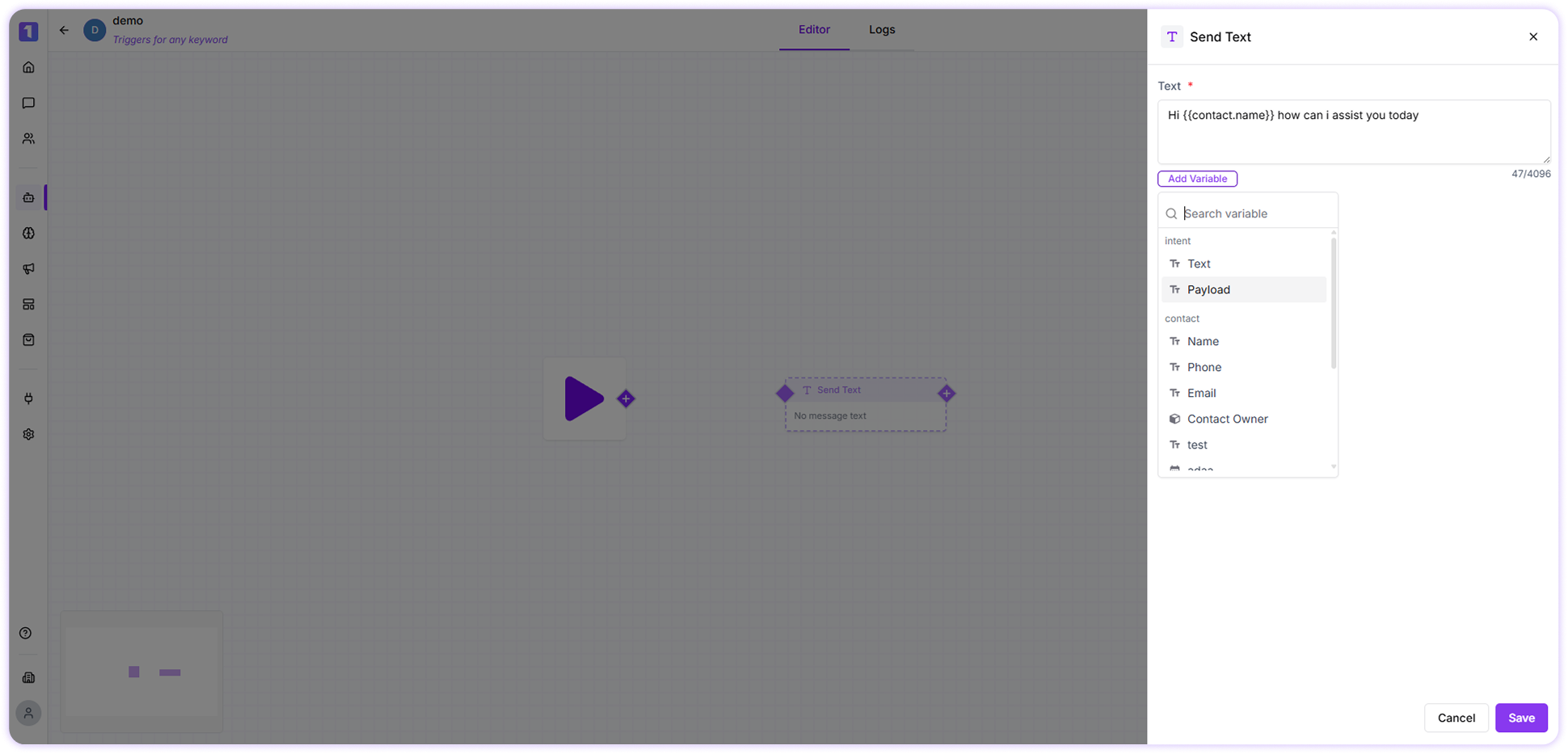
Variables help you personalize messages using customer data already available in Turbodev.\
For example, a message like:
> *Hello , how can we help you today?*
will automatically replace `{{name}}` with the customer’s actual name.
To add variables:
* Click on **Add Variables**
* Select the required field from the dropdown list
### Use Variables
Variables help you personalize messages using customer data already available in Turbodev.\
For example, a message like:
> *Hello , how can we help you today?*
will automatically replace `{{name}}` with the customer’s actual name.
To add variables:
* Click on **Add Variables**
* Select the required field from the dropdown list
 Ensure the selected variable contains data; otherwise, it may appear blank in the message.
### Edit, Duplicate, or Delete Send Text Card
You can manage Send Text cards easily while building flows:
* **Edit** the card to update the message content
* **Duplicate** the card to reuse the same message in another part of the flow
* **Delete** the card if it is no longer needed
Ensure the selected variable contains data; otherwise, it may appear blank in the message.
### Edit, Duplicate, or Delete Send Text Card
You can manage Send Text cards easily while building flows:
* **Edit** the card to update the message content
* **Duplicate** the card to reuse the same message in another part of the flow
* **Delete** the card if it is no longer needed
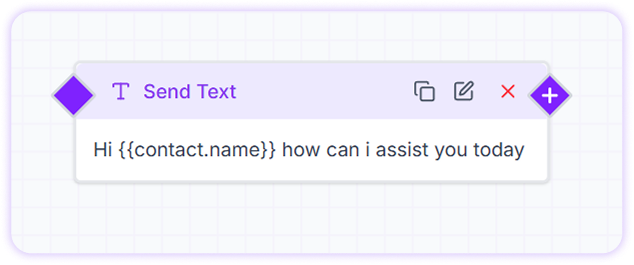 These options appear when you hover over the Send Text card, making flow management simple and flexible.