> ## Documentation Index
> Fetch the complete documentation index at: https://docs.turbodev.ai/llms.txt
> Use this file to discover all available pages before exploring further.
# Add Contacts in Turbodev
> Turbodev allows you to easily create and manage customer contacts so you can start conversations, run campaigns, and track interactions efficiently. Contacts can be added individually, in bulk, or automatically when customers message you.
### Ways to Add Contacts in Turbodev
You can create contacts in Turbodev using the following methods:
1. **Single Contact Creation**
2. **Bulk Contact Import**
3. **Automatic Contact Creation from Incoming Messages**
### Single Contact Creation
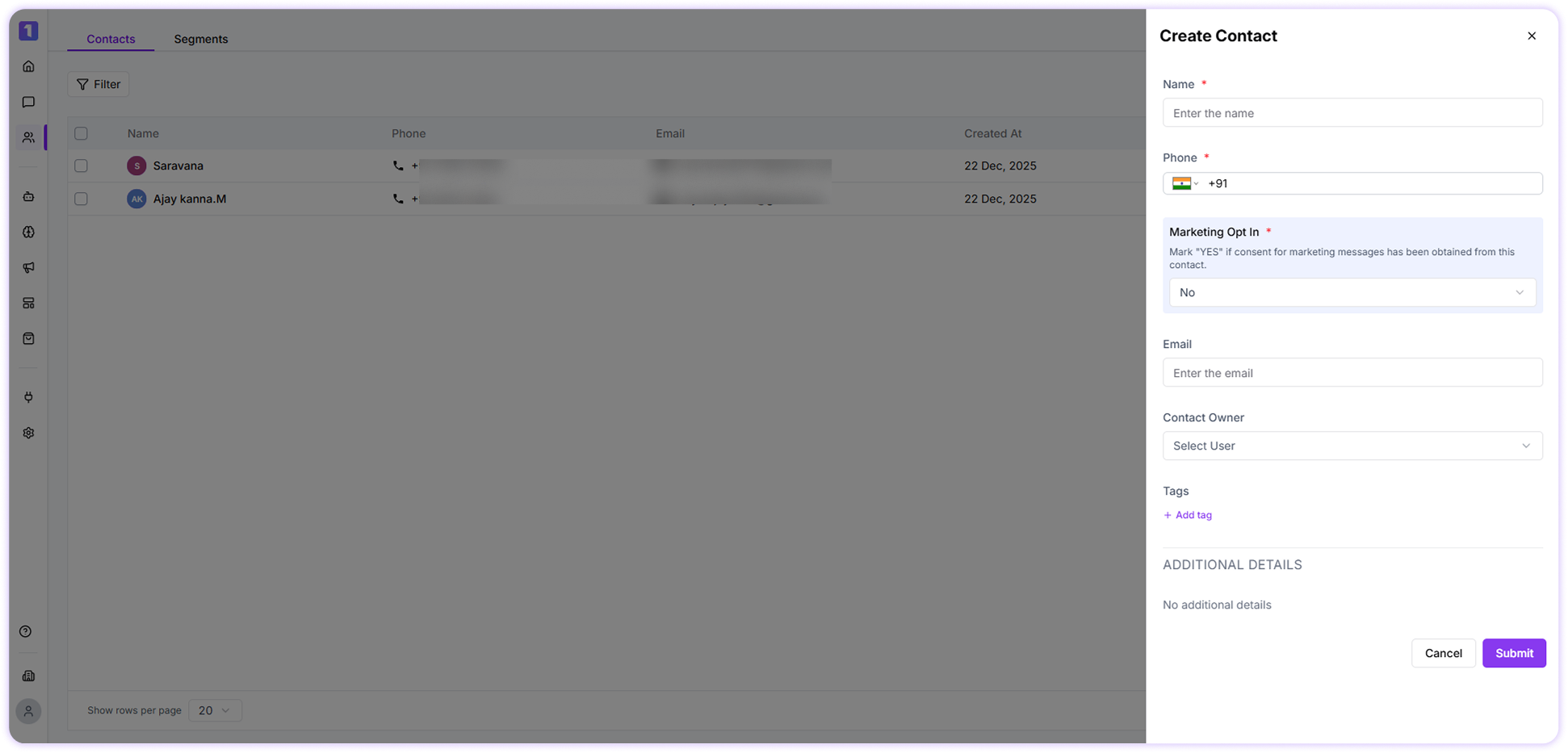
You can manually add a contact in Turbodev by navigating to the Contacts section in your dashboard and clicking on **Add Contact**. Enter the required details such as the contact’s name, phone number, email address, tags, and any other relevant information, then save the contact to add them to your list.
 ### Bulk Contact Import
To upload multiple contacts at once:
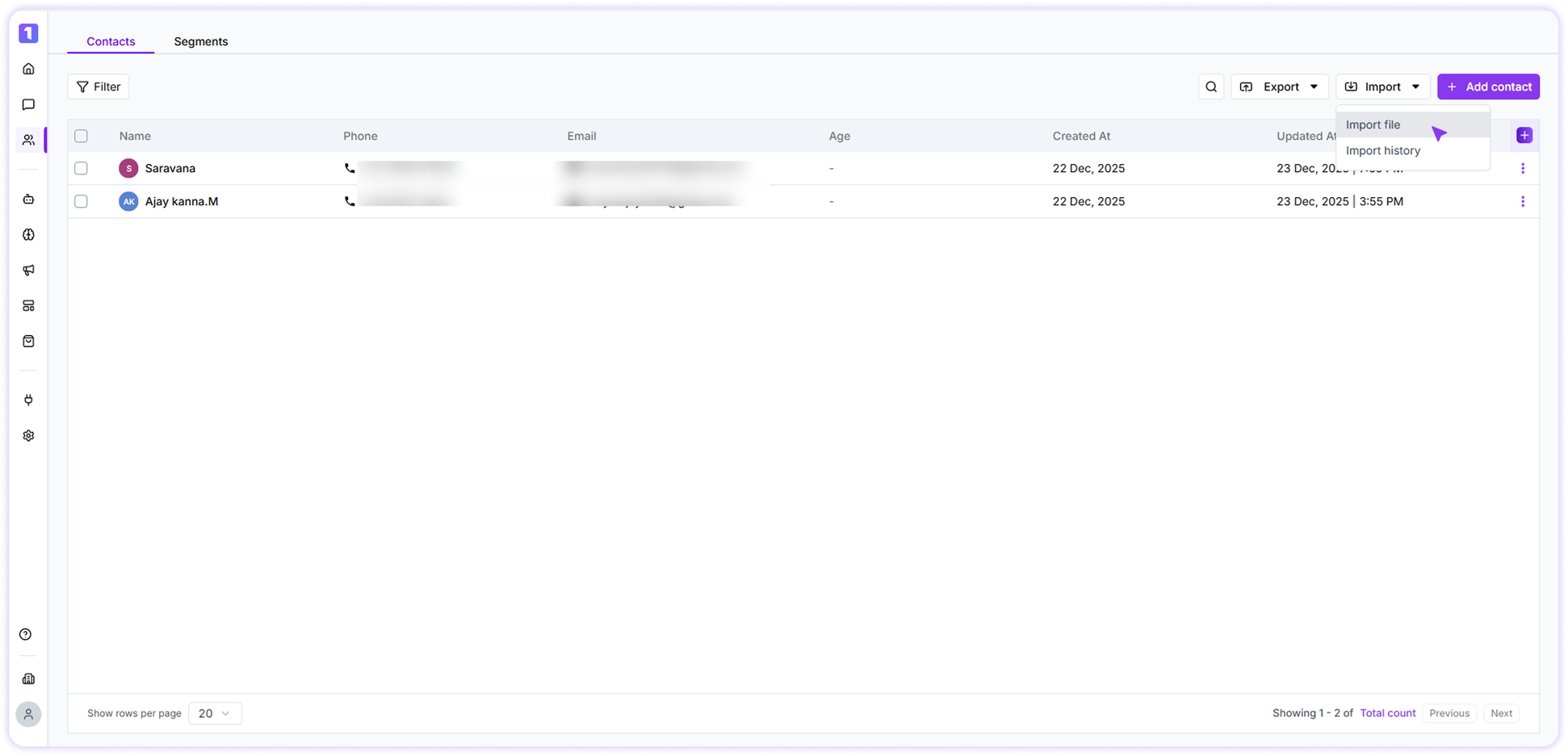
**Step:1** Navigate to the **Contacts** section and click **Import Contacts**.
### Bulk Contact Import
To upload multiple contacts at once:
**Step:1** Navigate to the **Contacts** section and click **Import Contacts**.
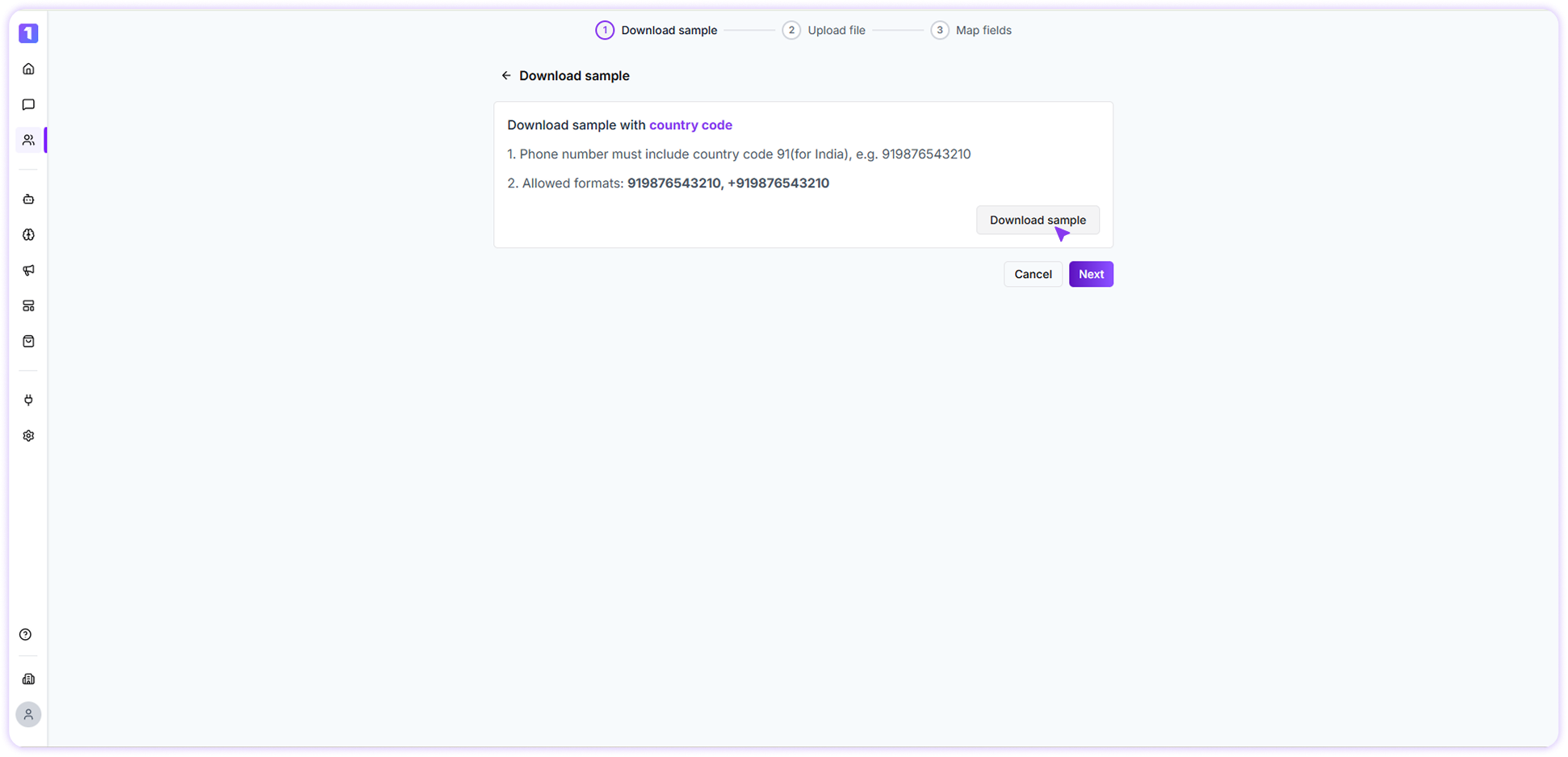
 **Step:2** Download the **sample import file** to understand the required format.
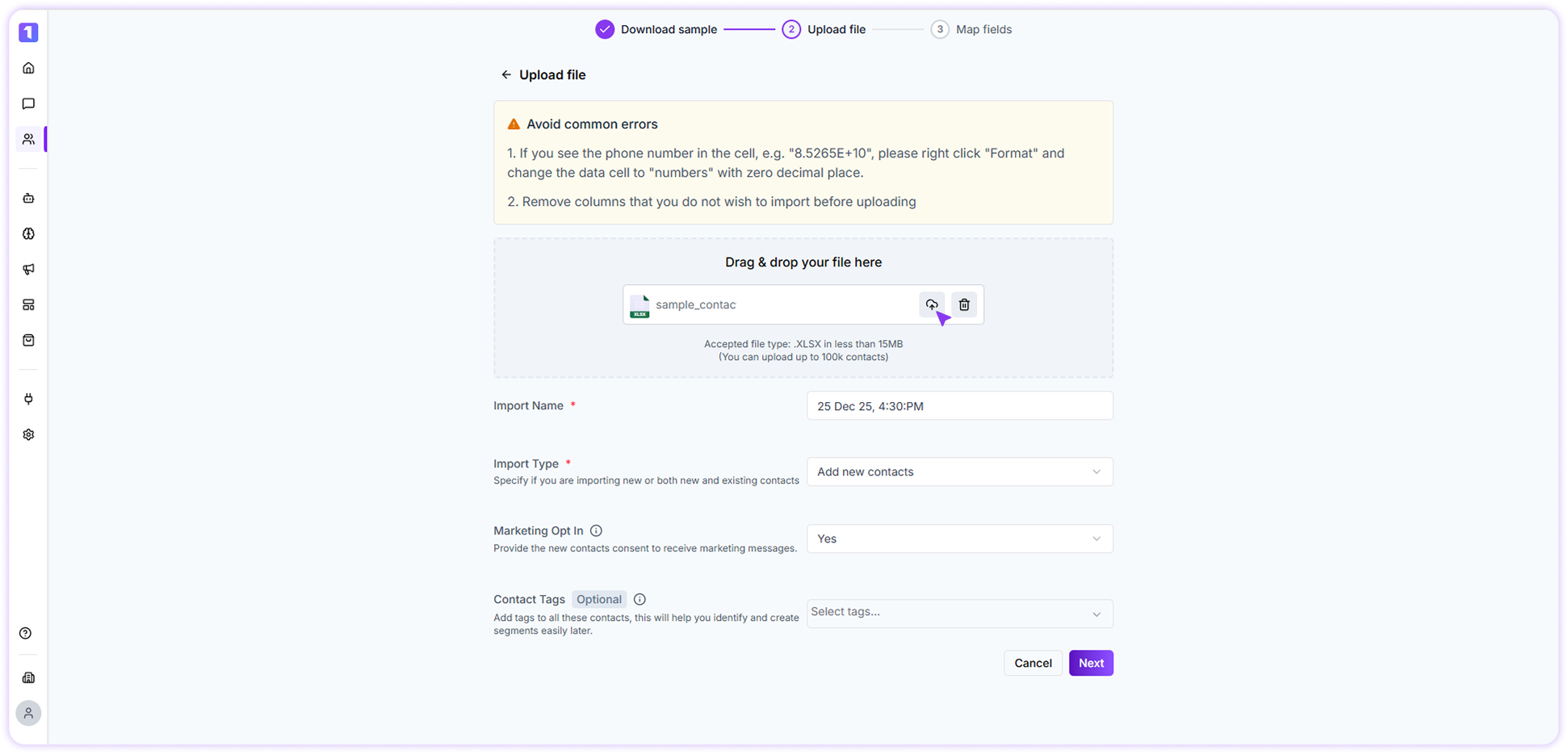
 **Step:3** Fill in your contact data using the provided sample format, then upload the completed file to Turbodev to import your contacts successfully.
 **Step:4** Map your file fields (name, phone, email, tags, etc.) with Turbodev’s contact fields.
 ### Automatic Contact Creation
When a customer sends a message to your WhatsApp number for the first time, Turbodev automatically saves their contact details in your account.\
This ensures your contact list stays updated without any manual effort.
### Contact Creation Date
For every contact saved in Turbodev, the system records the date they were added. This allows you to understand when a customer first entered your database, helping you track engagement history and manage follow-ups more effectively over time.
### Automatic Contact Creation
When a customer sends a message to your WhatsApp number for the first time, Turbodev automatically saves their contact details in your account.\
This ensures your contact list stays updated without any manual effort.
### Contact Creation Date
For every contact saved in Turbodev, the system records the date they were added. This allows you to understand when a customer first entered your database, helping you track engagement history and manage follow-ups more effectively over time.