> ## Documentation Index
> Fetch the complete documentation index at: https://docs.turbodev.ai/llms.txt
> Use this file to discover all available pages before exploring further.
# Contact Management
> Contact Management in Turbodev helps you organize, search, and manage your customer data efficiently. With flexible filters, quick search options, and customizable views, teams can easily keep track of contacts and personalize conversations at scale. This section explains how to filter contacts, search through your database, and customize column preferences for a streamlined workflow.
## Filter Contacts
You can filter contacts in Turbodev to quickly find specific users based on defined criteria.
To apply filters:
* Click on the **Add Filter** option in the Contacts section
* Select the required filter condition
* Enter the relevant details and click **Apply**
 ### Filter by Name
Useful when multiple contacts share similar names, helping you narrow down the exact contact.
### Filter by Marketing Opt-in
Allows you to separate contacts who have opted in or out of marketing communications.
### Filter by Tags
Filter contacts based on tags such as *New Enquiry*, *Purchased*, *Follow-up Required*, etc.
You can apply **multiple filters simultaneously** to refine your search results. There is no limit to the number of filters you can use.
### Column Preferences
Turbodev allows you to customize how contact information is displayed.
### Filter by Name
Useful when multiple contacts share similar names, helping you narrow down the exact contact.
### Filter by Marketing Opt-in
Allows you to separate contacts who have opted in or out of marketing communications.
### Filter by Tags
Filter contacts based on tags such as *New Enquiry*, *Purchased*, *Follow-up Required*, etc.
You can apply **multiple filters simultaneously** to refine your search results. There is no limit to the number of filters you can use.
### Column Preferences
Turbodev allows you to customize how contact information is displayed.
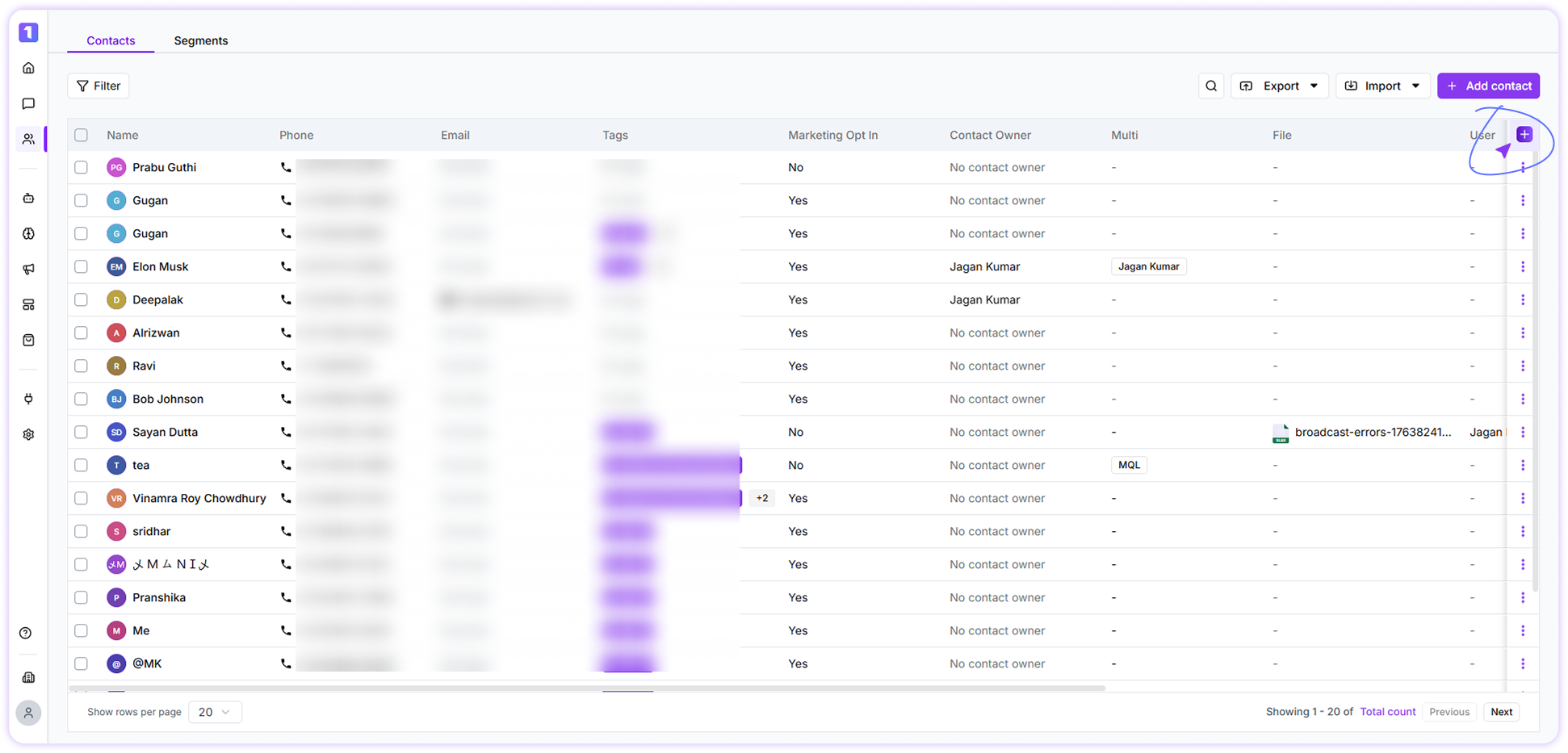 Using **Column Preferences**, you can:
* Select which contact fields you want to view
* Rearrange columns based on your workflow
* Drag and drop fields to create a personalized contact view
Using **Column Preferences**, you can:
* Select which contact fields you want to view
* Rearrange columns based on your workflow
* Drag and drop fields to create a personalized contact view
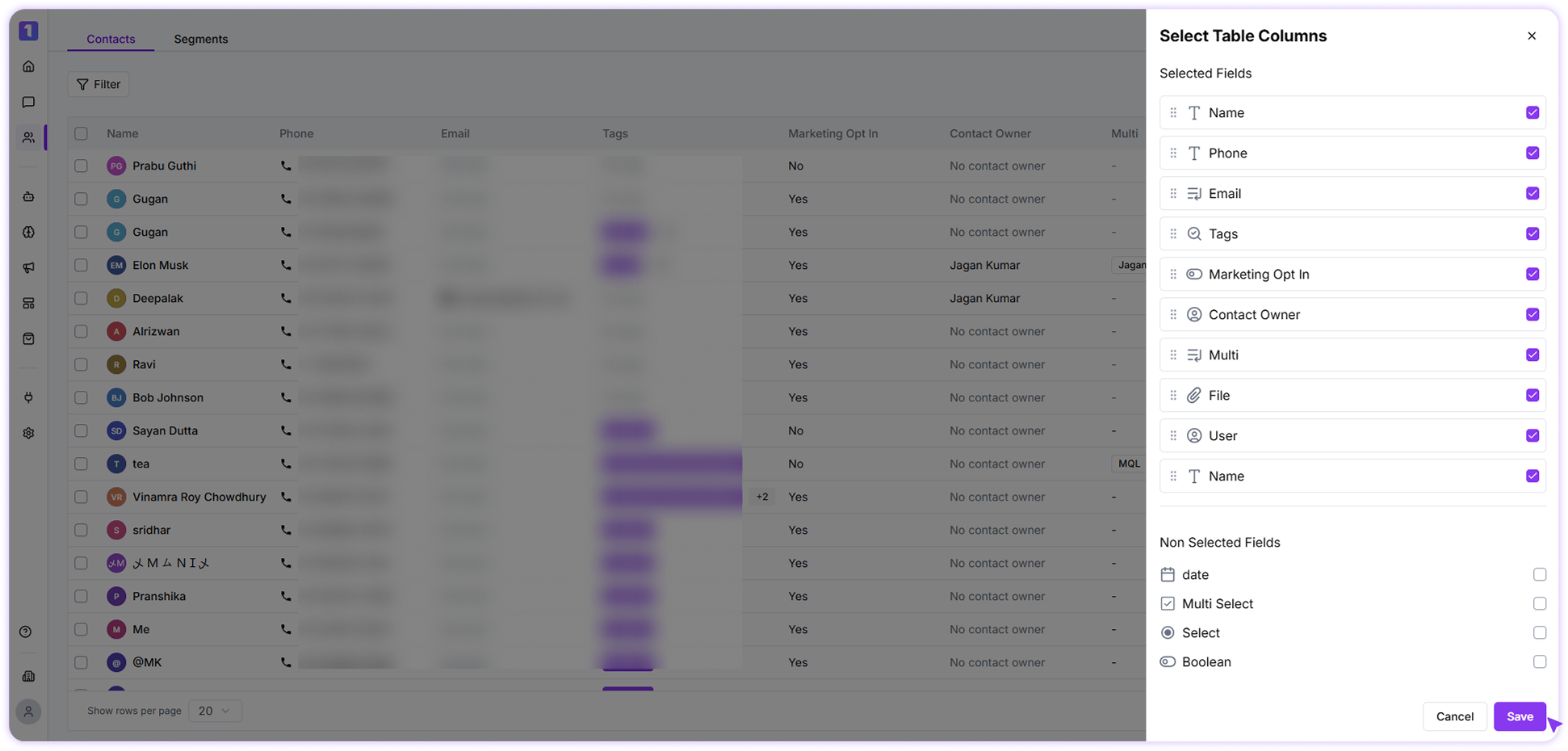 This helps Turbodev function as a **light CRM**, enabling teams to track customer details and personalize WhatsApp communication effectively.
Column preferences are applied **per user account** and do not affect other team members.
### Search Contacts
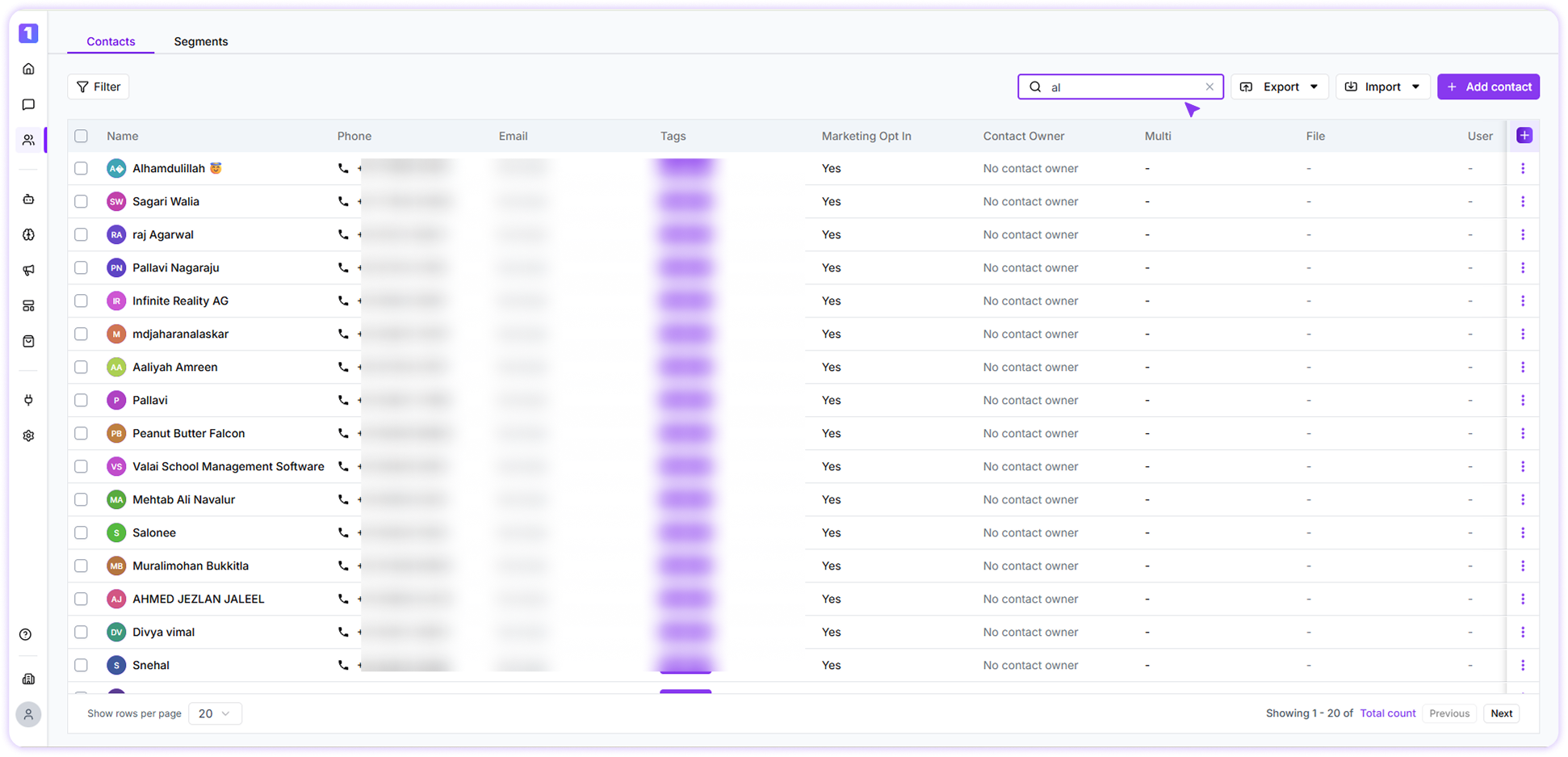
You can quickly search contacts using the search bar in the Contacts section. By Contact name and Phone number (partial or full)
This helps Turbodev function as a **light CRM**, enabling teams to track customer details and personalize WhatsApp communication effectively.
Column preferences are applied **per user account** and do not affect other team members.
### Search Contacts
You can quickly search contacts using the search bar in the Contacts section. By Contact name and Phone number (partial or full)