> ## Documentation Index
> Fetch the complete documentation index at: https://docs.turbodev.ai/llms.txt
> Use this file to discover all available pages before exploring further.
# Contact Updation
> Keep your contact information up to date in Turbodev by editing details whenever required. You can update contacts individually or make bulk updates to ensure your data stays accurate and organized.
### Update Individual Contacts
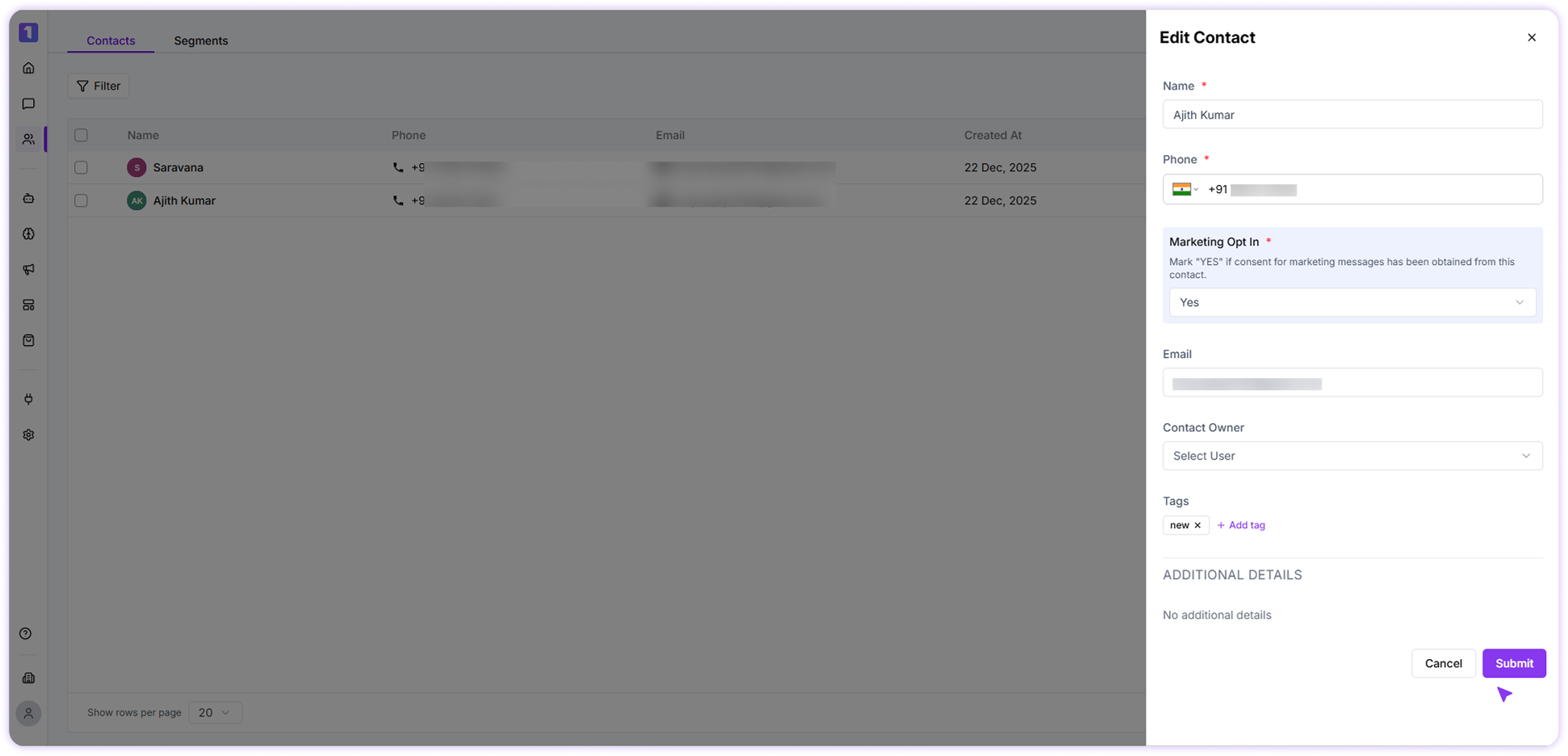
You can update a contact’s details directly from the Contacts section. While editing a contact, you can also view their conversation history and continue messaging them without interruption.
 ### Bulk Update Contacts
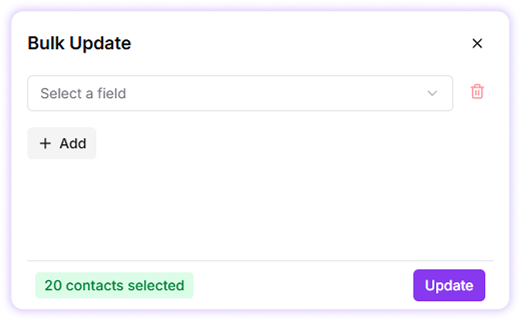
Turbodev allows you to update common details for multiple contacts at once, such as tags. Simply select the contacts using the checkbox next to their names and apply the required updates in one action. This helps save time when managing large contact lists.
### Bulk Update Contacts
Turbodev allows you to update common details for multiple contacts at once, such as tags. Simply select the contacts using the checkbox next to their names and apply the required updates in one action. This helps save time when managing large contact lists.
 ### Send Message to a Contact
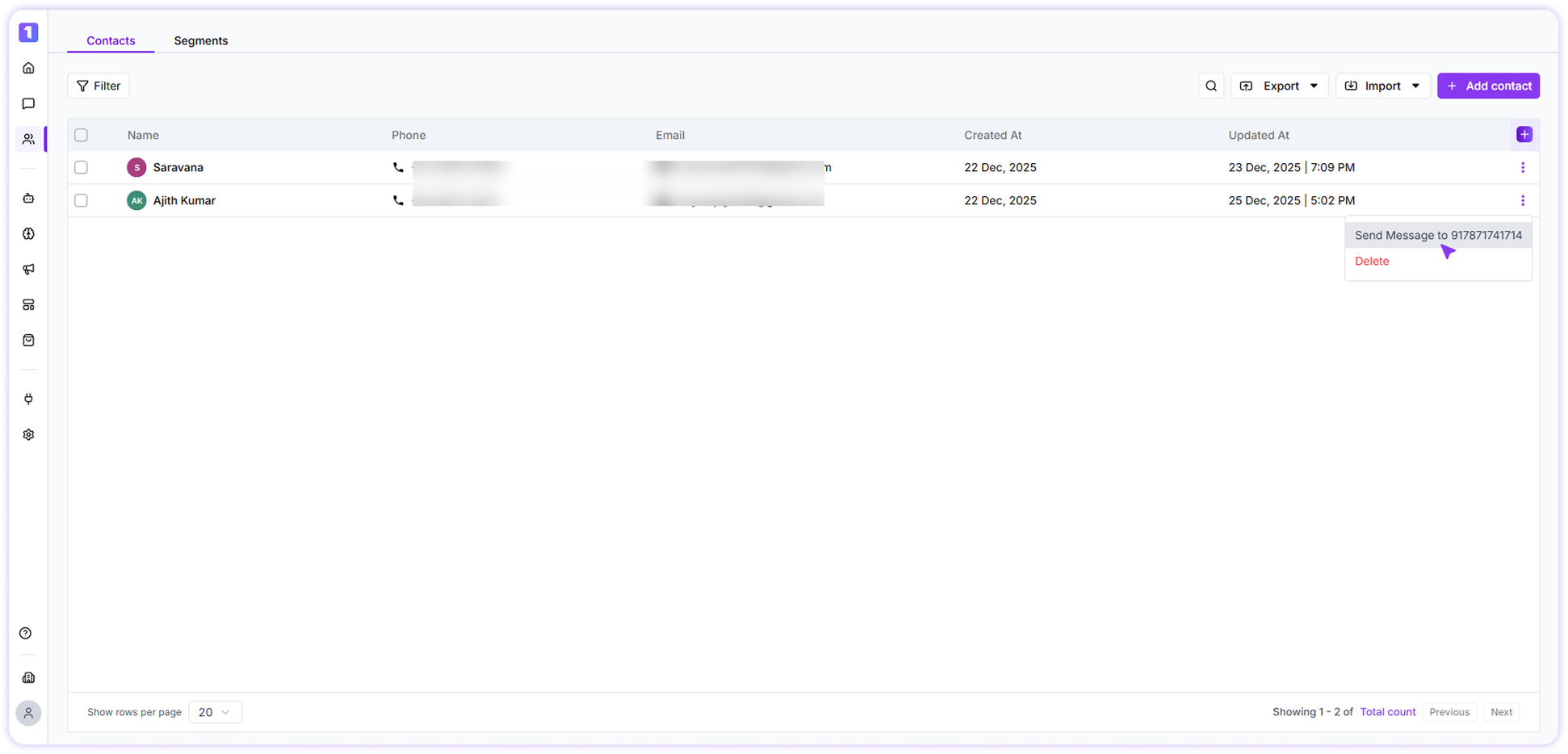
If you want to send a message directly while browsing your contact list, Click the menu **(⋮)** button on the contact section and select send message.
### Send Message to a Contact
If you want to send a message directly while browsing your contact list, Click the menu **(⋮)** button on the contact section and select send message.
 ### Contact Updation Date
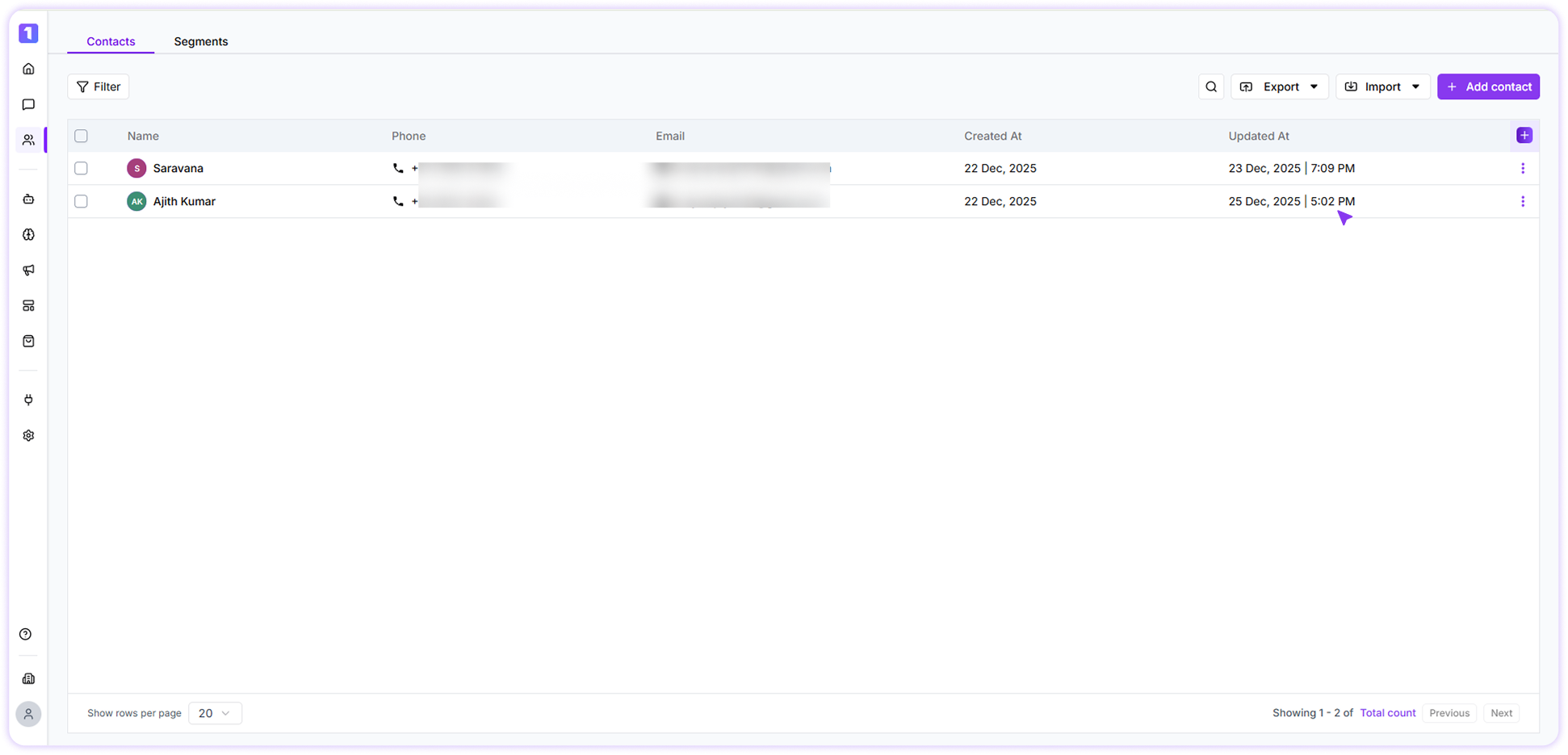
Whenever a contact is updated, Turbodev records the exact date and time of the update. This helps you track recent changes and maintain clear visibility into contact modifications. The updation timestamp is for reference purposes and is not available as a configurable field or column preference.
### Contact Updation Date
Whenever a contact is updated, Turbodev records the exact date and time of the update. This helps you track recent changes and maintain clear visibility into contact modifications. The updation timestamp is for reference purposes and is not available as a configurable field or column preference.