> ## Documentation Index
> Fetch the complete documentation index at: https://docs.turbodev.ai/llms.txt
> Use this file to discover all available pages before exploring further.
# Marketing opt-in on contact creation
> Turbodev allows you to manage marketing opt-in preferences at the time contacts are created. This ensures your messaging stays compliant while giving you control over who can receive promotional or broadcast messages.
Contacts in Turbodev can be created through multiple methods, including:
* Creating a single contact from the Contacts module
* Creating a contact from the Conversations module
* Automatic contact creation when a customer sends an incoming message
* Bulk contact import
* Uploading contacts via Excel in the Broadcast module
* Contact creation through integrations, webhooks, or APIs
Below is how marketing opt-in is handled across each method.
### Single Contact Creation (Contacts Module)
When adding a new contact from the Contacts section, you’ll see a **Marketing Opt-In** field.
* Set it to **Yes** if the customer has given consent to receive marketing messages
* Set it to **No** if consent has not been provided
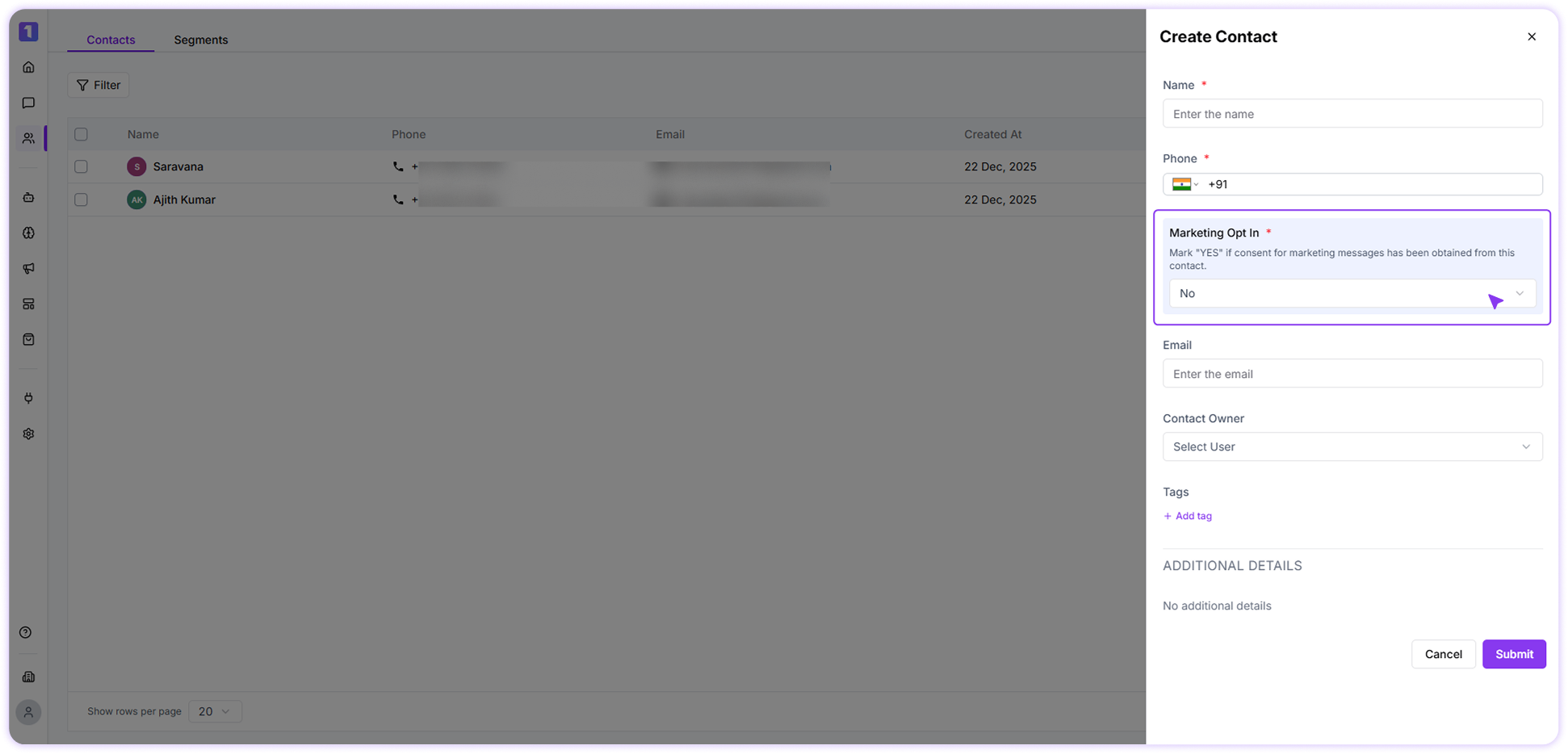 Contacts marked as **No** will automatically be excluded from marketing or promotional messages, and the system will notify you if you attempt to send one.
### **Contact creation upon receiving an incoming message**
When a customer sends an incoming WhatsApp message for the first time, Turbodev automatically creates the contact.
* In this case, the marketing opt-in is set to **Yes by default**
### Bulk Contact Import
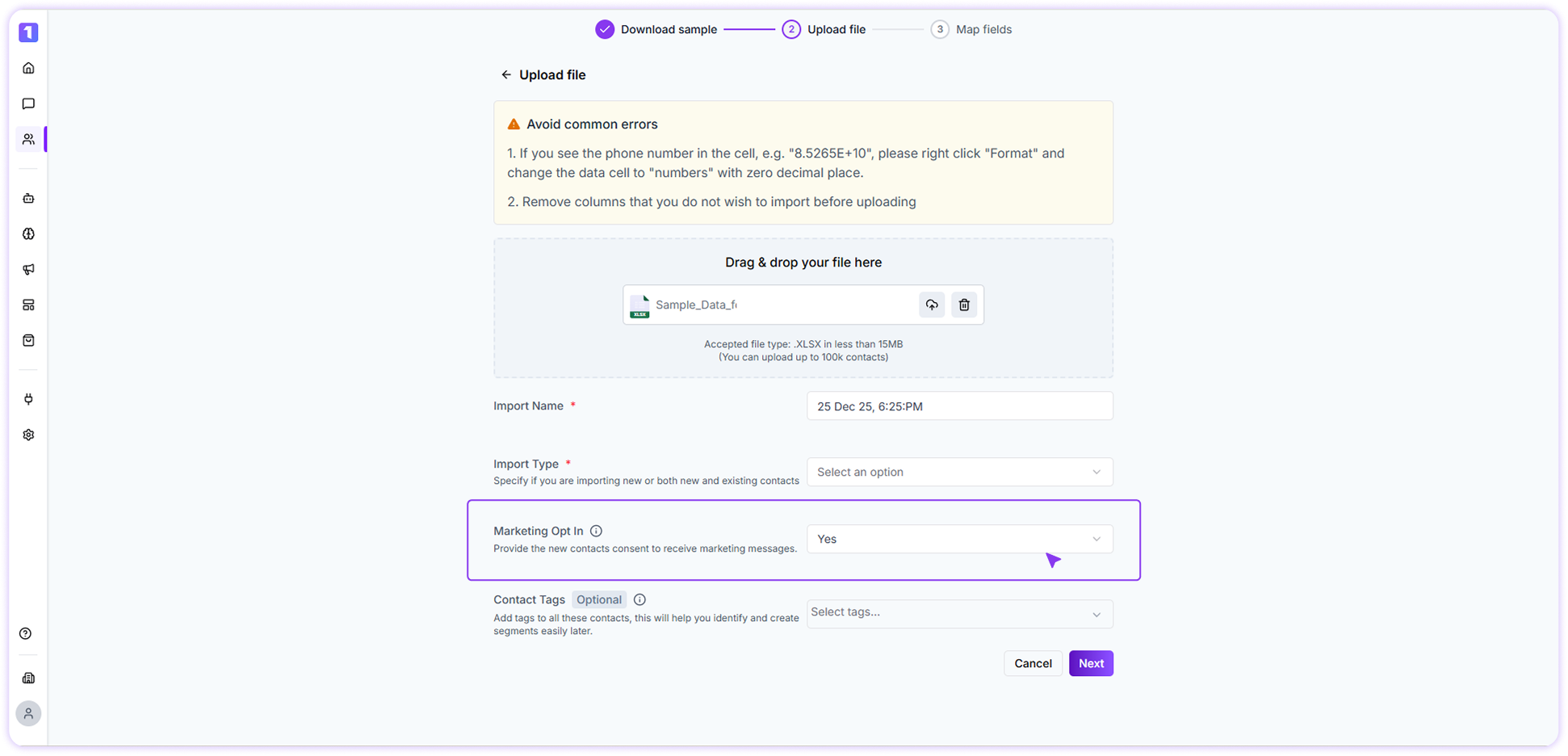
Bulk contact import supports setting marketing opt-in during upload.
* While uploading the file, you can choose **Yes** or **No** for marketing opt-in
* The selected option will apply to all newly imported contacts
* Existing contacts will retain their previous opt-in status
Contacts marked as **No** will automatically be excluded from marketing or promotional messages, and the system will notify you if you attempt to send one.
### **Contact creation upon receiving an incoming message**
When a customer sends an incoming WhatsApp message for the first time, Turbodev automatically creates the contact.
* In this case, the marketing opt-in is set to **Yes by default**
### Bulk Contact Import
Bulk contact import supports setting marketing opt-in during upload.
* While uploading the file, you can choose **Yes** or **No** for marketing opt-in
* The selected option will apply to all newly imported contacts
* Existing contacts will retain their previous opt-in status
 ### Contact Creation via Broadcast Excel Upload
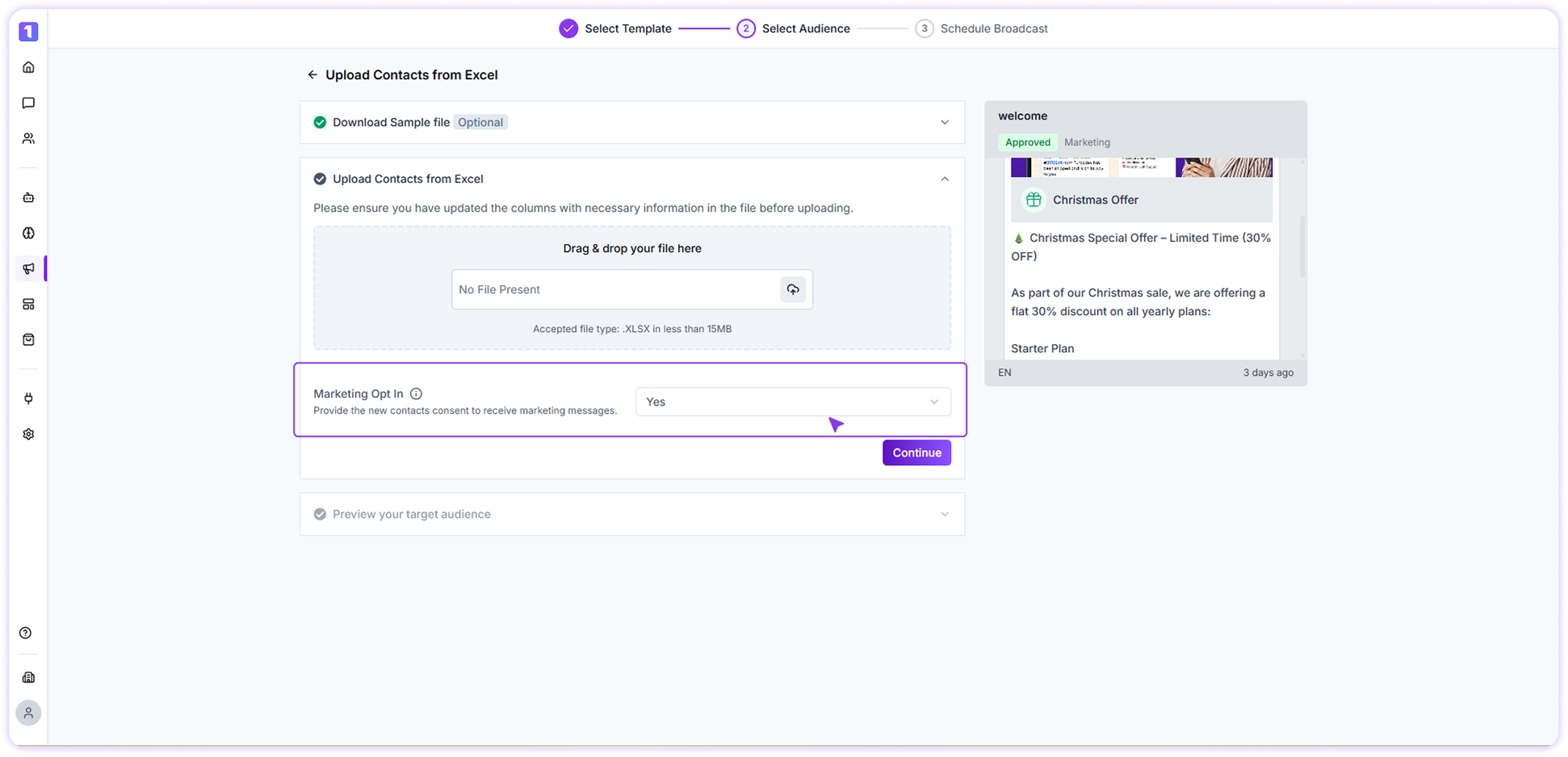
When uploading contacts through the Broadcast module using an Excel file:
* You can set the marketing opt-in using the provided dropdown
* The selected value applies only to **new contacts** created during the upload
* Existing contacts are not overwritten
### Contact Creation via Broadcast Excel Upload
When uploading contacts through the Broadcast module using an Excel file:
* You can set the marketing opt-in using the provided dropdown
* The selected value applies only to **new contacts** created during the upload
* Existing contacts are not overwritten
 ### Contact Creation via Integrations, Webhooks, or API
When contacts are created through integrations, webhooks, or API-based messaging:
* Turbodev automatically creates the contact
* Marketing opt-in is set to **Yes by default**
### Contact Creation via Integrations, Webhooks, or API
When contacts are created through integrations, webhooks, or API-based messaging:
* Turbodev automatically creates the contact
* Marketing opt-in is set to **Yes by default**