> ## Documentation Index
> Fetch the complete documentation index at: https://docs.turbodev.ai/llms.txt
> Use this file to discover all available pages before exploring further.
# Signup
> Getting started with Turbodev. Creating your account takes just a few minutes. This guide will show you the available sign-up methods to create your Turbodev account and begin automating your WhatsApp conversations.
## Pre-requisites for Sign Up
### **License Key**
You'll need a valid License Key to create your Turbodev account and access the platform.
**Don't have a License Key yet?**\
Get your License Key instantly: [Click here to request via WhatsApp](https://wa.me/918438096572?text=Can+i+get+a+Licensekey+for+Turbodev)
## Sign Up Process
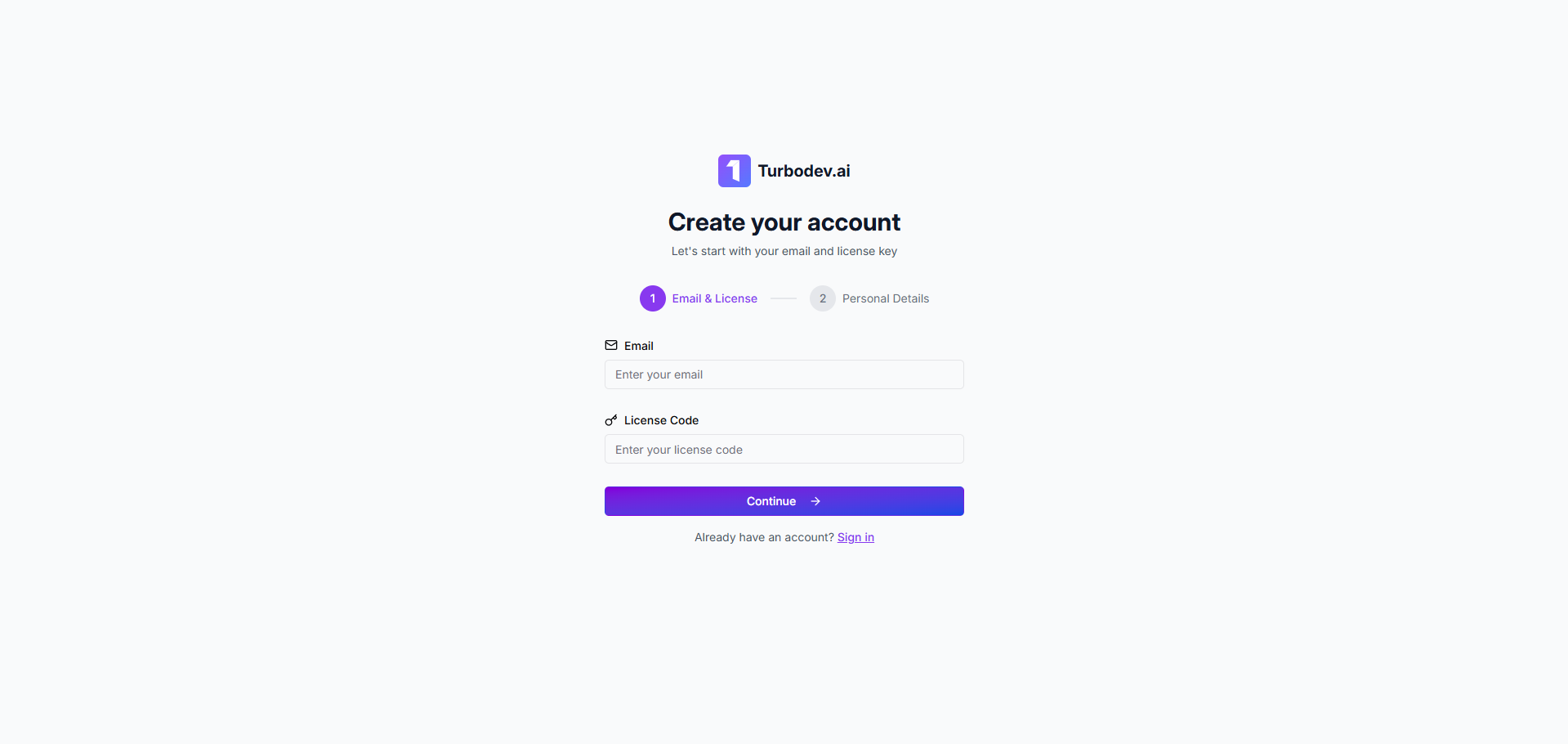
### **Step 1: Enter Your Credentials**
* Enter your email address
* Enter the License Key provided to you
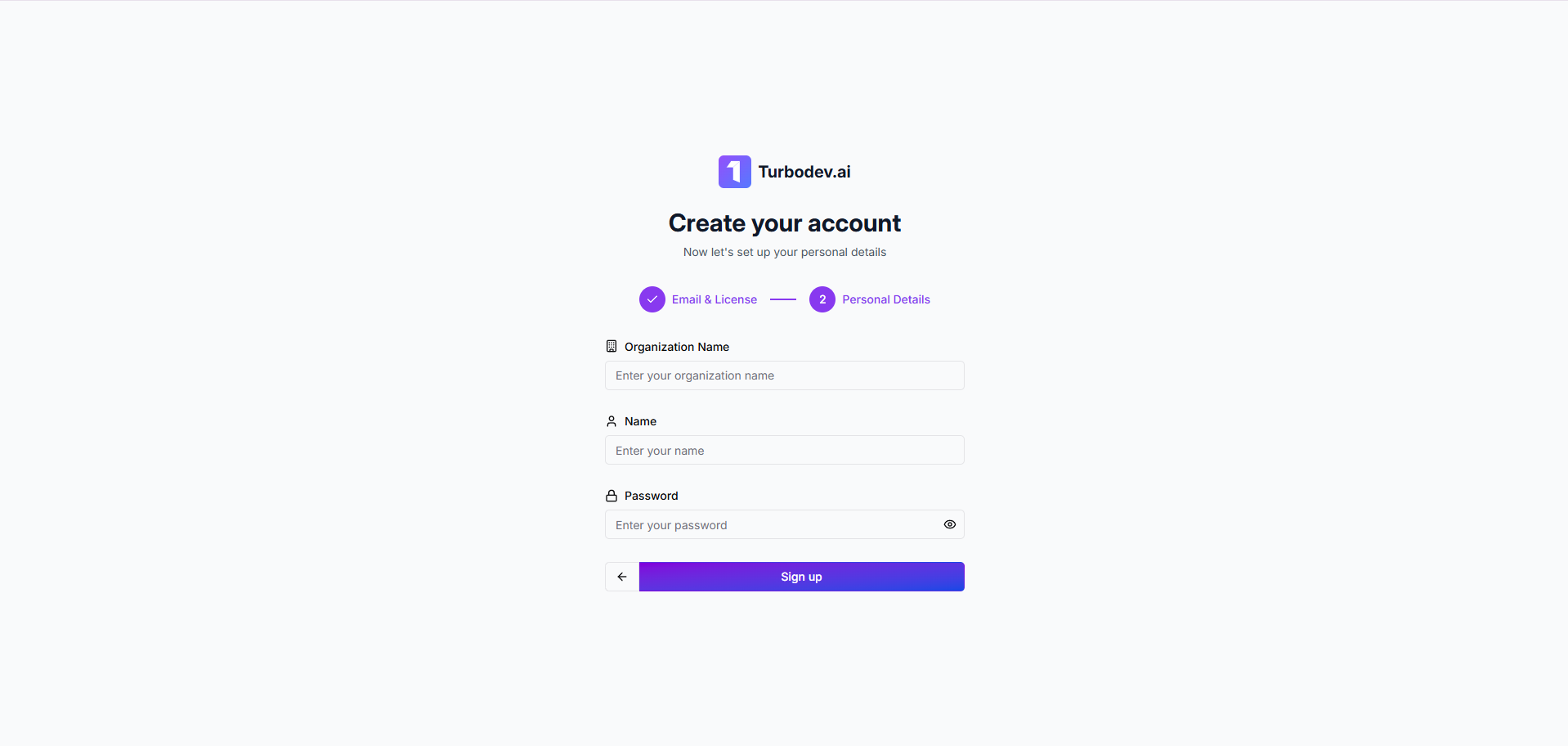
 ### **Step 2: Add Personal Details**
* Organization Name: Enter your company or business name
* Your Name: Provide your full name
* Password: Create a secure password for your account
### **Step 2: Add Personal Details**
* Organization Name: Enter your company or business name
* Your Name: Provide your full name
* Password: Create a secure password for your account
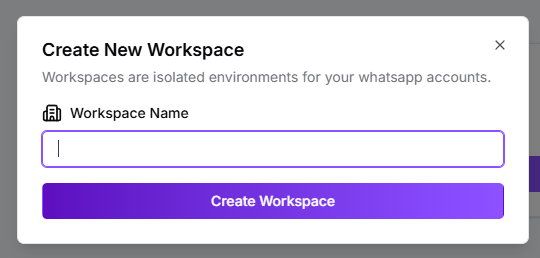
 ### **Step 3: Create Your Workspace**
* Enter your Workspace Name (this will be your main working environment in Turbodev)
### **Step 3: Create Your Workspace**
* Enter your Workspace Name (this will be your main working environment in Turbodev)
 Once completed, you'll have full access to your Turbodev dashboard and can begin connecting your WhatsApp number.
**Next Step:** [Connect Your WhatsApp](https://docs.turbodev.ai/guides/connect-whats-app-channel/connect-your-whats-app) - Learn how to link your WhatsApp Business number to Turbodev
Once completed, you'll have full access to your Turbodev dashboard and can begin connecting your WhatsApp number.
**Next Step:** [Connect Your WhatsApp](https://docs.turbodev.ai/guides/connect-whats-app-channel/connect-your-whats-app) - Learn how to link your WhatsApp Business number to Turbodev
