> ## Documentation Index
> Fetch the complete documentation index at: https://docs.turbodev.ai/llms.txt
> Use this file to discover all available pages before exploring further.
# Account Profile Info
> Keep track of your WhatsApp number and Account ID for seamless identification and communication. Monitor your WhatsApp API connection status and Turbodev Account details to manage your profile effectively.
## WhatsApp Number and Account Identification
Your WhatsApp business number comes with associated identifiers for communication and account management:
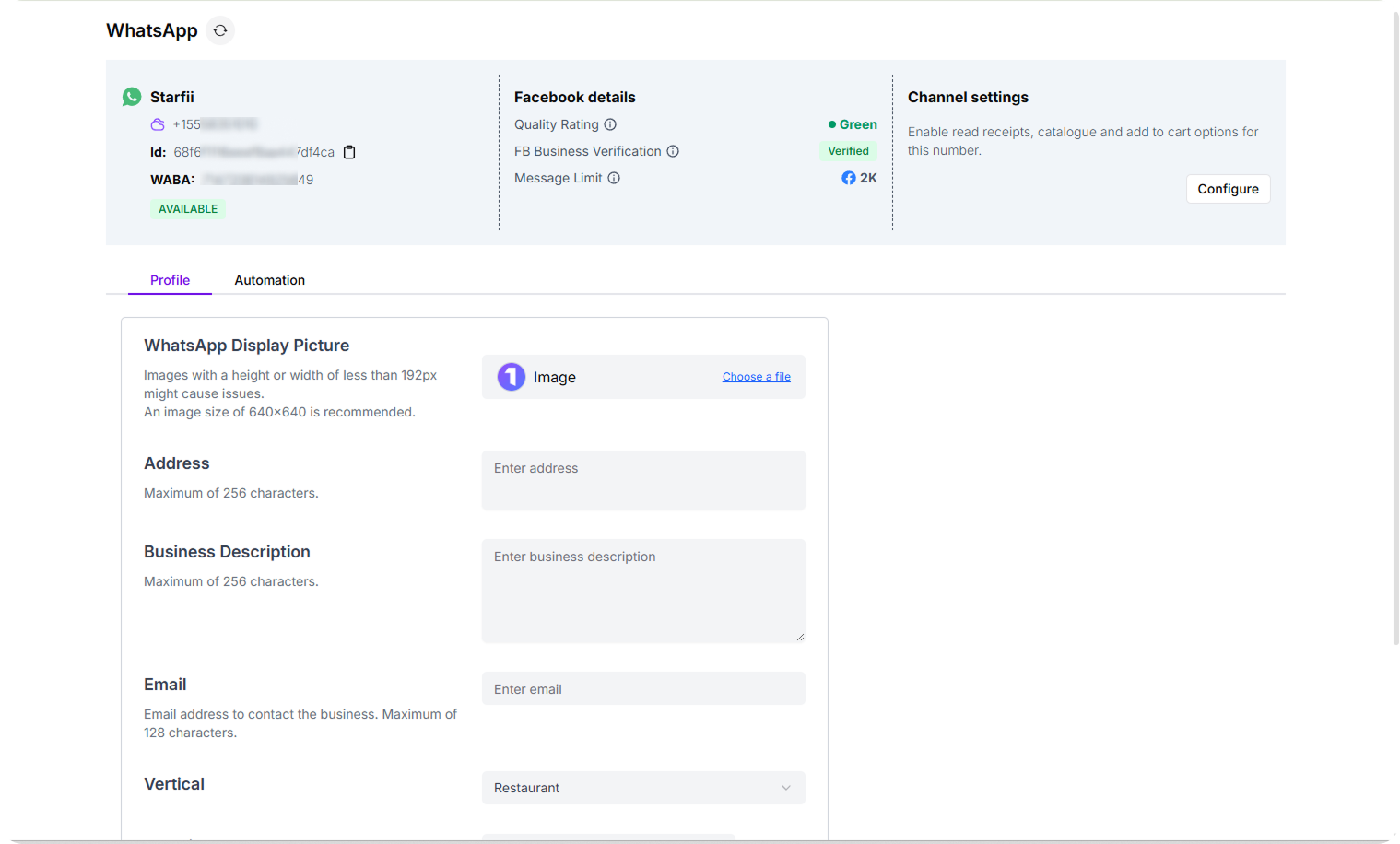 1. **Connected WhatsApp Number:** Your active business phone number linked to Turbodev
2. **Turbodev Account ID:** A unique identifier assigned to your account for identification and platform communication
3. **Connection Status:** Real-time status indicator showing whether your WhatsApp API is operational
## Manage Your WhatsApp Business Profile in Turbodev
To access and update your profile information, follow these steps:
**Step 1: Access Profile Settings**
Log in to your Turbodev account with your credentials. Navigate to **Settings** and select **WhatsApp Channel**.
1. **Connected WhatsApp Number:** Your active business phone number linked to Turbodev
2. **Turbodev Account ID:** A unique identifier assigned to your account for identification and platform communication
3. **Connection Status:** Real-time status indicator showing whether your WhatsApp API is operational
## Manage Your WhatsApp Business Profile in Turbodev
To access and update your profile information, follow these steps:
**Step 1: Access Profile Settings**
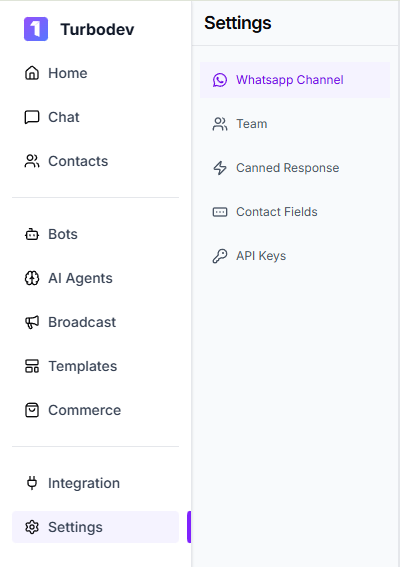
Log in to your Turbodev account with your credentials. Navigate to **Settings** and select **WhatsApp Channel**.
 **Step 2: Update Profile Details**
In the **Profile** section, you'll find options to manage and customize your business information:
**Step 2: Update Profile Details**
In the **Profile** section, you'll find options to manage and customize your business information:
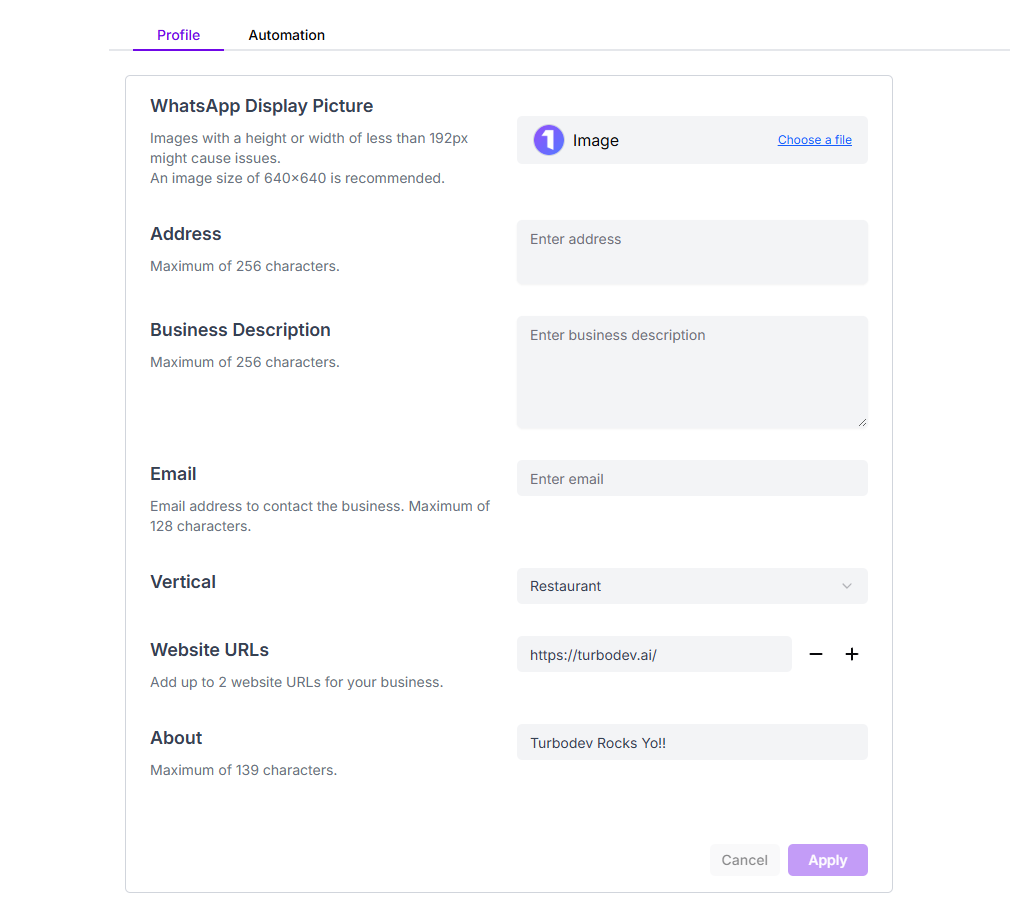 * **Profile Picture:** Upload or update your business logo to create a recognizable visual identity for your brand
* **Address:** Add or edit your business location to help customers find your physical presence
* **Business Description:** Write a clear and compelling summary of what your business offers
* **Email Address:** Provide an email contact for customers who prefer written communication
* **Industry Vertical:** Select the industry or sector your business operates in, helping customers and the platform understand your business category
* **Website URLs:** Add links to your website, allowing customers to explore your products, services, and learn more about your business
* **Tagline:** Create a memorable tagline that captures your business's unique value or mission
* **Profile Picture:** Upload or update your business logo to create a recognizable visual identity for your brand
* **Address:** Add or edit your business location to help customers find your physical presence
* **Business Description:** Write a clear and compelling summary of what your business offers
* **Email Address:** Provide an email contact for customers who prefer written communication
* **Industry Vertical:** Select the industry or sector your business operates in, helping customers and the platform understand your business category
* **Website URLs:** Add links to your website, allowing customers to explore your products, services, and learn more about your business
* **Tagline:** Create a memorable tagline that captures your business's unique value or mission