> ## Documentation Index
> Fetch the complete documentation index at: https://docs.turbodev.ai/llms.txt
> Use this file to discover all available pages before exploring further.
# Shopify Integration with Turbodev
Integrating Shopify with Turbodev enables you to automate customer communication across your entire e-commerce journey. From order confirmations and shipping updates to abandoned cart reminders and follow-ups, Turbodev ensures your customers receive timely, personalized WhatsApp messages automatically.
With this integration, you can reduce manual work, improve response time, and create a seamless post-purchase experience for your customers.
## Why Connect Shopify with Turbodev?
Connecting your Shopify store with Turbodev unlocks powerful automation capabilities designed for modern e-commerce businesses.
Once integrated, you can:
* Send automated WhatsApp order confirmations
* Notify customers about shipping and delivery updates
* Automate abandoned cart recovery messages
* Trigger follow-ups and customer engagement workflows
* Manage customer conversations from one unified dashboard
This helps improve customer experience, increase conversions, and save hours of manual effort.
## How Shopify Integration Works in Turbodev
The integration connects your Shopify store directly with Turbodev’s automation engine. When specific events occur in Shopify such as a new order, order update, or abandoned cart—Turbodev automatically triggers predefined workflows and sends WhatsApp messages to customers.
No coding is required. Everything works through Turbodev’s no-code automation builder.
## Step-by-Step Guide: Connect Shopify with Turbodev
Follow these simple steps to integrate your Shopify store.
### Step 1: Open Integrations in Turbodev
1. Log in to your **Turbodev dashboard**
2. Click on **Integrations** from the left navigation panel
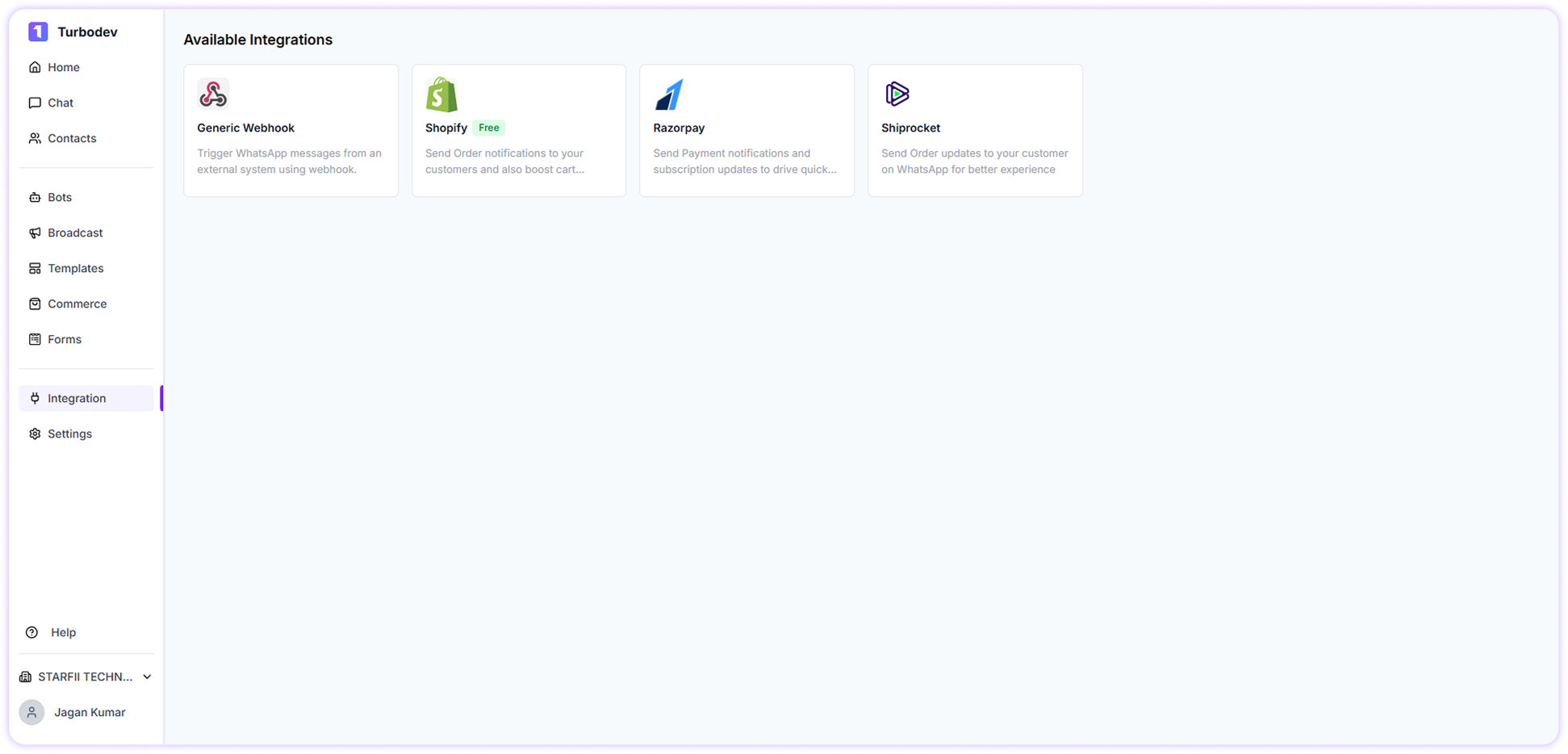 3. Locate **Shopify** under Available Integrations
4. Click on **Shopify**
A connection pop-up will appear.
### Step 2: Connect Your Shopify Store
In the pop-up window, you will see:
**Connect Shopify Store**
Enter your Shopify store URL to connect your store and start sending order notifications.
3. Locate **Shopify** under Available Integrations
4. Click on **Shopify**
A connection pop-up will appear.
### Step 2: Connect Your Shopify Store
In the pop-up window, you will see:
**Connect Shopify Store**
Enter your Shopify store URL to connect your store and start sending order notifications.
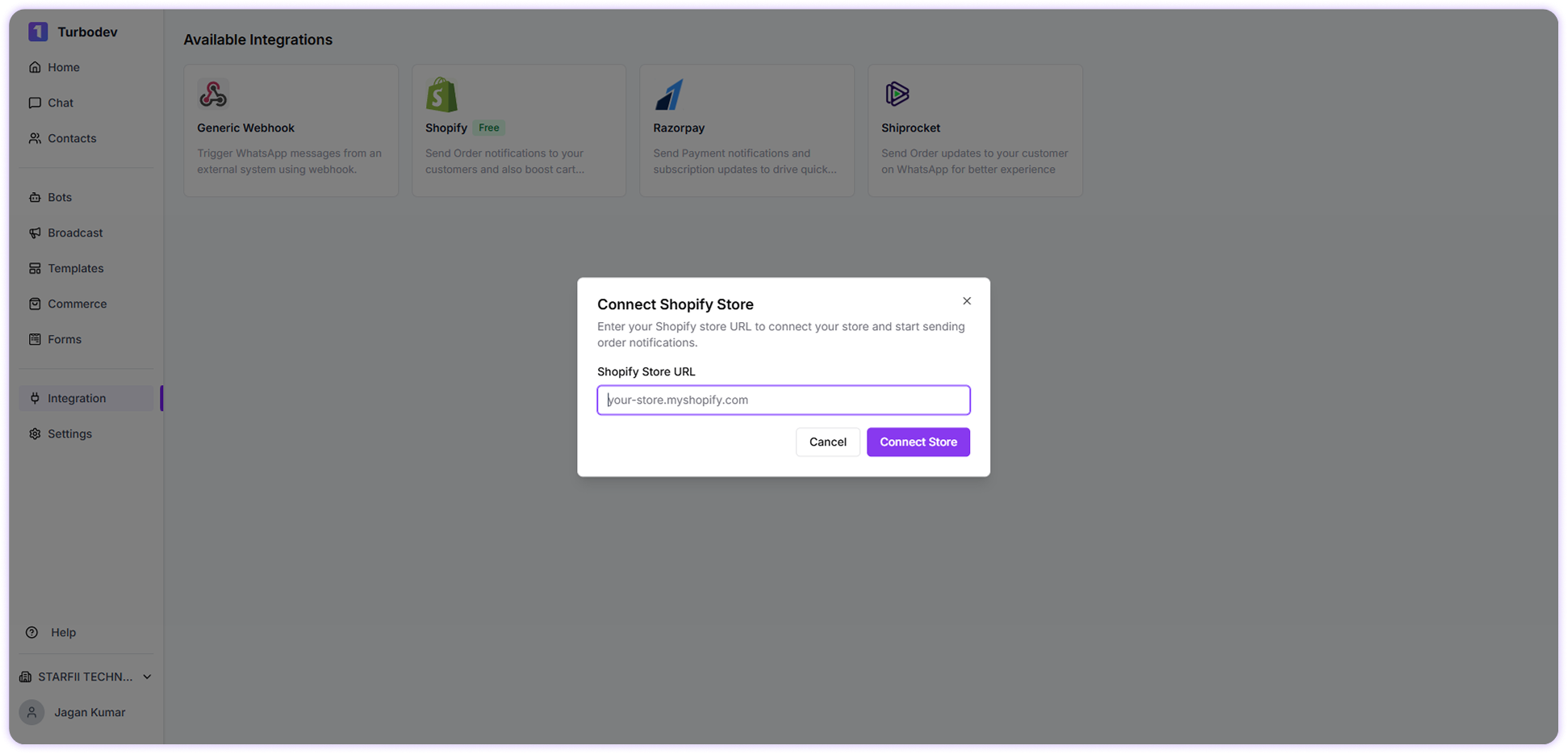 Example:
```text theme={null}
your-store.myshopify.com
```
Now click:
**Connect Store**
### Step 3: Install Turbodev in Shopify
After clicking **Connect Store**, you will be redirected to your Shopify admin panel.
Here:
1. Review the Turbodev application permissions
2. Click **Install App**
3. Approve the installation
Once installed, your Shopify store will be securely connected to Turbodev.
You will automatically be redirected back to Turbodev.
### Step 4: Complete Turbodev Configuration
After installation, the **Configuration panel** will open in Turbodev.
You need to enter the following details:
**Required Fields:**
Example:
```text theme={null}
your-store.myshopify.com
```
Now click:
**Connect Store**
### Step 3: Install Turbodev in Shopify
After clicking **Connect Store**, you will be redirected to your Shopify admin panel.
Here:
1. Review the Turbodev application permissions
2. Click **Install App**
3. Approve the installation
Once installed, your Shopify store will be securely connected to Turbodev.
You will automatically be redirected back to Turbodev.
### Step 4: Complete Turbodev Configuration
After installation, the **Configuration panel** will open in Turbodev.
You need to enter the following details:
**Required Fields:**
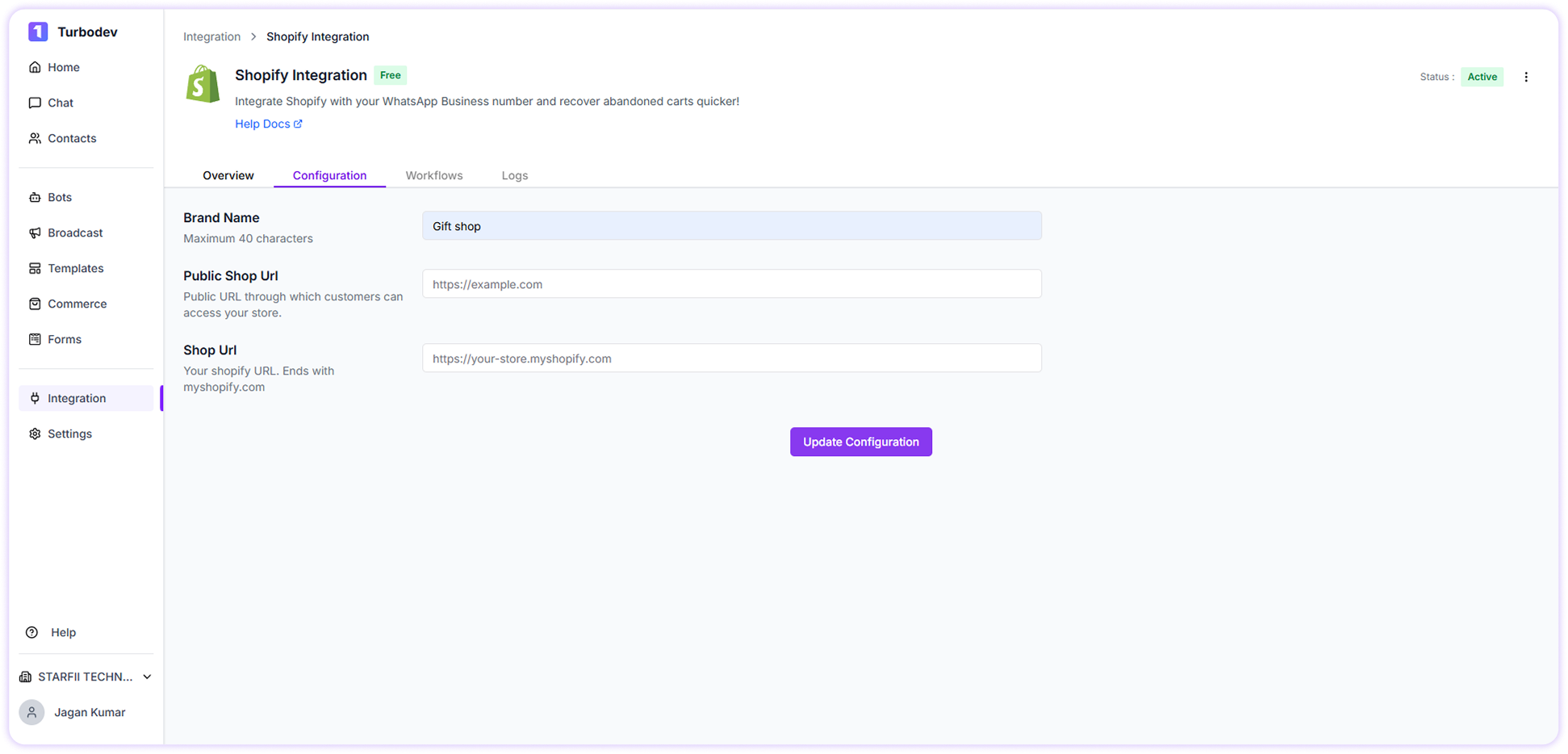 * Brand Name
* Public Shop URL (customer-facing store URL)
* Shop URL (your Shopify store URL)
Make sure all information is correct.
Now click:
**Update Configuration**
### Step 5: Access and Activate Shopify Workflows
Once configuration is completed successfully:
* Shopify integration will be activated
* Automation workflows will be unlocked
* You can start creating automated WhatsApp workflows
Your Shopify store is now fully connected with Turbodev.
* Brand Name
* Public Shop URL (customer-facing store URL)
* Shop URL (your Shopify store URL)
Make sure all information is correct.
Now click:
**Update Configuration**
### Step 5: Access and Activate Shopify Workflows
Once configuration is completed successfully:
* Shopify integration will be activated
* Automation workflows will be unlocked
* You can start creating automated WhatsApp workflows
Your Shopify store is now fully connected with Turbodev.