

Overall Broadcast Analytics
Once a broadcast is scheduled, you’ll be redirected to the Broadcast Overview page. This dashboard gives you a consolidated view of all your broadcast campaigns and their performance. You can:- Monitor the status of multiple broadcasts in one place
-
Analyze how each campaign is performing over time
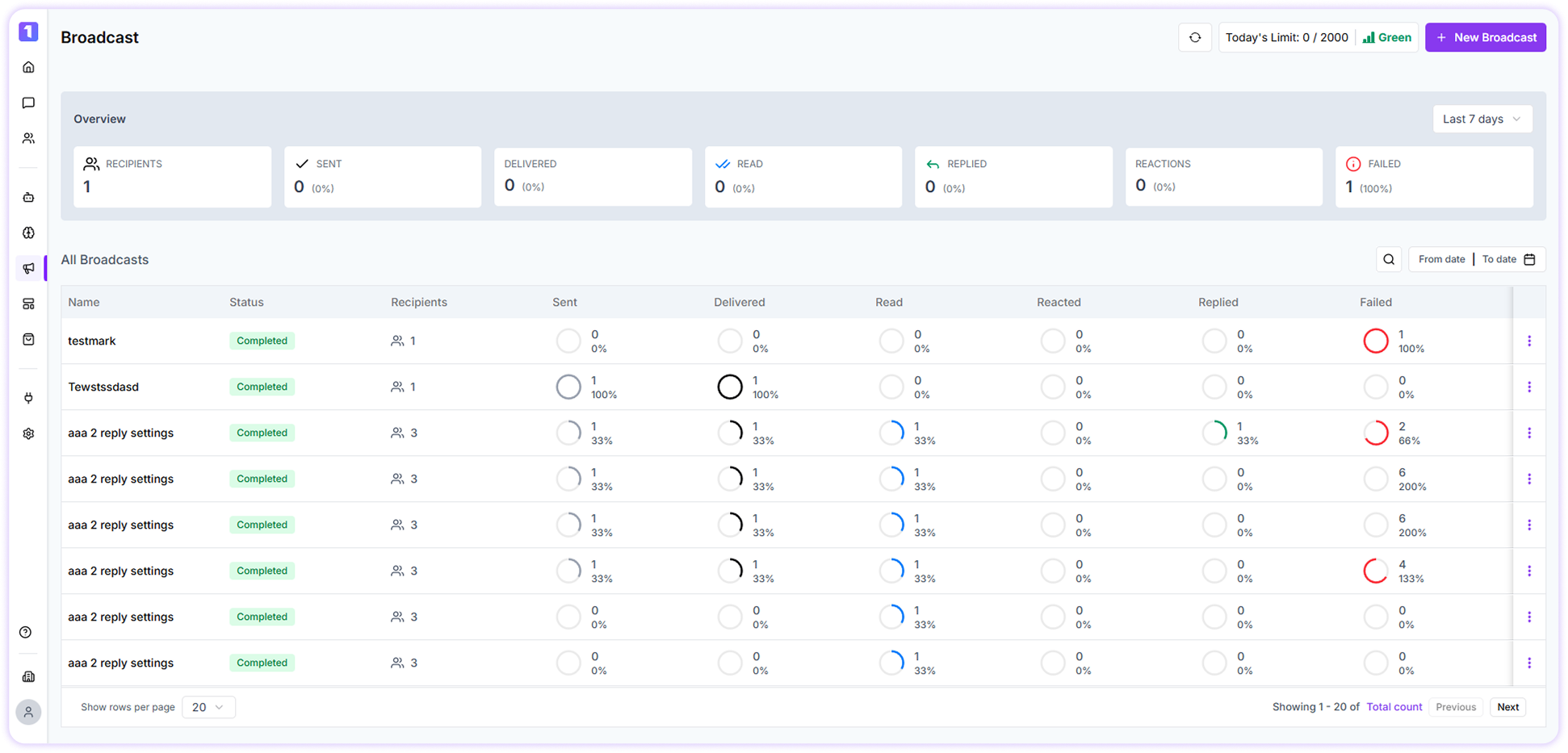
Date & Status Filters
Use built-in filters to narrow down broadcast data:- View performance for the last 7, 30, or 90 days
- Filter broadcasts by status such as Pending, Cancelled, or Completed
Repeat Broadcast
If you want to resend a broadcast to the same contact group, TurboDev makes it easy.- Click on the three-dot menu next to a broadcast
- Select the option to repeat
- Update the broadcast settings and schedule it again

Broadcast Report
To download a detailed broadcast report:- Click on the desired broadcast from the dashboard
- Open the broadcast overview
- Click Download Report
Broadcast Analytics
To view in-depth analytics:- Click on any broadcast listed in the dashboard
- Number of messages delivered
- How many users viewed the message
- How many responded
- URL clicks
- User reactions
-
Unsubscribes from marketing messages