What are Contact Segments?
Contact Segments in Turbodev allow you to group your contacts based on specific conditions such as tags, email, phone number, or other contact details. By organizing contacts into segments, you can send more relevant messages, run targeted campaigns, and manage your audience more effectively. Segments help you personalize communication and ensure the right message reaches the right customers at the right time.How to Create a Contact Segment
To create a contact segment in Turbodev:- Go to the Contacts section from the left menu in your Turbodev dashboard.
-
Click on Segments.
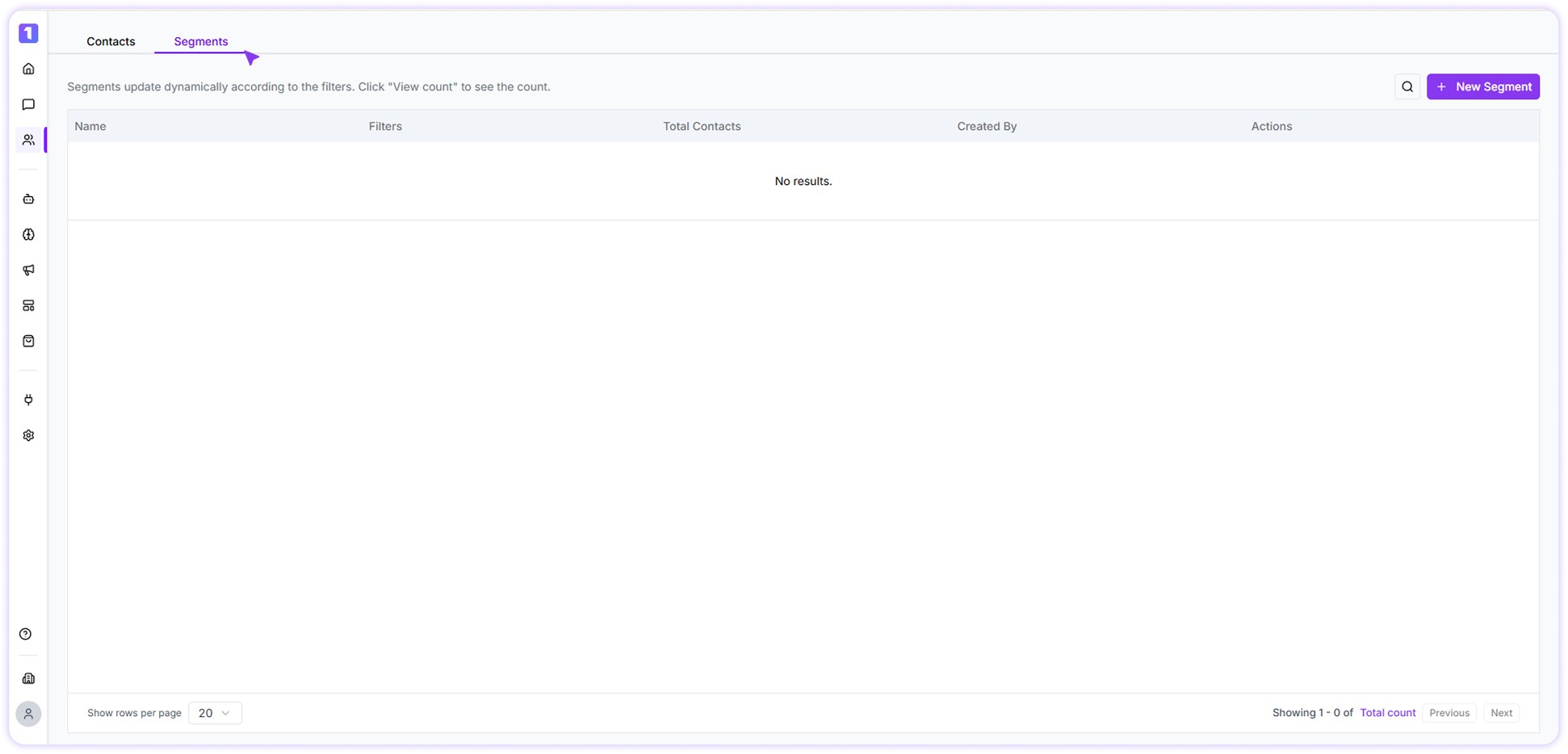
- Select New Segment .
-
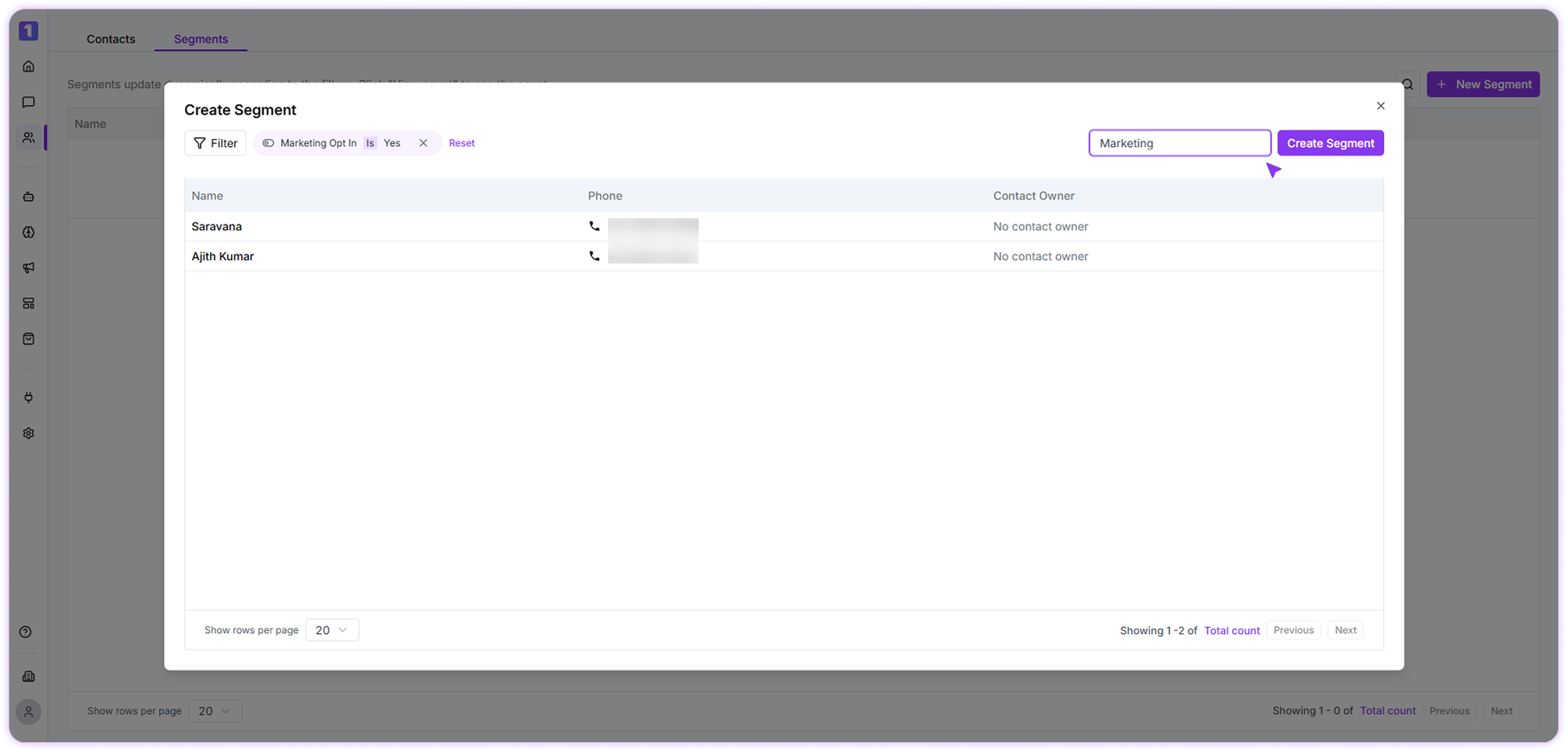
Define the conditions for the segment using filters such as tags, contact details, or other available fields.
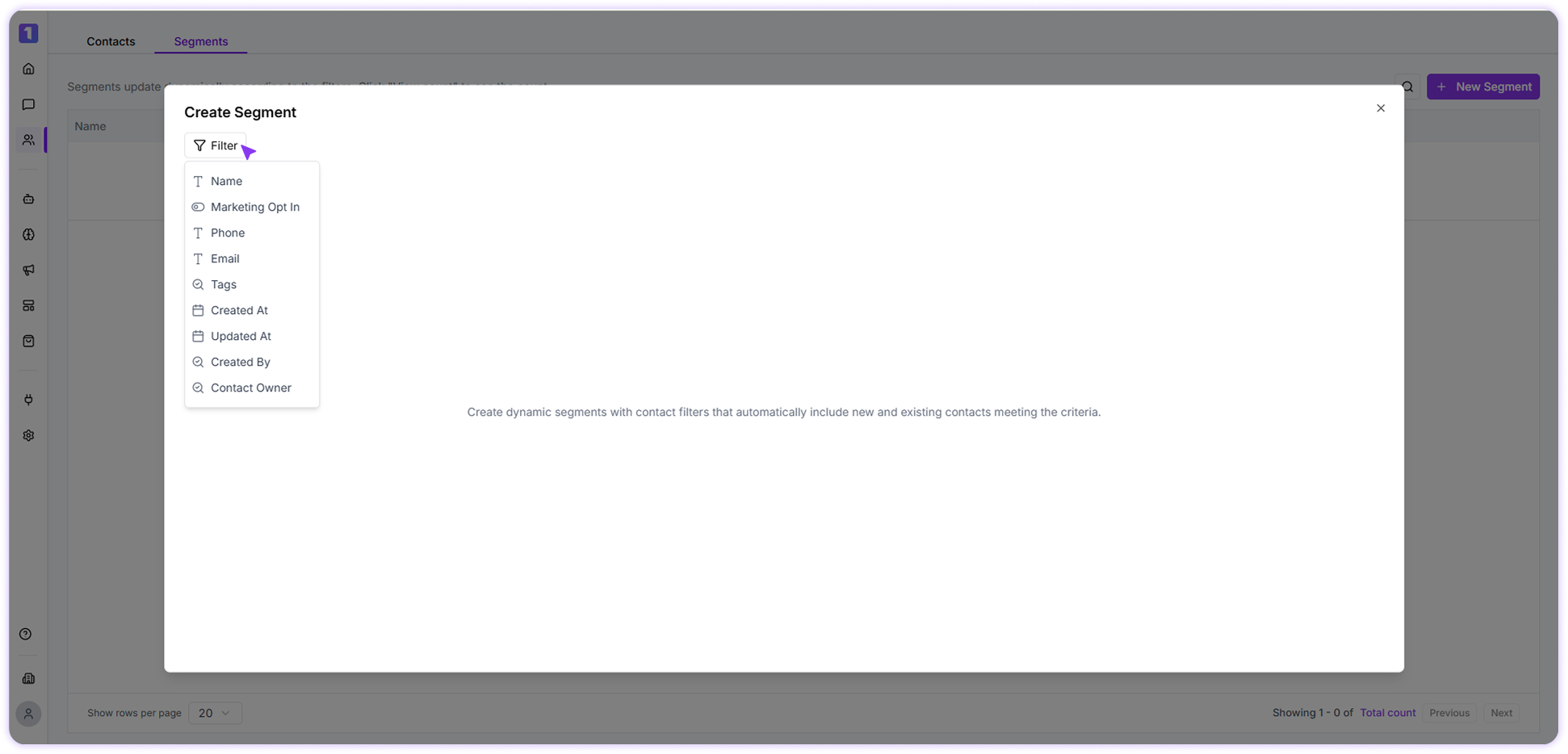
-
Give your segment a clear name and save it.