

Filter Conversations
Turbodev allows you to filter conversations so you only see what matters most. From the top-left section of the inbox, you can choose which type of chats to display.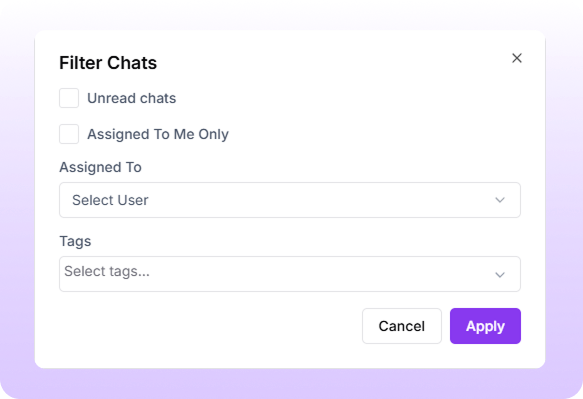
Available Inbox Filters
OpenDisplays all active conversations that are currently in progress and assigned to agents or bots. Unread
Shows conversations that have new or unread messages, including chats that are yet to be handled. Resolved
Displays conversations that have been marked as resolved after the enquiry or request has been addressed.
Filter by Tags
You can further refine your inbox by filtering conversations using tags. This allows you to quickly view chats related to specific categories such as new enquiry, follow-up required, paid, or high priority.Tag-based filtering helps teams stay organized and respond more efficiently.
Filter by Assigned User or Bot
Turbodev lets you filter conversations based on who they are assigned to. You can view chats assigned to a specific team member or bot and easily understand workload distribution across the team.This makes it simple to track ownership, balance workload, and manage conversations more effectively.