Creating a Bot in TurboDev
TurboDev offers multiple bot types, each designed for a specific trigger or use case. Choosing the right bot type helps you manage conversations more effectively.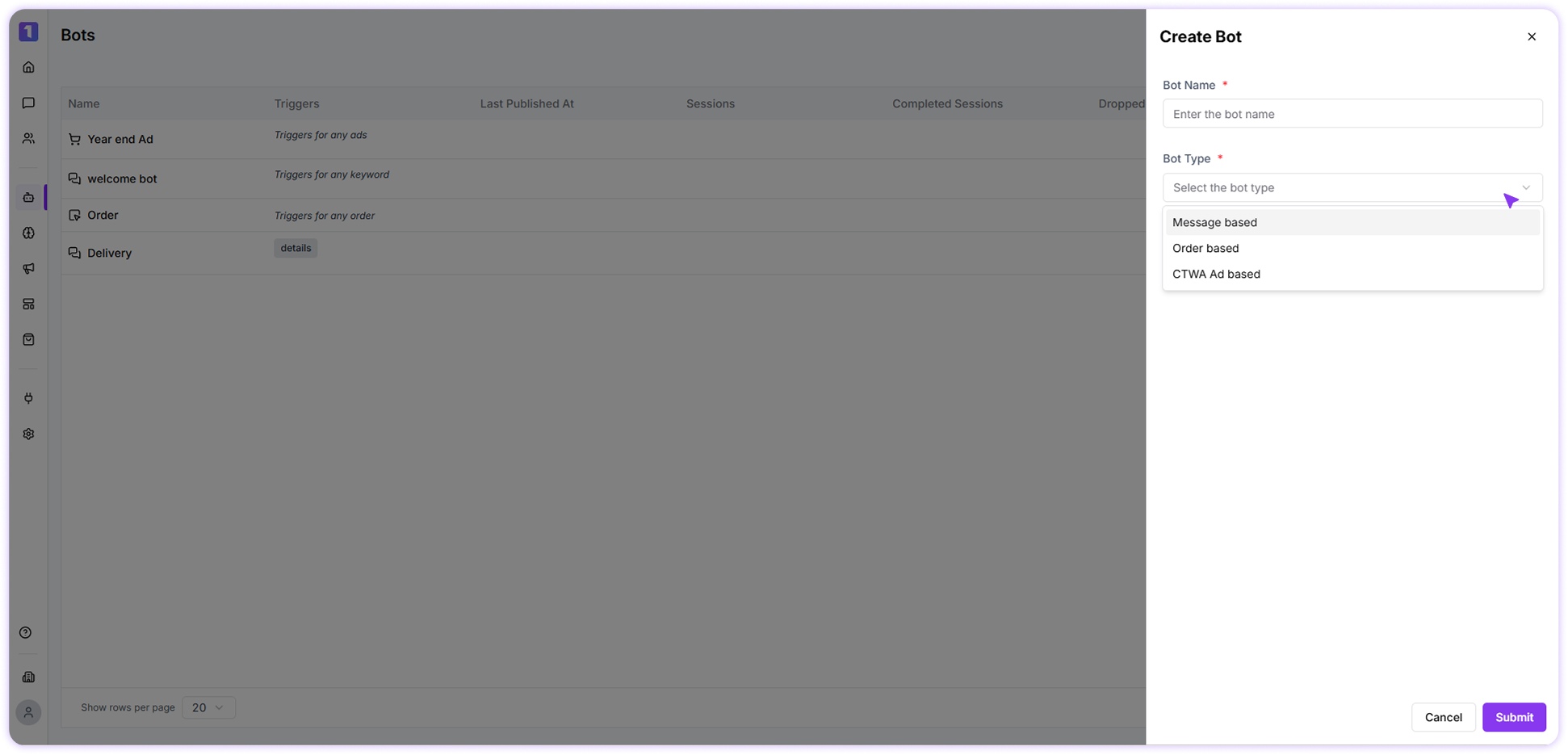
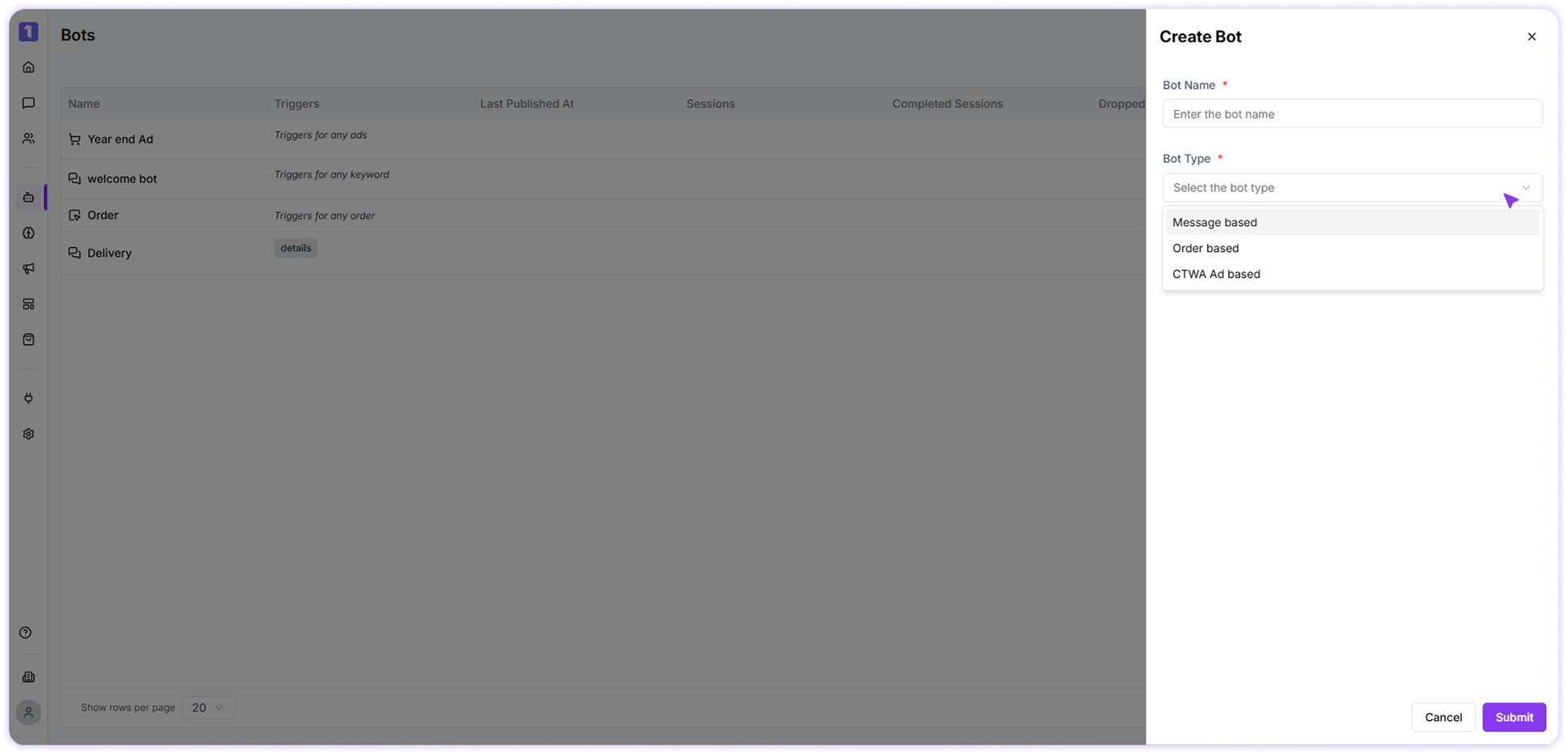
Types of Bots in TurboDev
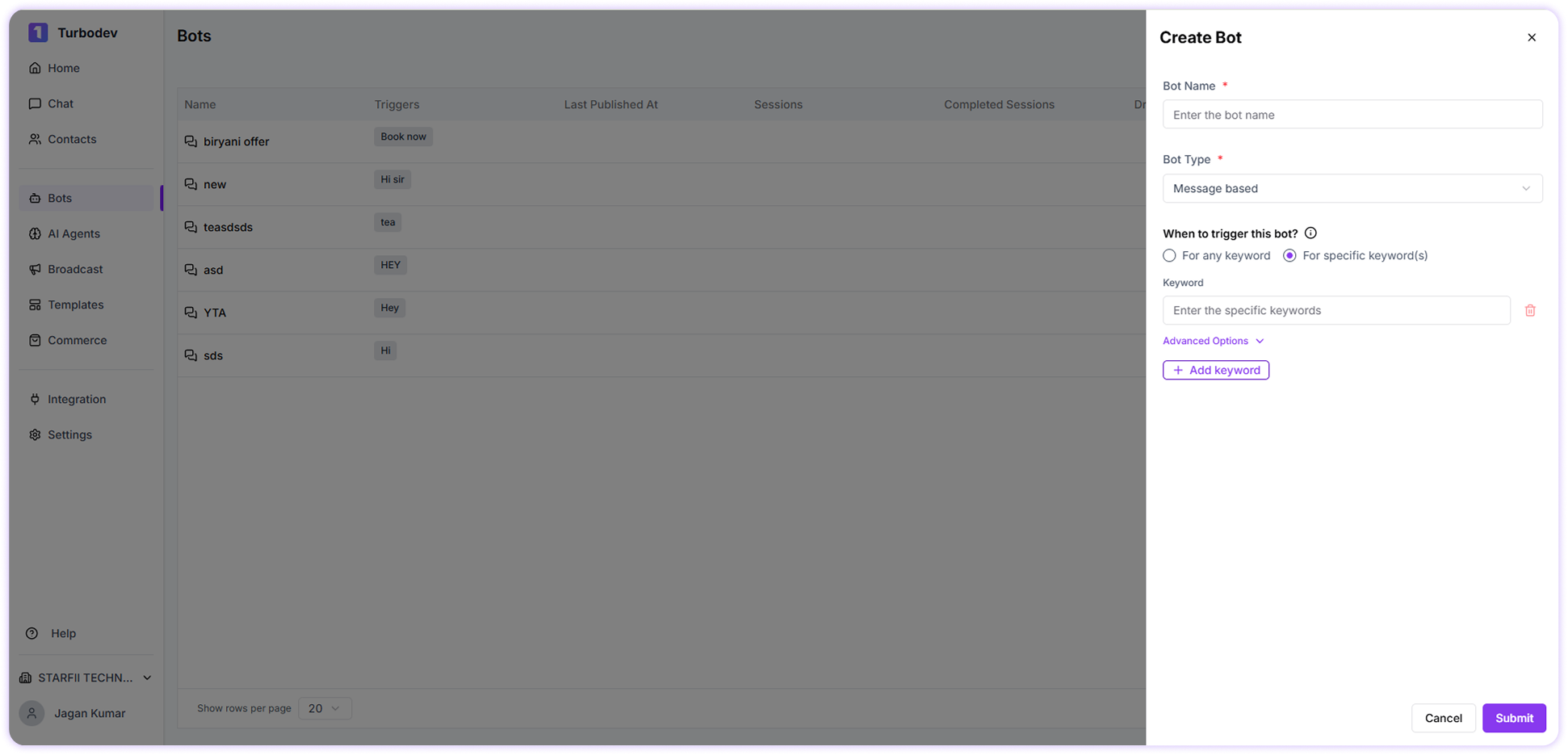
1. Message-Based Bot
A Message-Based bot is triggered when a user sends a message that matches a keyword. This bot type is best suited for:- FAQs and support queries
- General information sharing
- Automated replies to common questions
- For any keyword – The bot triggers for all incoming messages
-
For specific keyword(s) – The bot triggers only when selected keywords are received
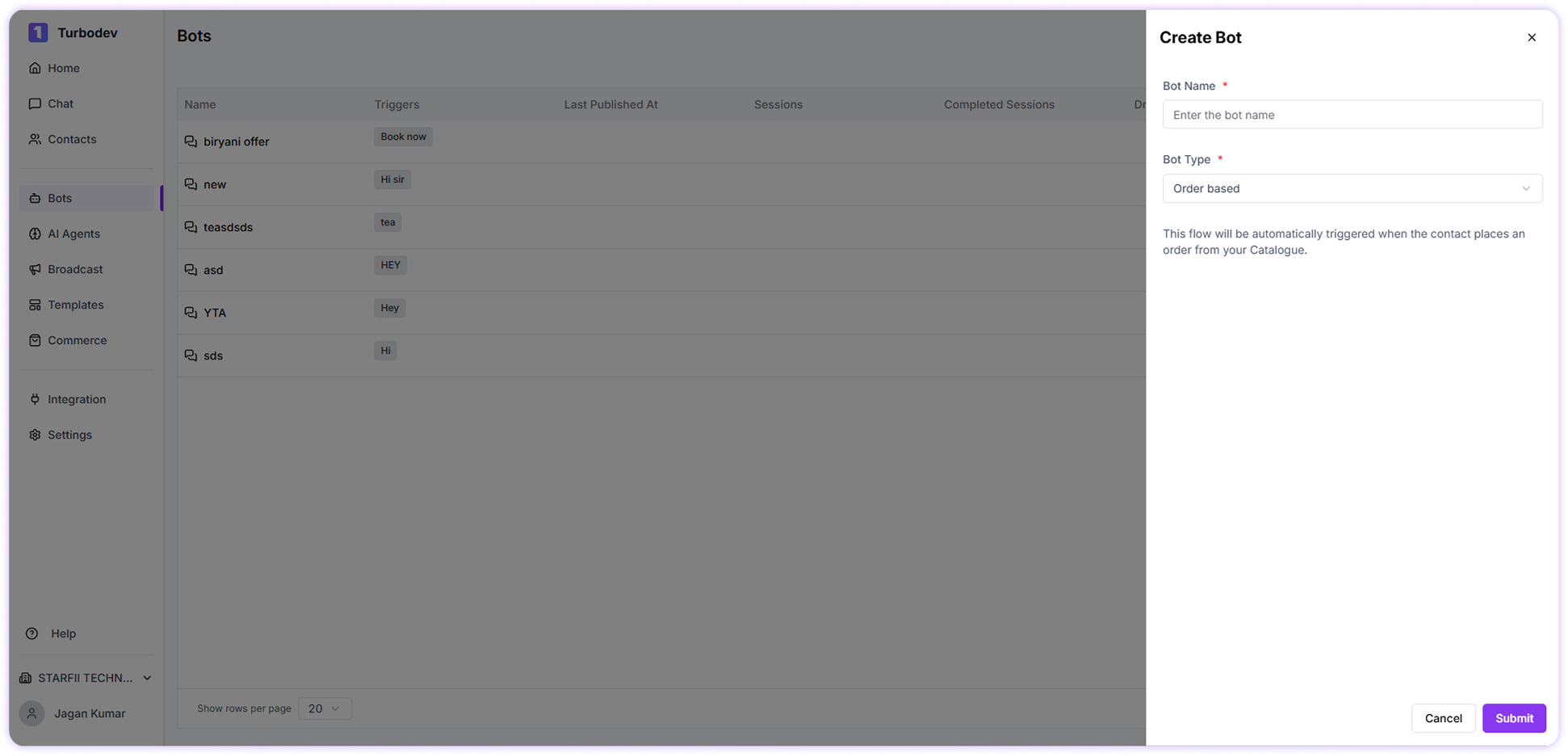
2. Order-Based Bot
An Order-Based bot is triggered automatically when a customer places an order from your connected catalogue. Common use cases include:- Order confirmation messages
- Post-purchase communication
-
Order status or follow-ups
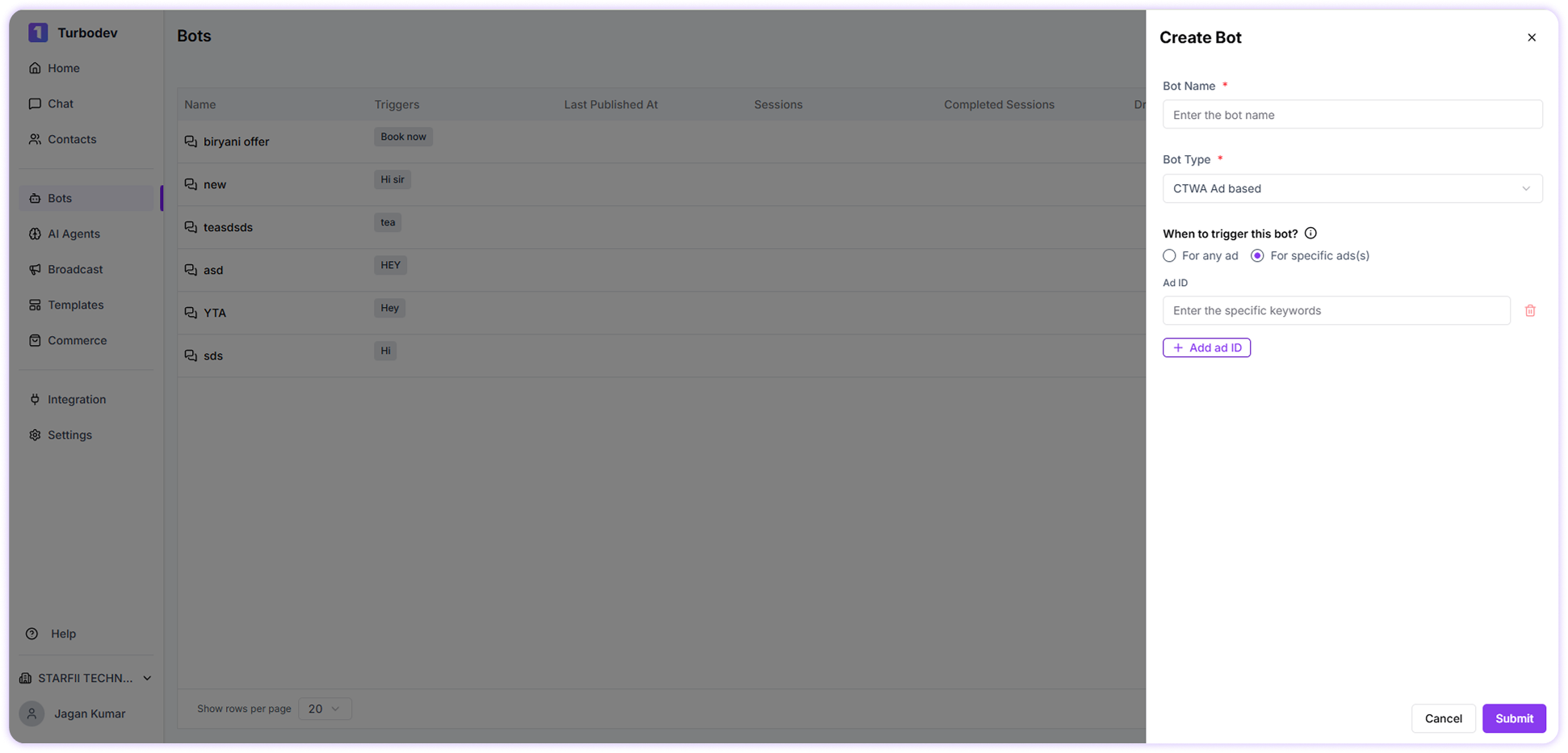
3. CTWA Ad–Based Bot
This bot is triggered when a conversation starts from a Click-to-WhatsApp (CTWA) advertisement. It helps you:- Separate ad-generated leads from regular chats
- Create dedicated flows for ad campaigns
-
Track and manage ad-based conversations easily
Edit or Update a Bot
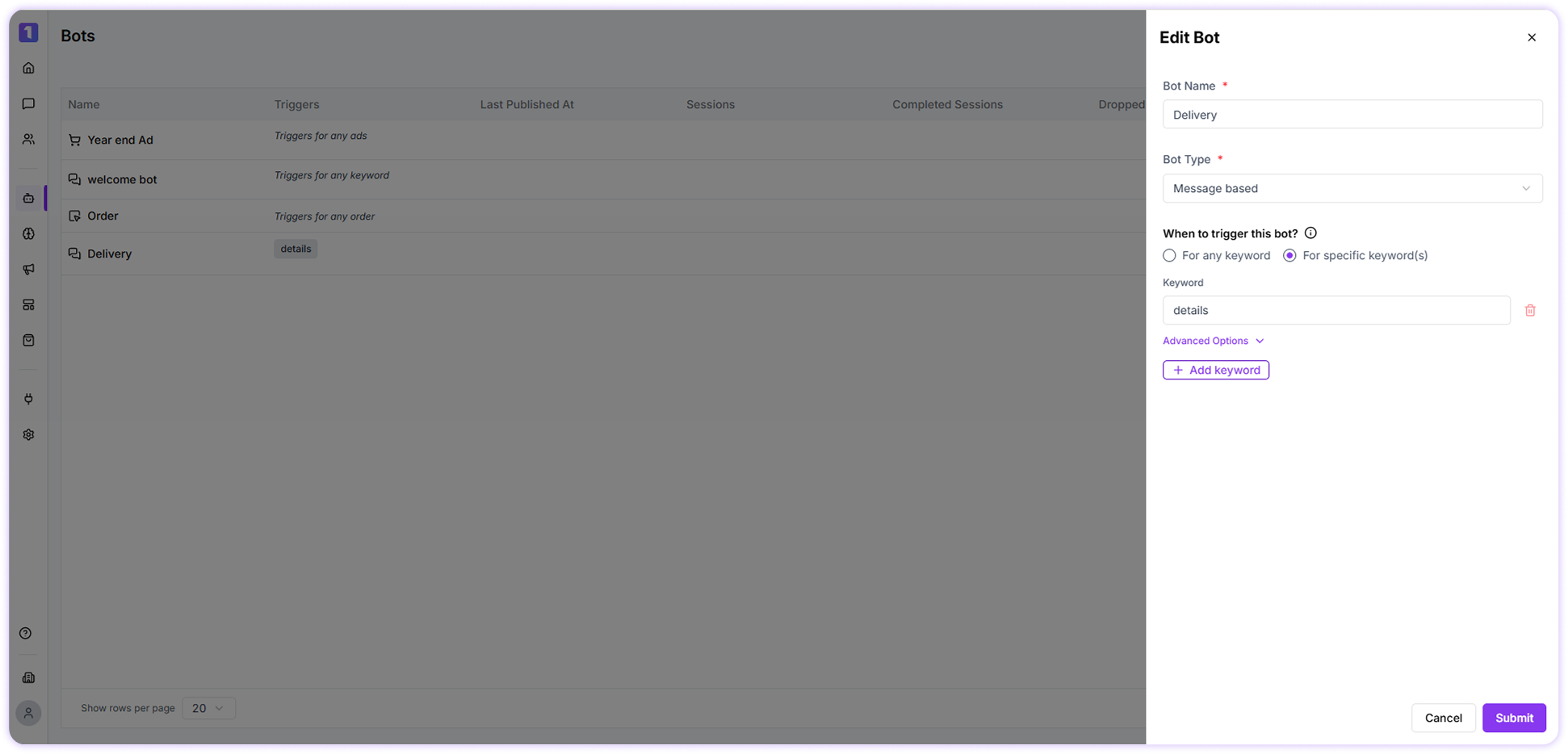
After creating a bot, you can update it anytime. Editable details include: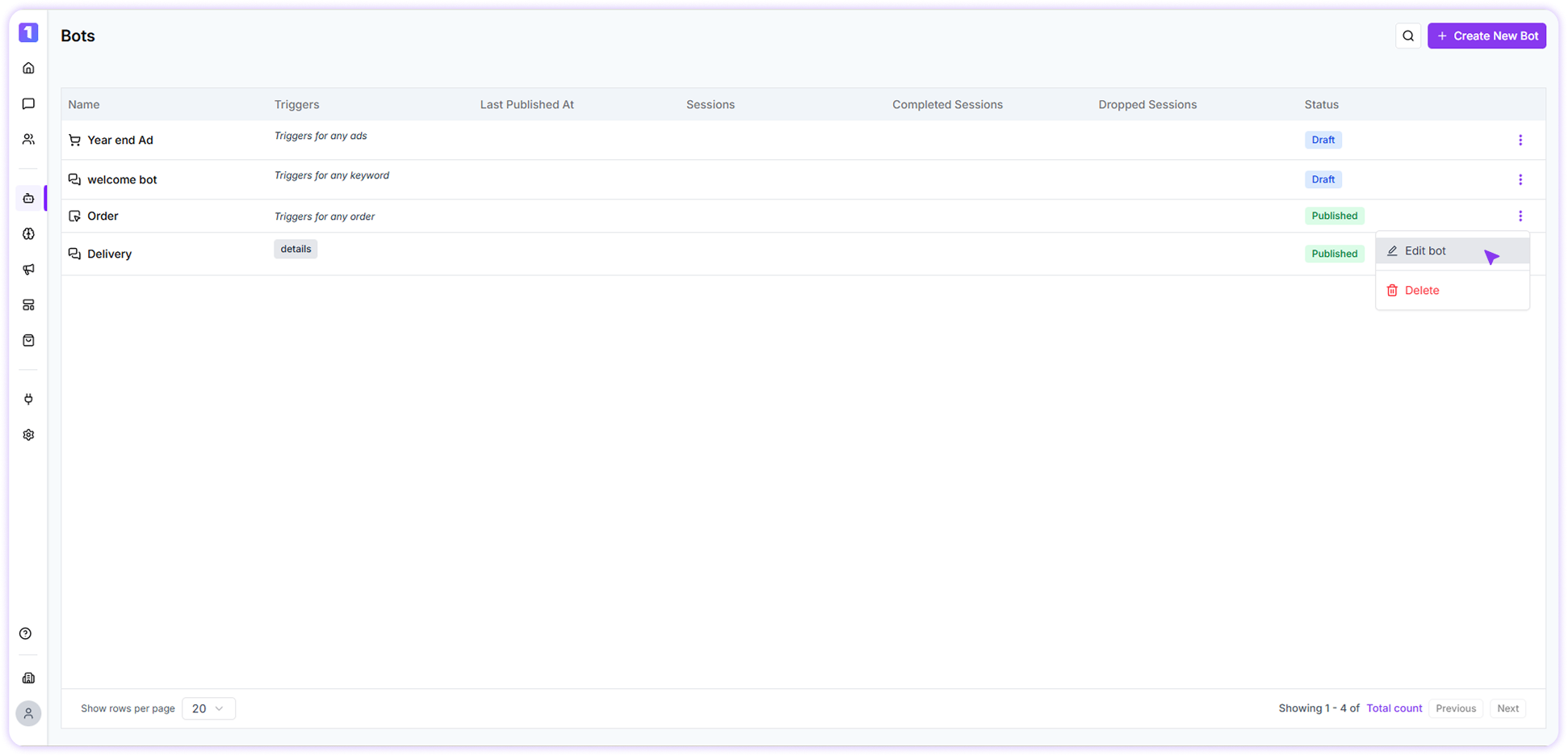
- Bot name
- Bot type
-
Trigger settings (keywords or trigger source)
Bot Logs
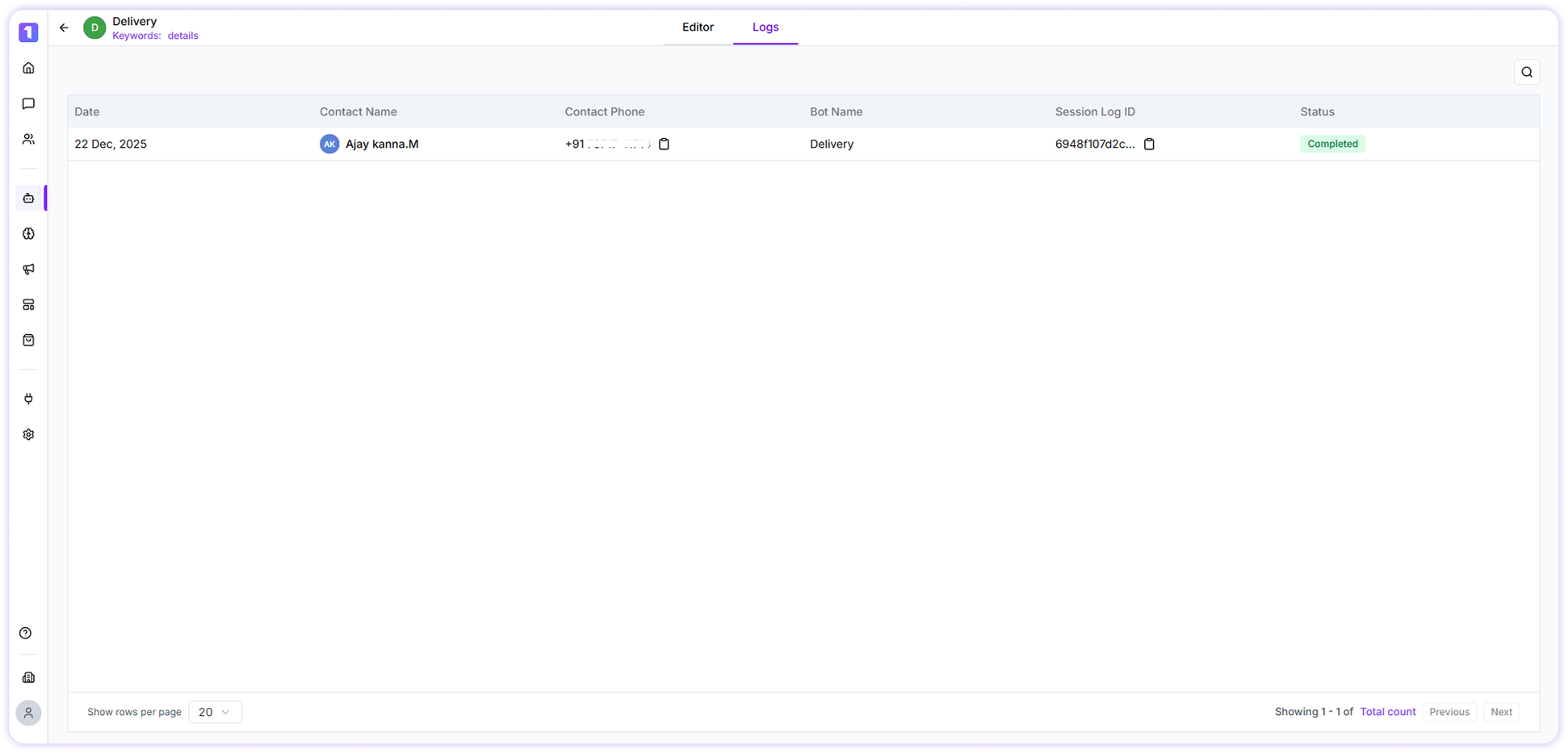
Bot Logs provide a clear overview of how different bots are performing in TurboDev. Each log includes details such as the bot name, contact name and phone number, session log ID, date, and current status. This consolidated view helps you track user interactions, understand where conversations drop off, monitor session completion, and evaluate the overall effectiveness of each bot in real time. Step 1: Select a Bot Choose the specific bot whose logs you want to review from your list of active bots. Step 2: View Logs