

WhatsApp Number and Account Identification
Your WhatsApp business number comes with associated identifiers for communication and account management: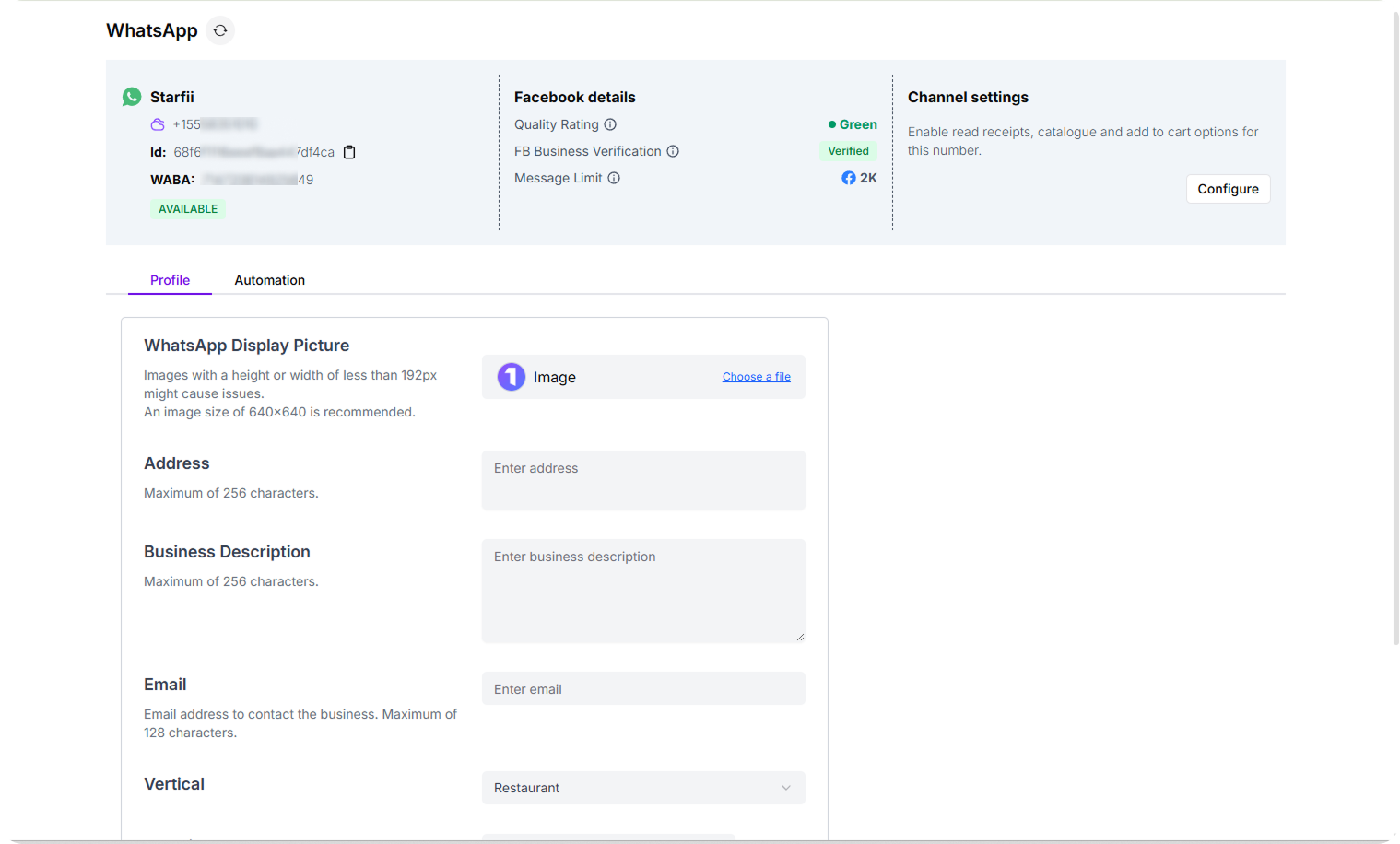
- Connected WhatsApp Number: Your active business phone number linked to Turbodev
- Turbodev Account ID: A unique identifier assigned to your account for identification and platform communication
- Connection Status: Real-time status indicator showing whether your WhatsApp API is operational
Manage Your WhatsApp Business Profile in Turbodev
To access and update your profile information, follow these steps: Step 1: Access Profile Settings Log in to your Turbodev account with your credentials. Navigate to Settings and select WhatsApp Channel.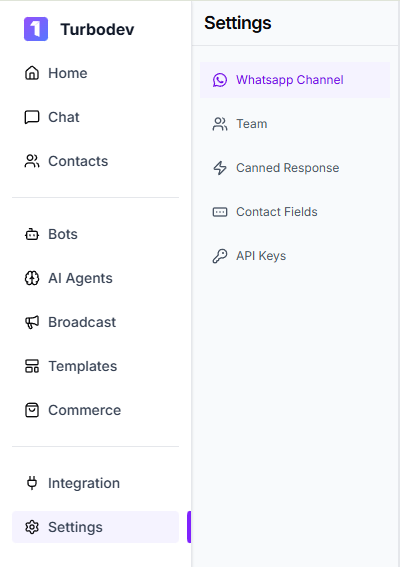
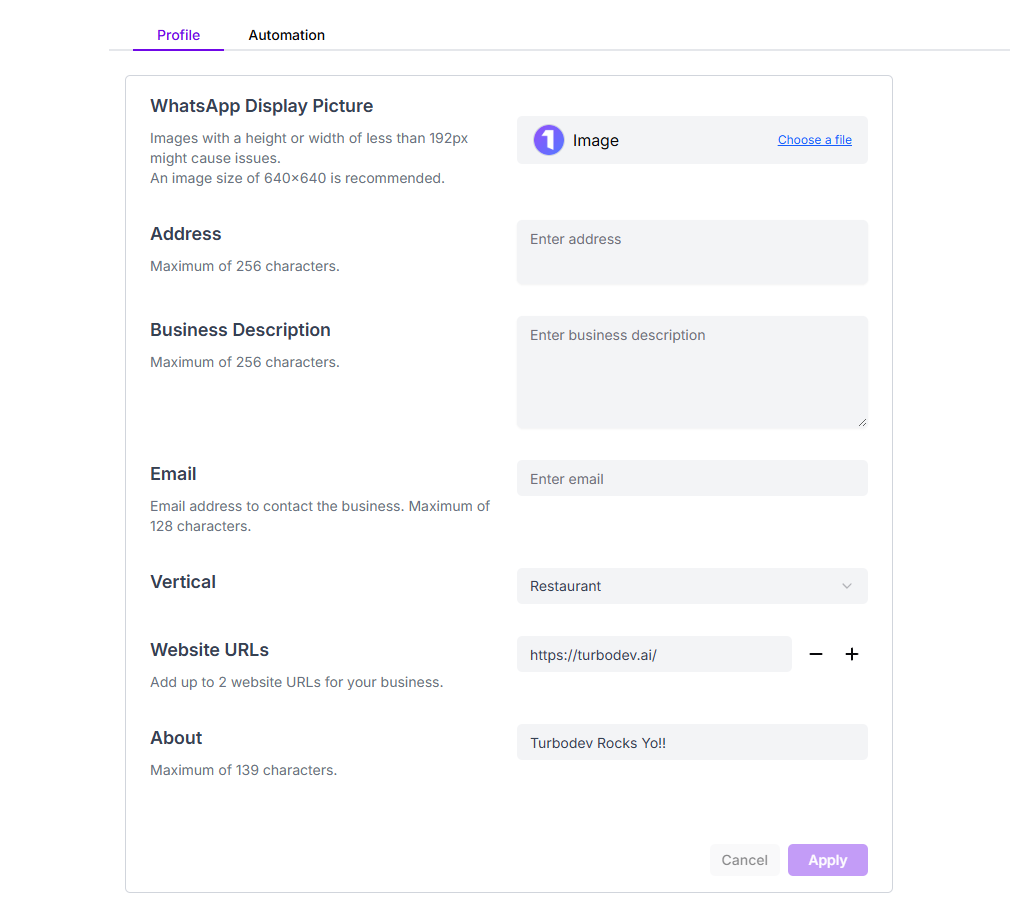
- Profile Picture: Upload or update your business logo to create a recognizable visual identity for your brand
- Address: Add or edit your business location to help customers find your physical presence
- Business Description: Write a clear and compelling summary of what your business offers
- Email Address: Provide an email contact for customers who prefer written communication
- Industry Vertical: Select the industry or sector your business operates in, helping customers and the platform understand your business category
- Website URLs: Add links to your website, allowing customers to explore your products, services, and learn more about your business
- Tagline: Create a memorable tagline that captures your business’s unique value or mission