

Prerequisites Before Creating an AI Agent
Before creating an AI Agent, ensure:- You have sufficient AI Credits available.
- If credits are not available, purchase a minimum of 10000 AI credits.
- Go to your Turbodev dashboard
- Click on the profile → Select Subscription

- Check the AI Credits balance
- If required, purchase additional credits
How to Create a New AI Agent
Follow these steps to create an AI Agent:Step 1: Go to AI Agents
- Log in to your Turbodev dashboard
- Click on AI Agents from the left navigation panel
- Click Create New AI
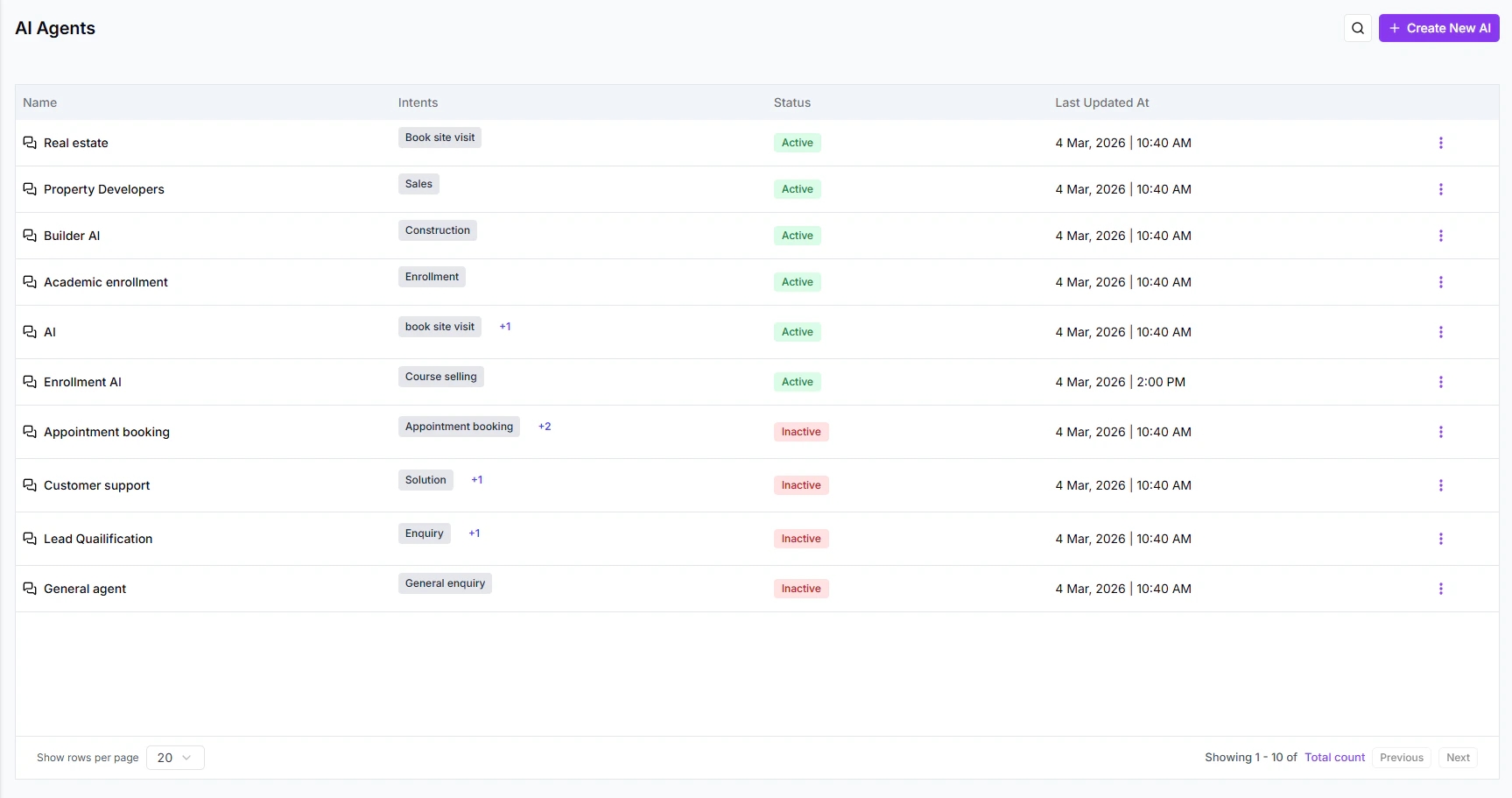
Step 2: Enter Basic Details
You will need to enter:- AI Name
- Description
- Agent Type
AI Agent Types in Turbodev
Turbodev offers three types of AI Agents:1. Message-Based Bot
A Message-Based AI is triggered when a user sends a message that matches a specific intent or keyword.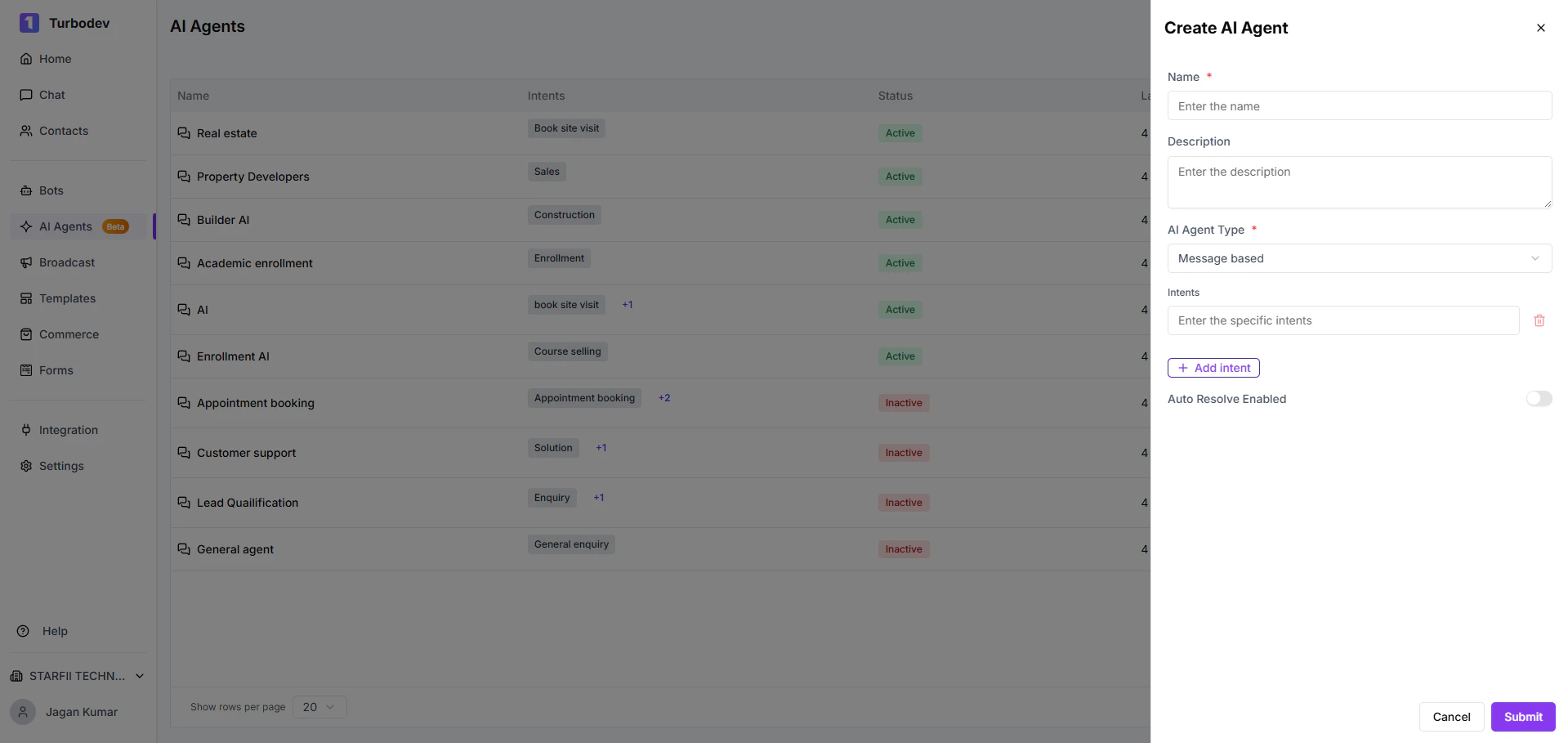
- User sends: “Pricing”
- AI triggers and responds automatically
- FAQs
- Support queries
- Product inquiries
- General automation
2. Order-Based Bot
An Order-Based AI is triggered automatically when a customer places an order from your connected catalogue.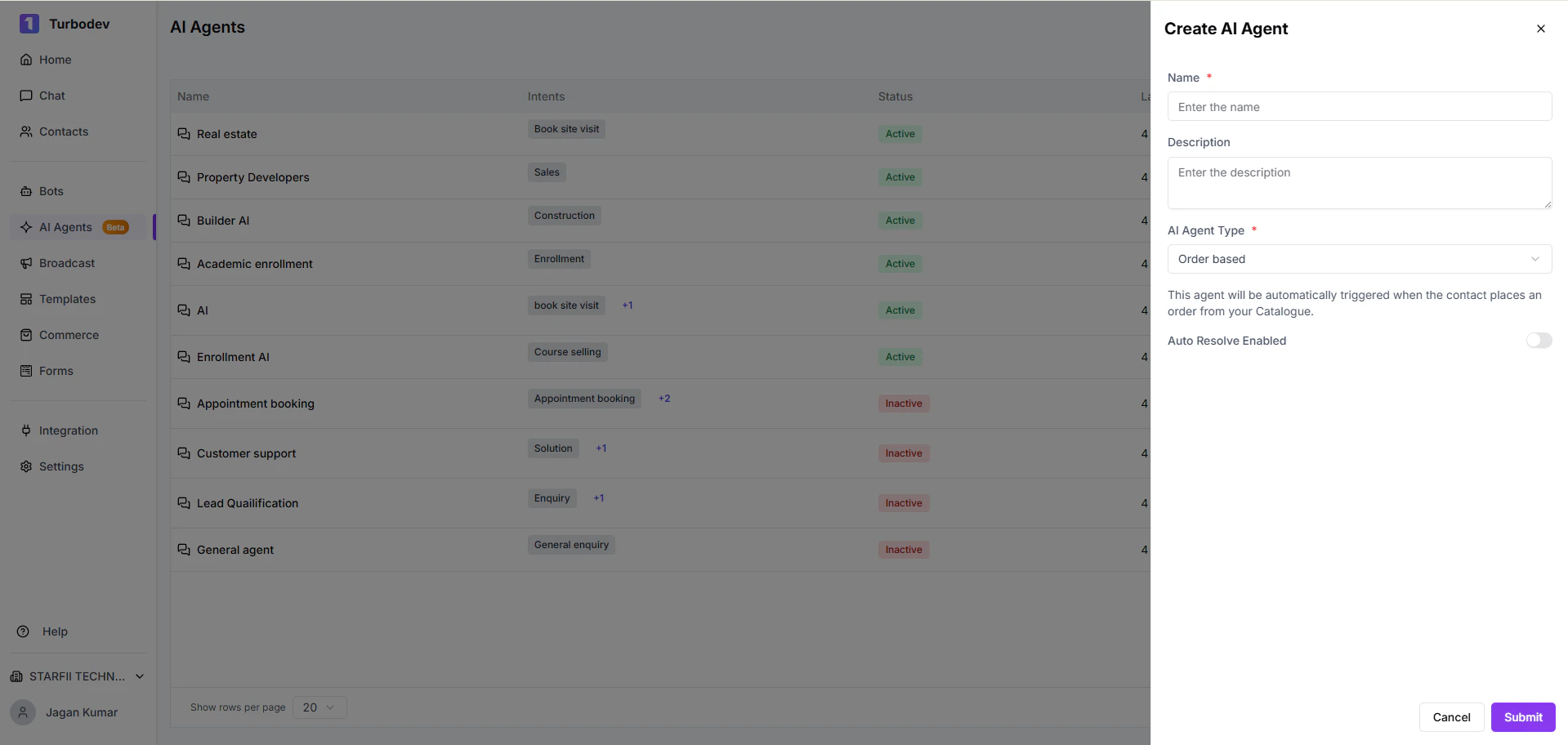
- Order confirmations
- Post-purchase upselling
- Delivery instructions
- Automated follow-ups
3. CTWA Ad–Based Bot
This AI is triggered when a conversation starts from a Click-to-WhatsApp (CTWA) advertisement.\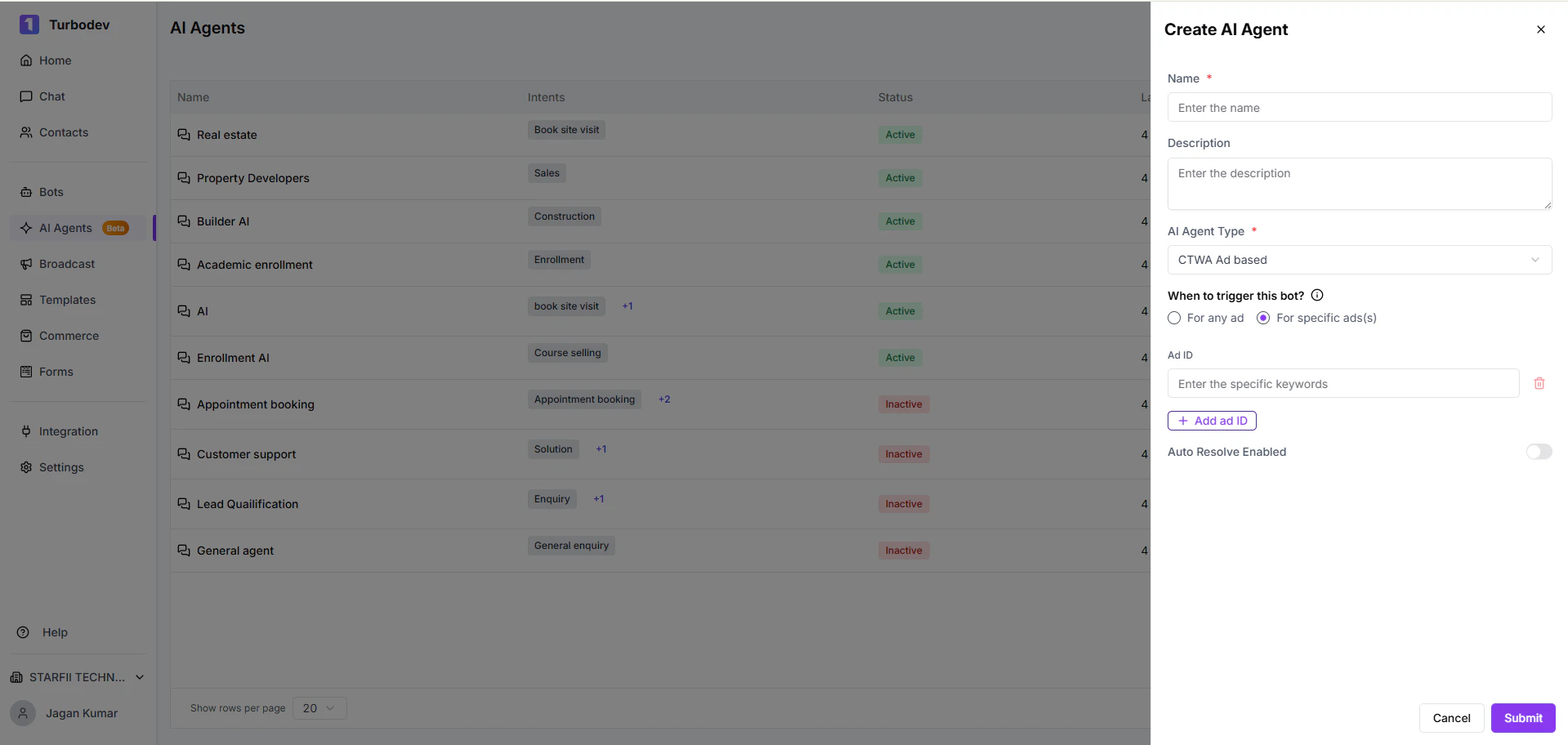
- Lead generation campaigns
- Ad-based promotions
- Campaign-specific automation
Edit or Update an AI Agent
After creating an AI Agent, you can update it anytime. You do not need to recreate the bot to make changes. Editable details include:- Name
- Type
- Trigger settings
Next Step: Configure the AI Agent
Once the AI Agent is created:- Click on the created AI
- Configure the AI settings
- Set up intents, responses, and logic