

Ways to Add Contacts in Turbodev
You can create contacts in Turbodev using the following methods:- Single Contact Creation
- Bulk Contact Import
- Automatic Contact Creation from Incoming Messages
Single Contact Creation
You can manually add a contact in Turbodev by navigating to the Contacts section in your dashboard and clicking on Add Contact. Enter the required details such as the contact’s name, phone number, email address, tags, and any other relevant information, then save the contact to add them to your list.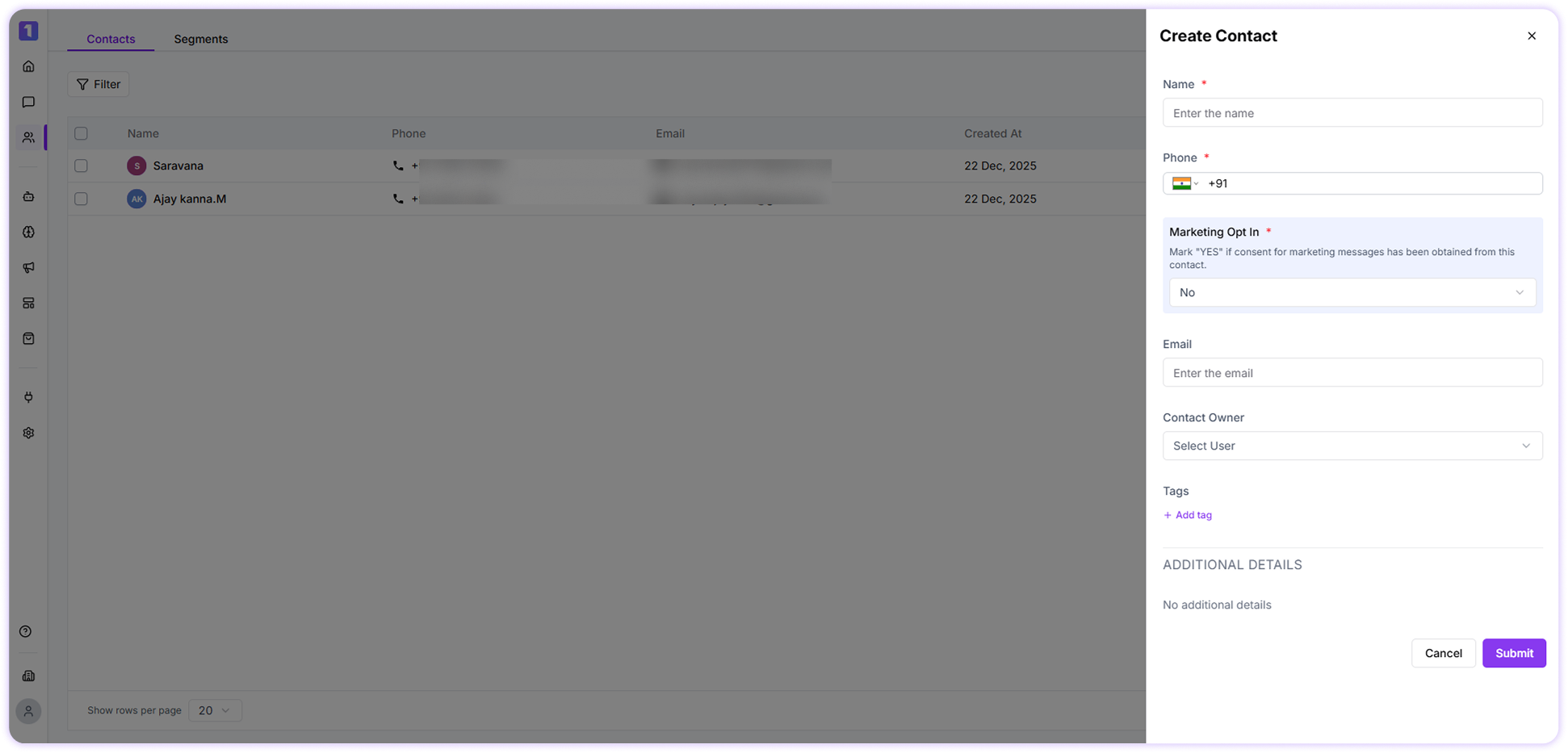
Bulk Contact Import
To upload multiple contacts at once: Step:1 Navigate to the Contacts section and click Import Contacts.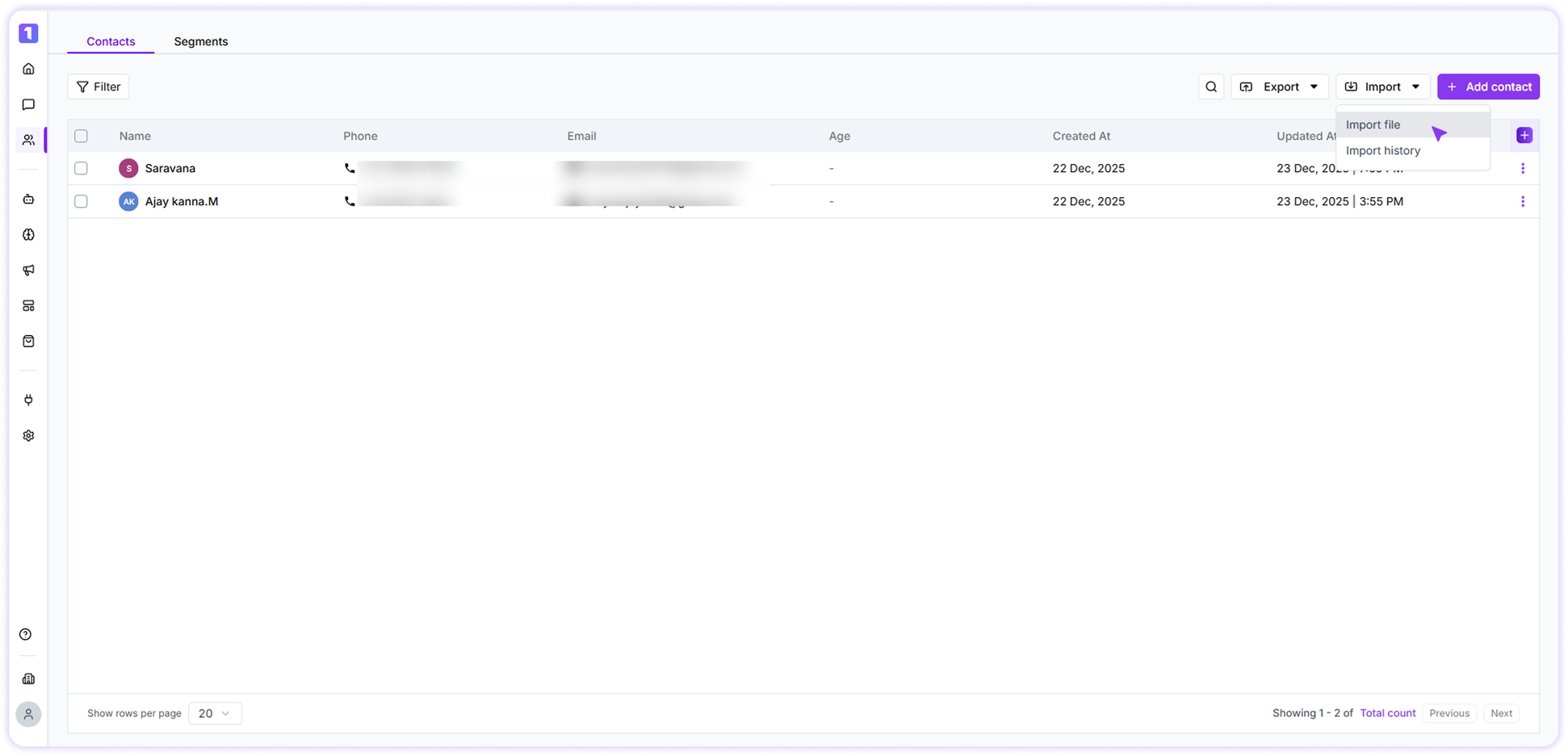
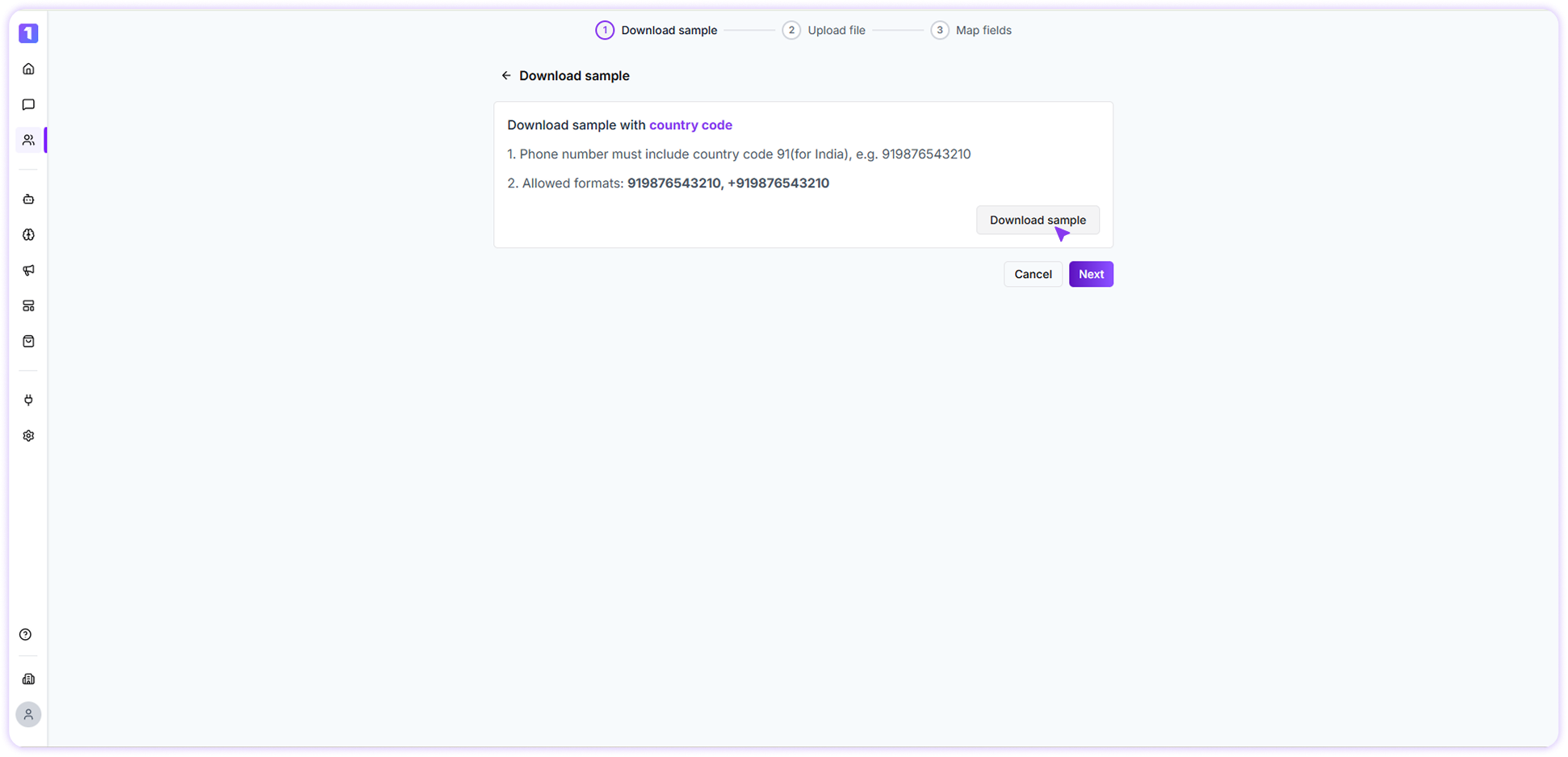
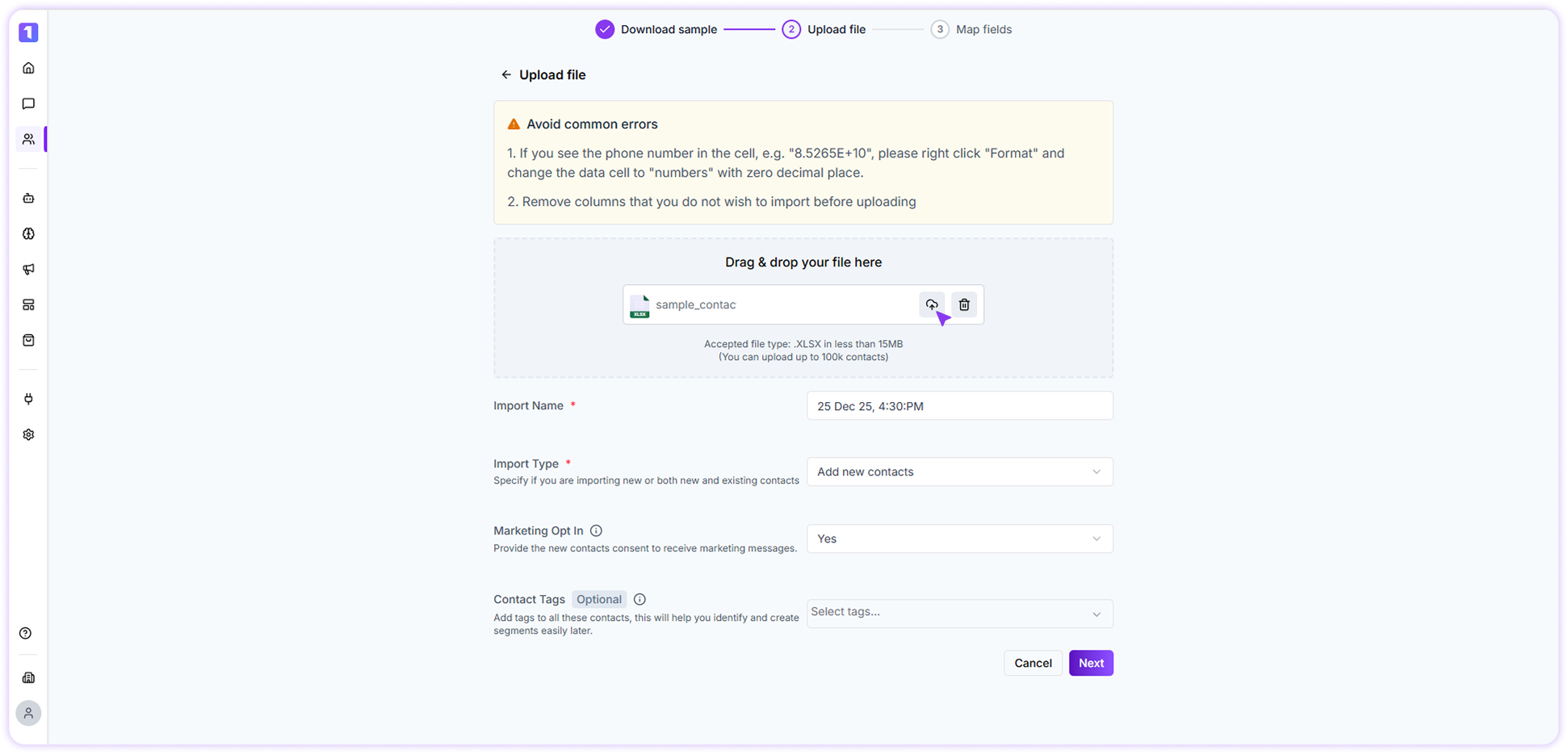

Automatic Contact Creation
When a customer sends a message to your WhatsApp number for the first time, Turbodev automatically saves their contact details in your account.This ensures your contact list stays updated without any manual effort.