

Overview
In some scenarios, you may not want to send the next message immediately after the previous one. Instead of responding within seconds, you might want to wait for a few minutes or even hours before proceeding. The Delay Card allows you to pause a chat flow for a defined duration before triggering the next action.Delay Card
With the Delay Card, you can configure a waiting period in: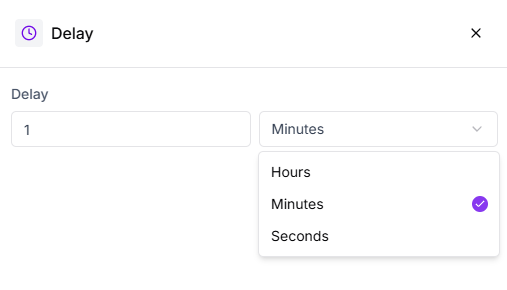
- Seconds
- Minutes
- Hours
Using Delay in a Chat Flow
For example, if you ask a customer to upload a document or share details, adding a Delay Card after the request ensures the flow doesn’t move forward too quickly. This keeps the conversation aligned with the customer’s pace.Flow Continuation
After the delay duration ends, the chat flow continues based on the configured path. You can define how the flow behaves: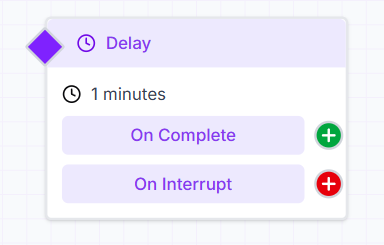
- When the delay completes successfully
- When the flow is interrupted during the waiting period