

- Creating a single contact from the Contacts module
- Creating a contact from the Conversations module
- Automatic contact creation when a customer sends an incoming message
- Bulk contact import
- Uploading contacts via Excel in the Broadcast module
- Contact creation through integrations, webhooks, or APIs
Single Contact Creation (Contacts Module)
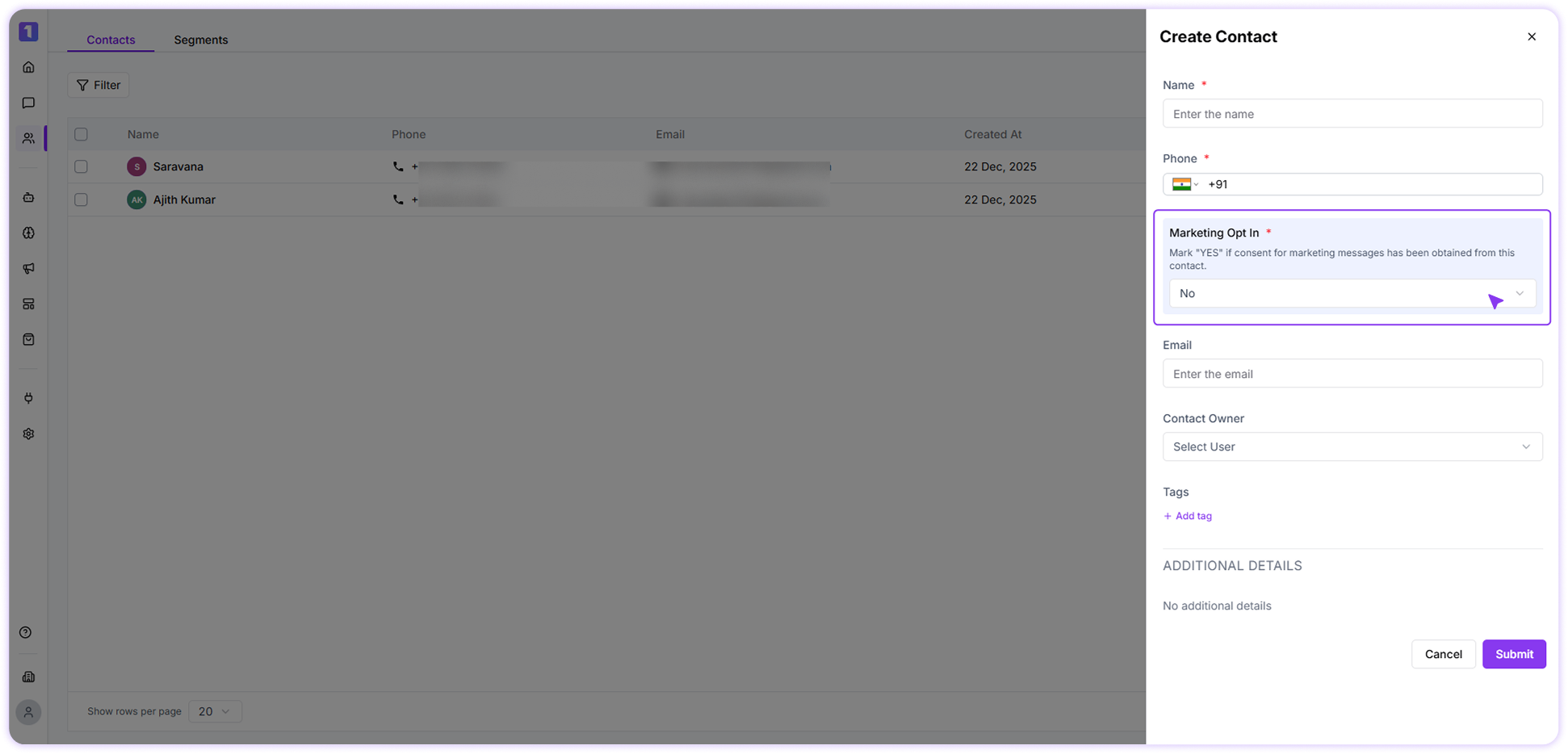
When adding a new contact from the Contacts section, you’ll see a Marketing Opt-In field.- Set it to Yes if the customer has given consent to receive marketing messages
-
Set it to No if consent has not been provided
Contact creation upon receiving an incoming message
When a customer sends an incoming WhatsApp message for the first time, Turbodev automatically creates the contact.- In this case, the marketing opt-in is set to Yes by default
Bulk Contact Import
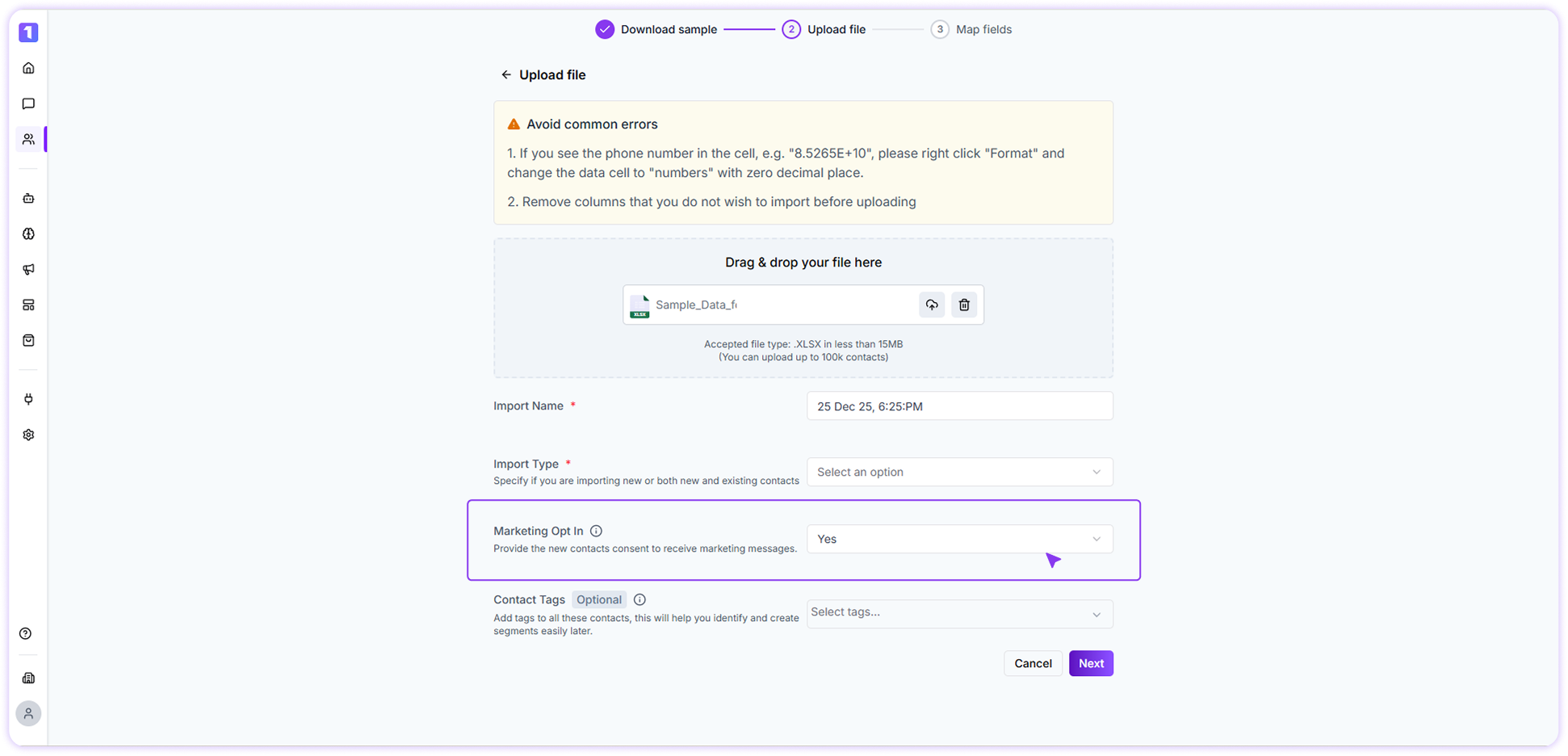
Bulk contact import supports setting marketing opt-in during upload.- While uploading the file, you can choose Yes or No for marketing opt-in
- The selected option will apply to all newly imported contacts
-
Existing contacts will retain their previous opt-in status
Contact Creation via Broadcast Excel Upload
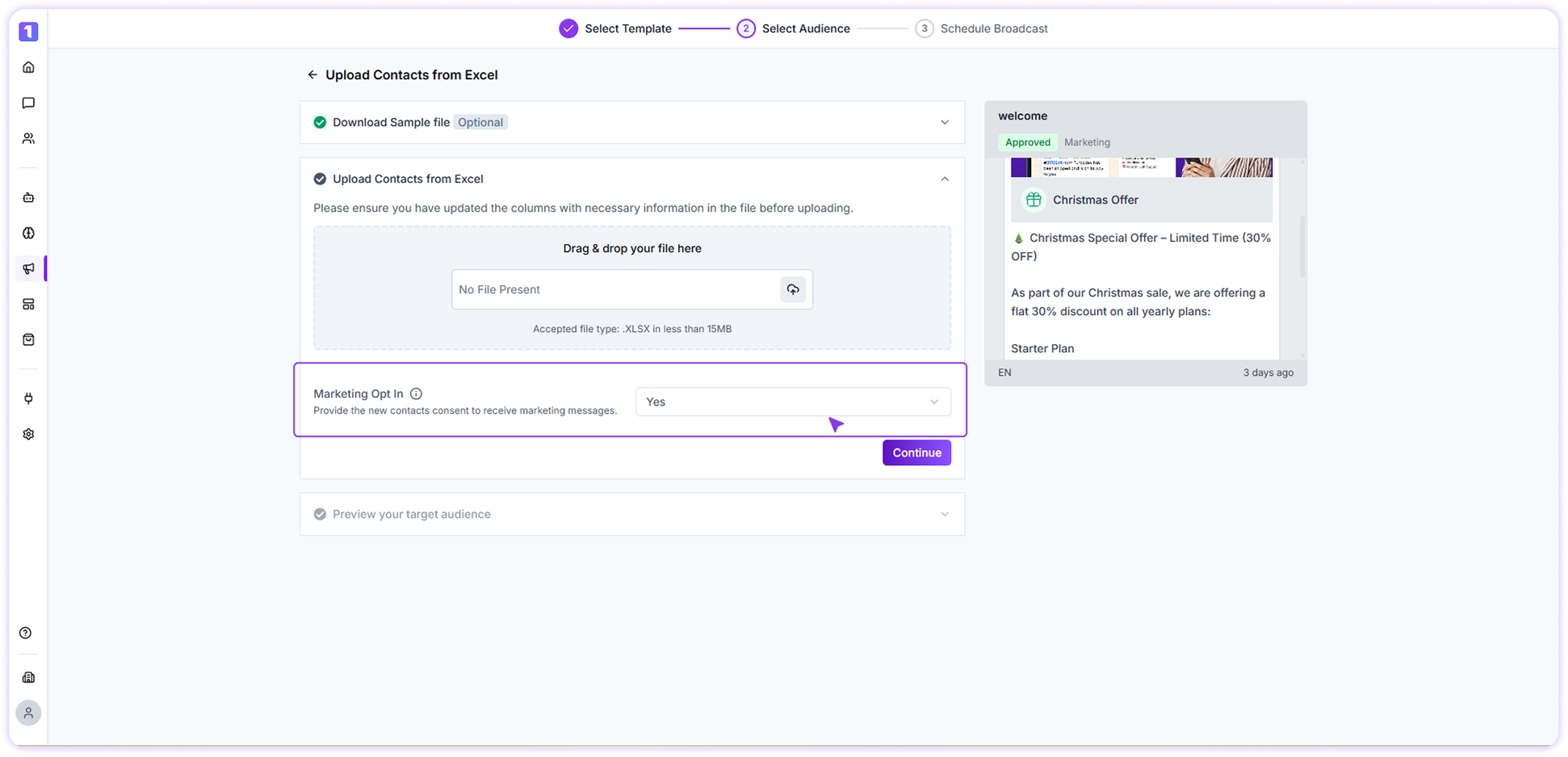
When uploading contacts through the Broadcast module using an Excel file:- You can set the marketing opt-in using the provided dropdown
- The selected value applies only to new contacts created during the upload
-
Existing contacts are not overwritten
Contact Creation via Integrations, Webhooks, or API
When contacts are created through integrations, webhooks, or API-based messaging:- Turbodev automatically creates the contact
- Marketing opt-in is set to Yes by default