Messages in Turbodev can be sent through multiple methods, including:
  • Broadcast campaigns
  • Bot-driven incoming conversations
Below is how marketing opt-in is handled in each case.

Broadcast Messages

When sending a marketing-category template through Broadcasts, Turbodev displays a toggle option.
  • The toggle indicates “Send only to marketing opted-in contacts”
  • This option is enabled by default
  • The system automatically calculates and displays how many contacts will receive the message Marketing Opt In Broadcast Messages
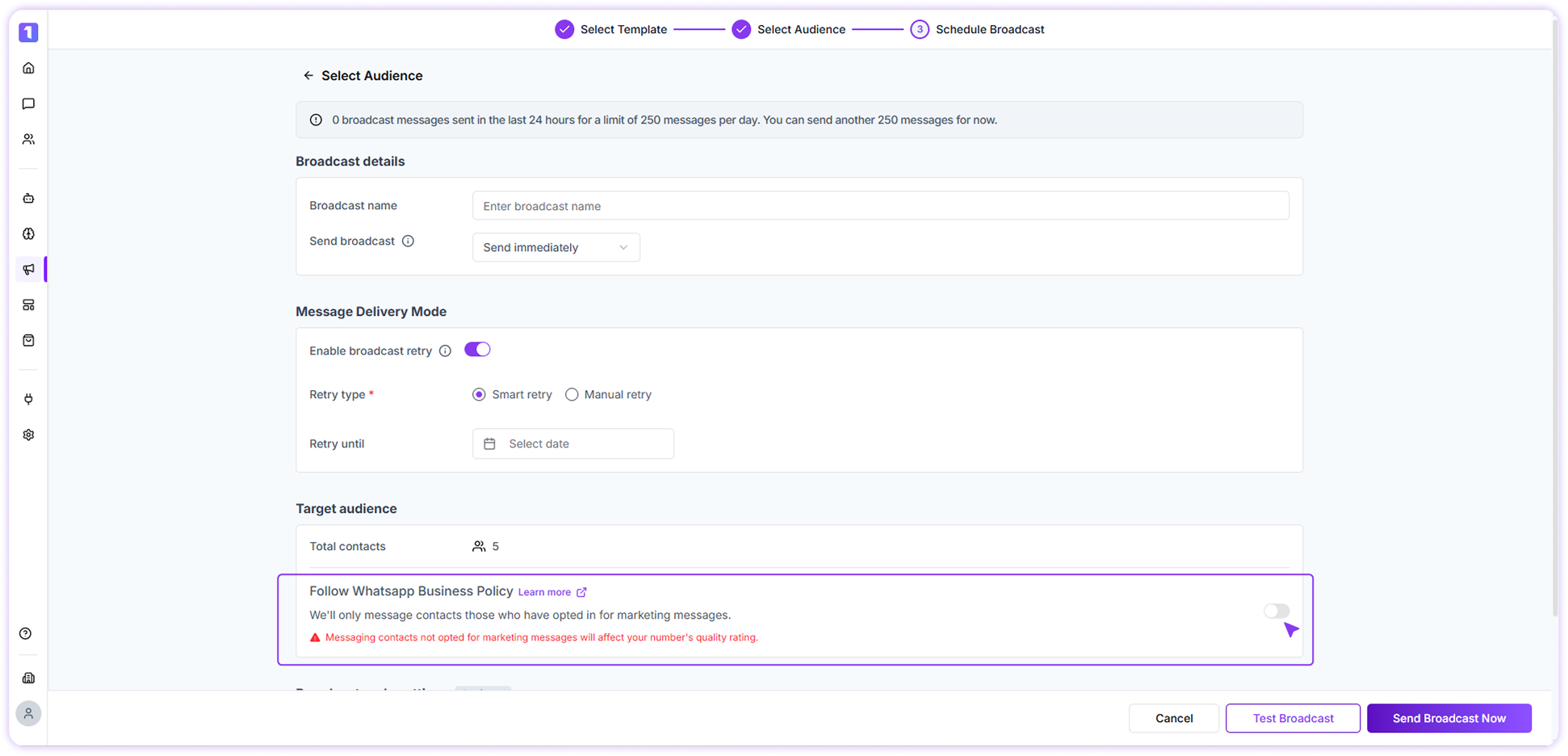
For example, if you select 1,000 contacts and 10 of them have opted out, the broadcast will be sent only to the remaining 990 opted-in contacts when the toggle is ON. You can turn the toggle OFF if you want to send the message to all selected contacts. However, doing so may impact your WhatsApp quality rating, and Turbodev will show a warning before sending.

Bot-Handled Incoming Conversations

When a conversation is initiated or handled by a bot:
  • Marketing opt-in restrictions are not applied
  • If a marketing template is used within a bot flow, the message will be delivered regardless of the opt-in status
This applies only to bot-triggered flows and should be used carefully to avoid policy violations.