

Overview
The Update Contact Fields Card lets you modify contact information such as name, phone number, email, availability, preferences, instructions, and tags collected during a conversation. This helps teams maintain clean, structured contact records without manual updates.What Can Be Updated
Using this card, you can update:- Standard contact fields (name, email, phone, etc.)
- Custom contact fields
- Contact tags (used for categorization and filtering)
Updating Contact Fields & Tags
To update a contact field or tag: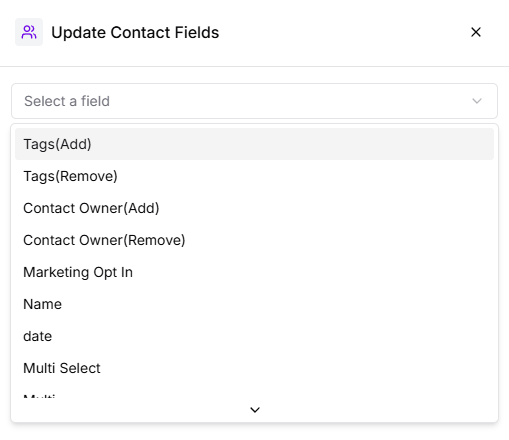
- Select the Contact Field you want to update
- Provide the value for the field
- Values can be static
- Or dynamic using variables such as user responses or system data
- Choose how the value should be updated using an operation
Available Operations
- Replace
Use this when you want to overwrite existing contact data with a new value. - Add if Empty
Adds the value only if the field currently has no data. - Append
Adds new information to the existing value instead of replacing it.
Saving the Update
Once configured, click Save.When a customer reaches this step in the chat-flow, Turbodev automatically updates the contact record with the latest information.