Why Connect Razorpay with Turbodev?
Connecting Razorpay enables automated communication throughout the payment process. Key benefits include:- Send instant payment confirmation messages
- Notify customers about successful or failed transactions
- Automate payment-related workflows
- Improve customer experience with real-time updates
- Reduce manual follow-ups
Step-by-Step Guide to Connect Razorpay with Turbodev
Follow the steps below to connect your Razorpay account.Step 1: Open Razorpay Integration
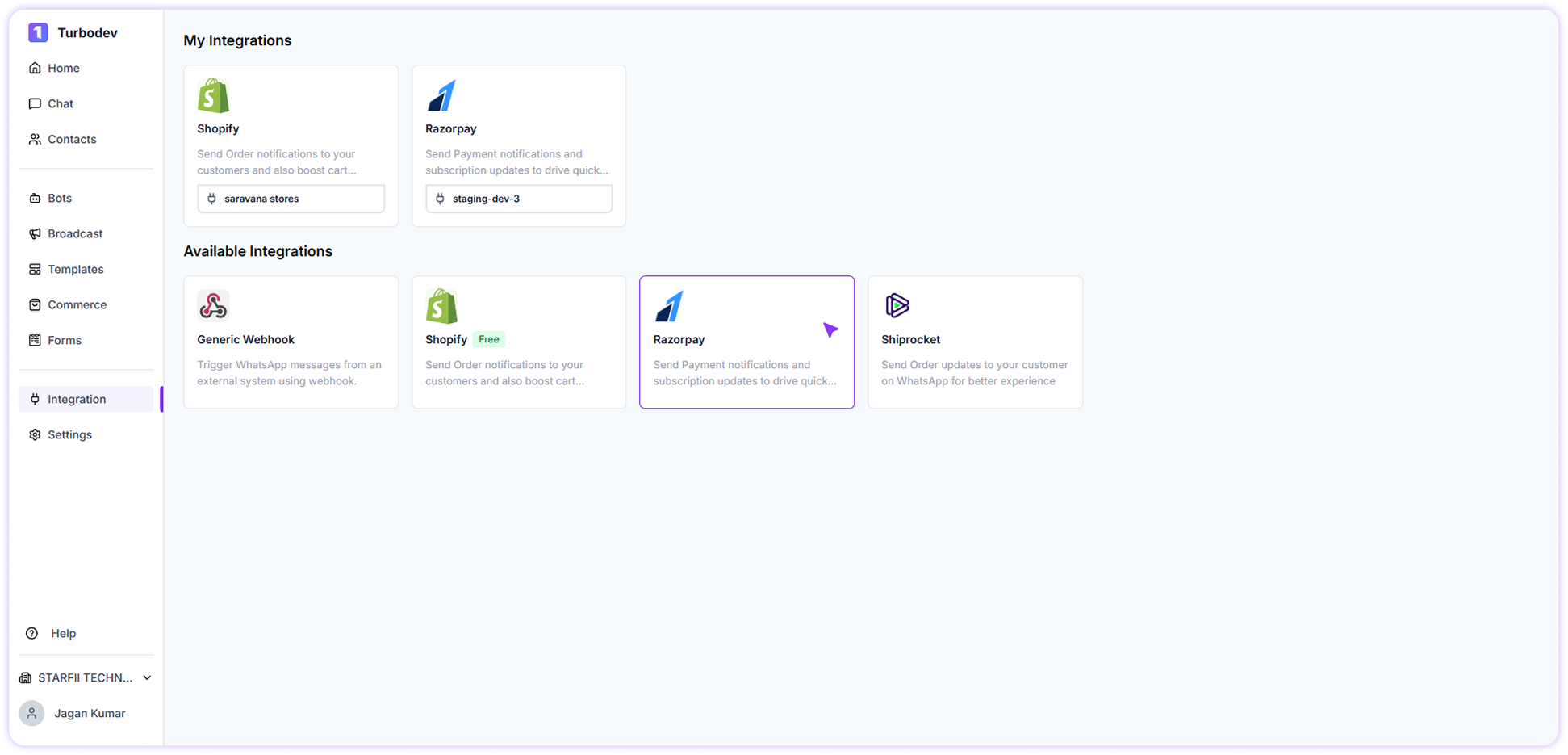
- Log in to your Turbodev dashboard
- Click on Integrations from the left navigation panel
- Select Razorpay from the available integrations
-
Click Connect
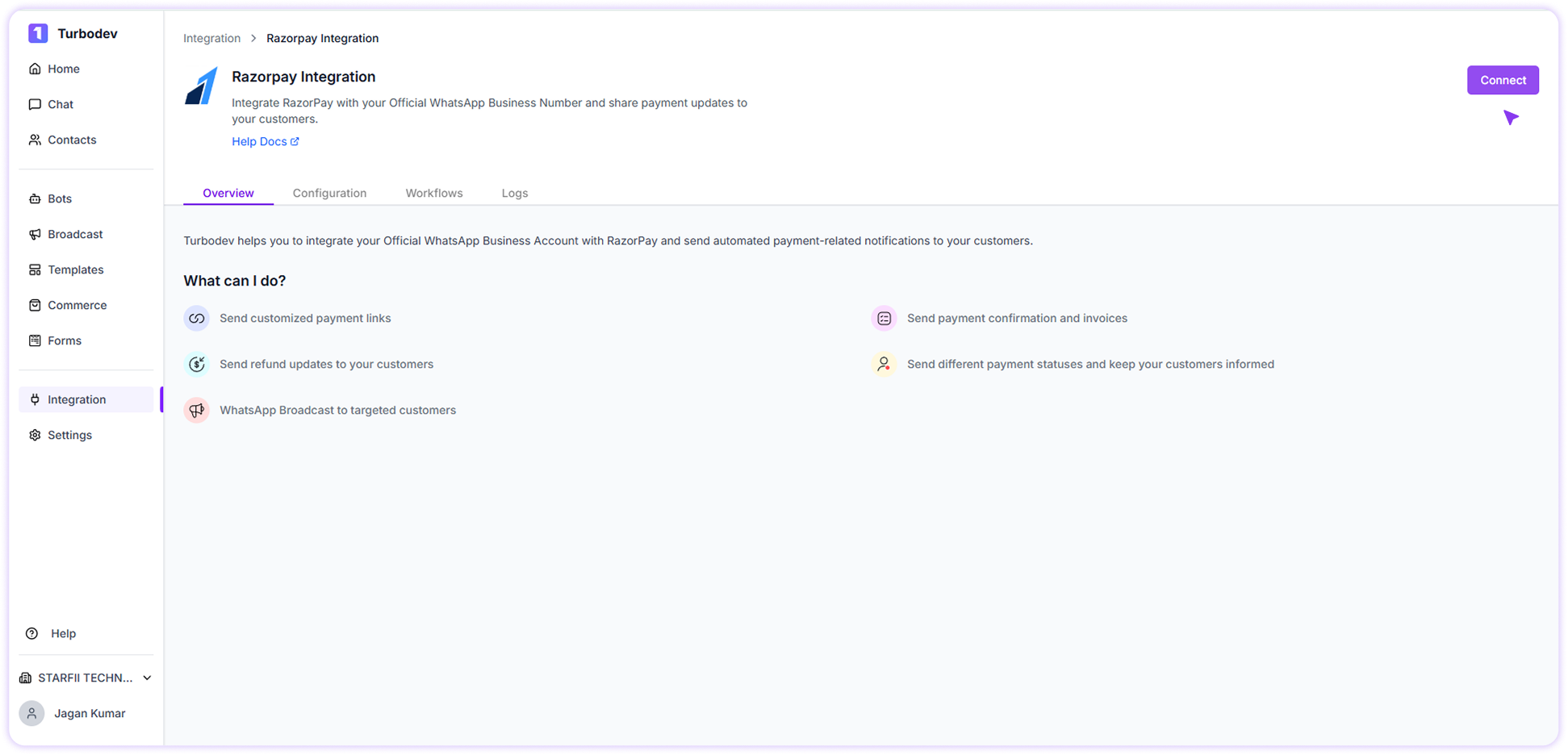
Step 2: Enter Brand Name
A pop-up window will appear.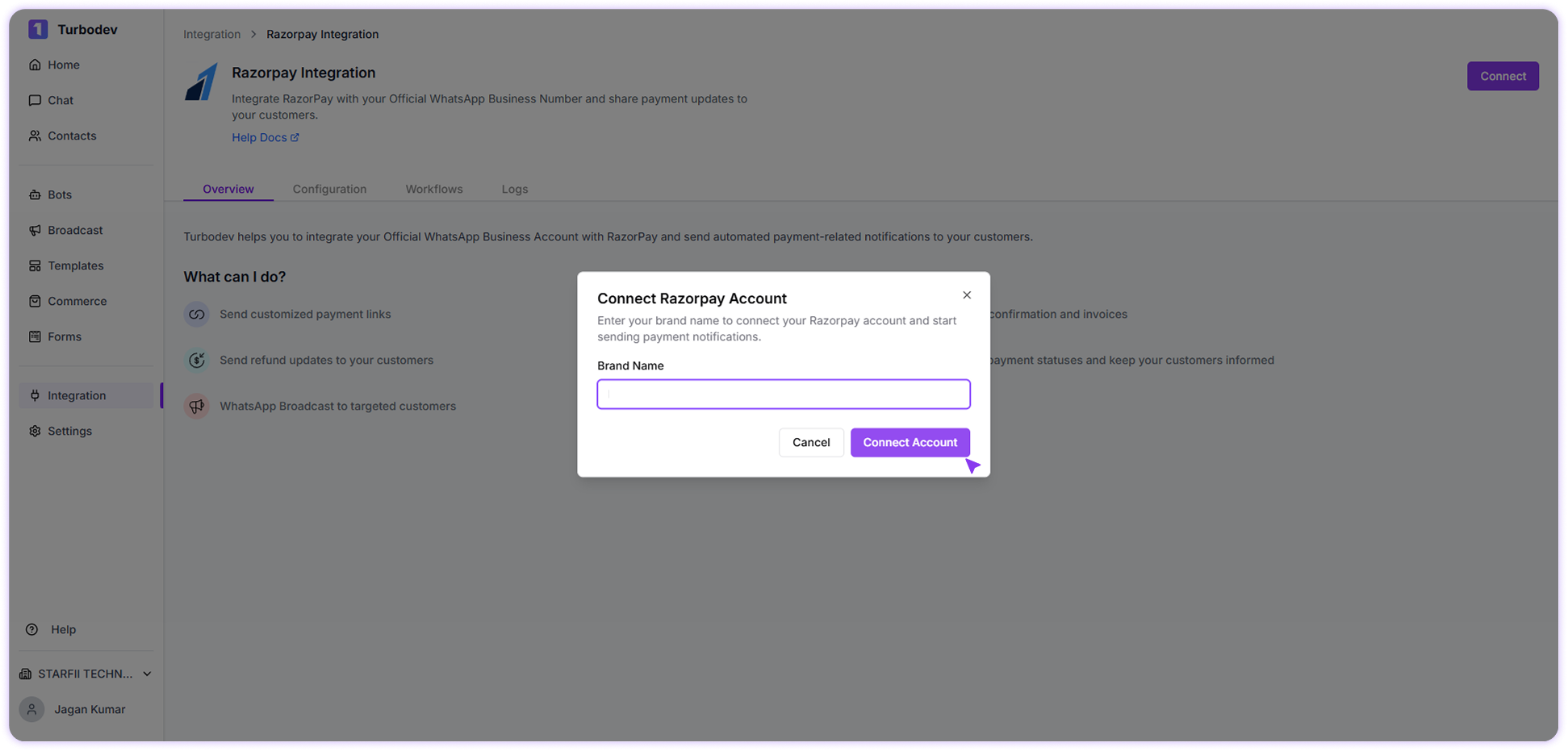
- Enter a name for your Brand
- Click Connect Account
Step 3: Authorize Turbodev in Razorpay
You will be redirected to the Razorpay login page.- Log in to your Razorpay account
- Review the authorization request
- Click Authorize
Step 4: Complete Integration Configuration
After authorization, the configuration page will open in Turbodev. Here:- Click Update Configuration
How to Verify Integration Status
To check if Razorpay is connected:- Go to Integrations
- Select Razorpay
- On the top right corner of the integration page, check the status
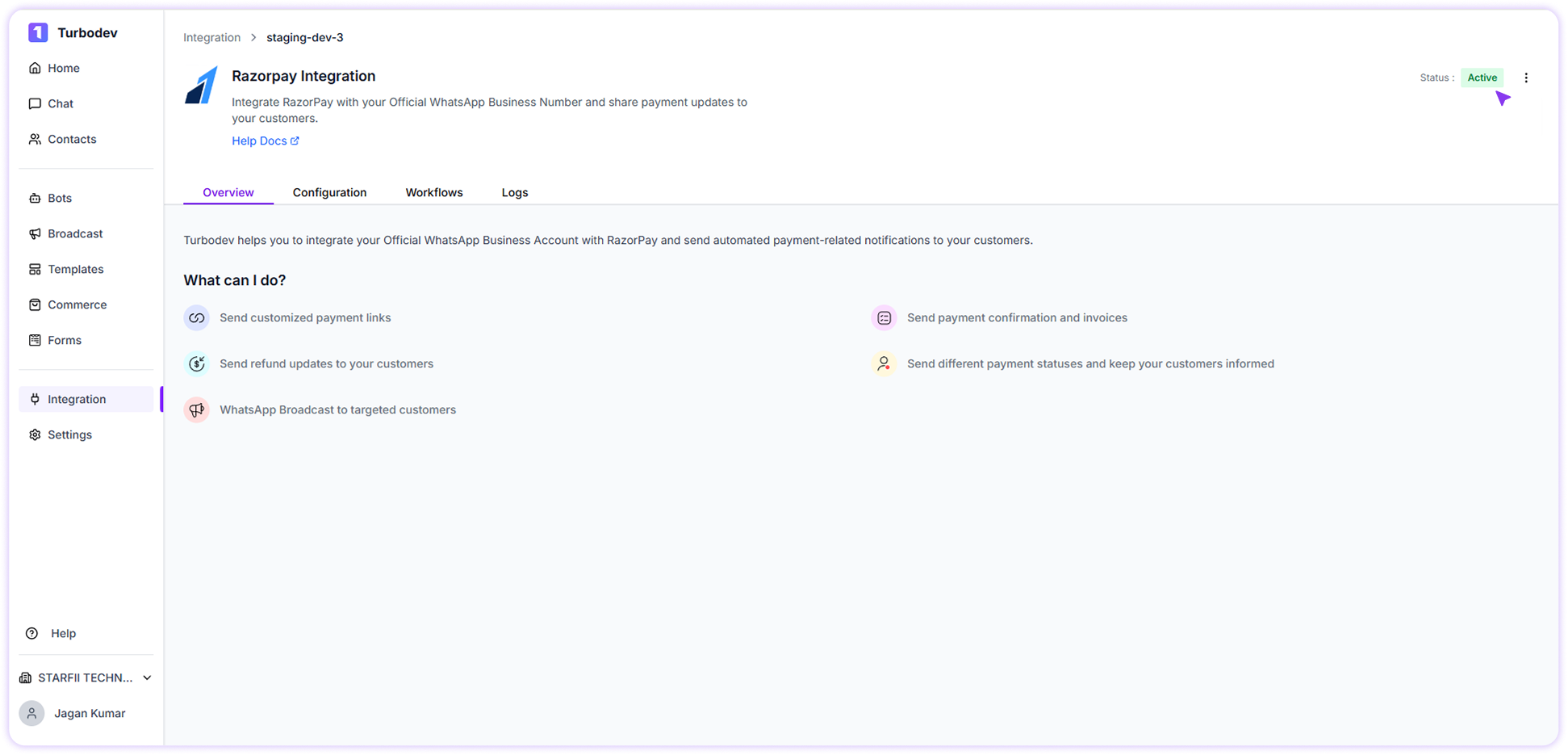
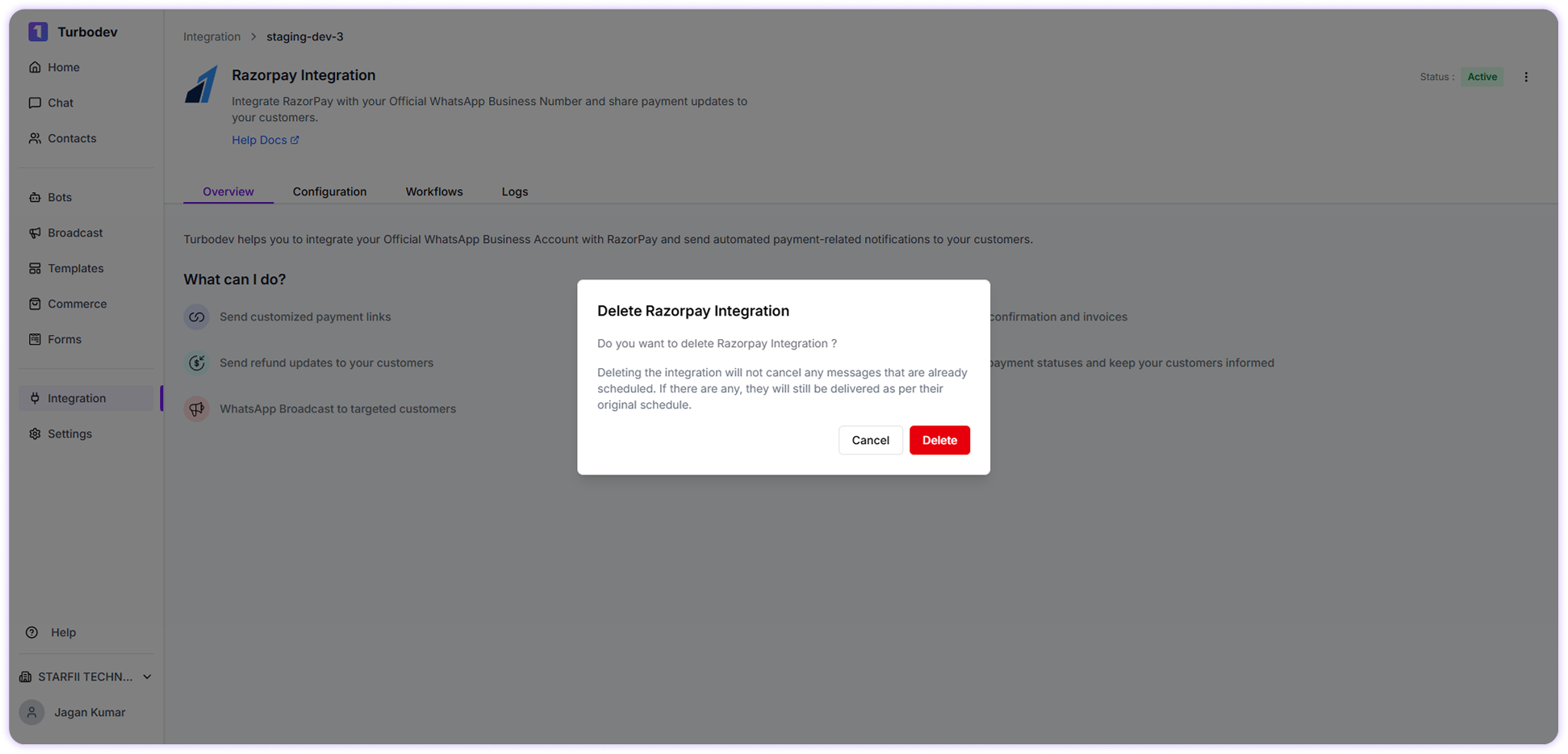
How to Remove Razorpay Integration
If you want to disconnect Razorpay:- Go to Integrations
- Click on Razorpay Integration
-
Click the three-dot menu
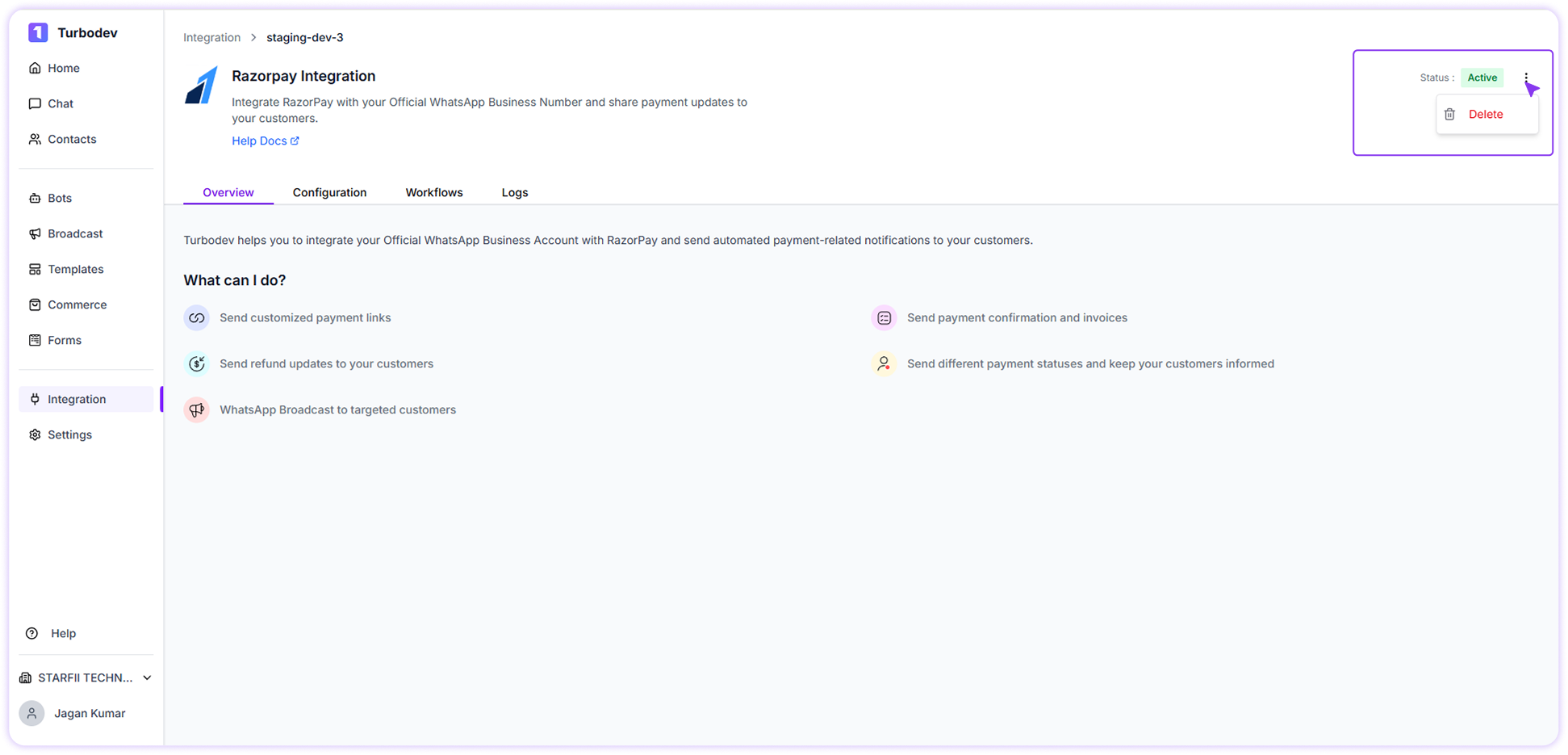
- Select Delete Integration
-
Confirm deletion