

Understanding Ask Text
The Ask Text card allows bots to collect input from users. Customers can reply with their own text, opinions, or details based on the question asked. The captured response is saved in a variable, making it easy to reference later in the flow.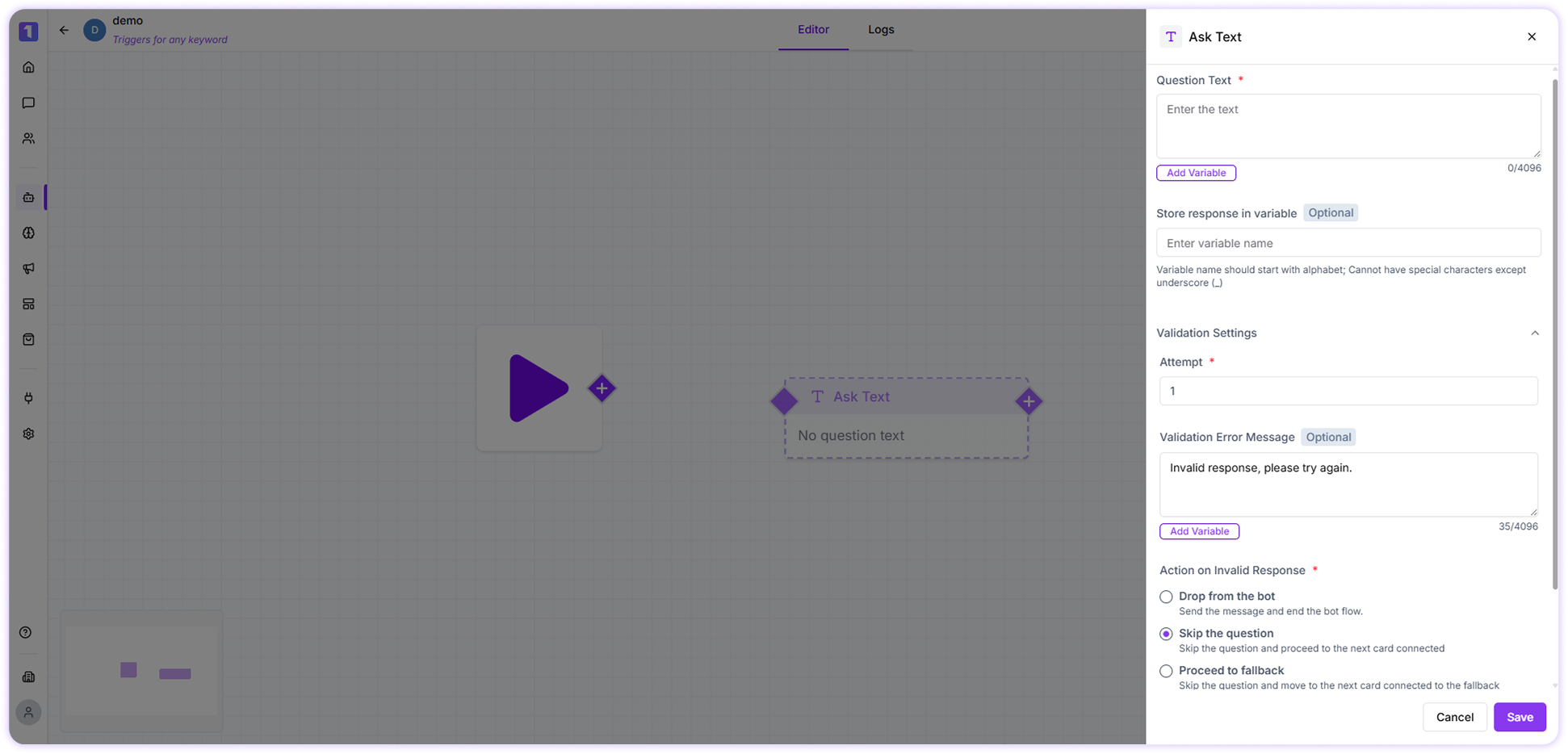
Implementation Example
Imagine you need to collect a customer’s Aadhaar number for identity verification.-
In the Question Text, enter:
Please enter your 12-digit Aadhaar number to continue. -
Select or create a variable (for example,
aadhaar_number) to store the user’s response. -
Set the attempt limit to control how many times the user can retry entering the Aadhaar number.
You can also add an optional validation error message such as:
Please enter a valid 12-digit Aadhaar number. -
Enable Additional Validation Settings and configure:
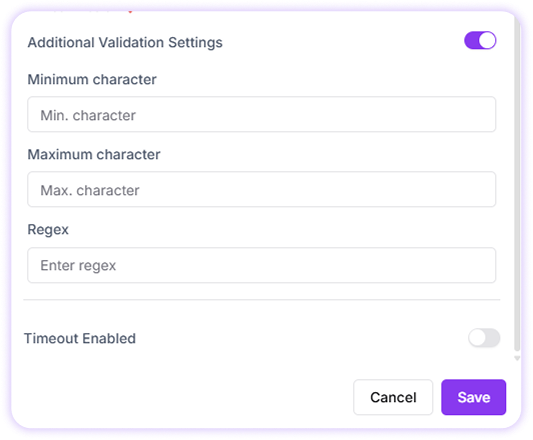
- Minimum characters: 12
- Maximum characters: 12
- Regex pattern for validation
- Use the following regex to validate the Aadhaar format: ” ^[0-9]$ ”