

Understanding Send Location
The Send Location feature allows you to send a specific, static location to users. It is commonly used to guide customers to offices, stores, event venues, or landmarks by sharing clear location details.Send Location Essentials
When using the Send Location card, you’ll be asked to provide the following information: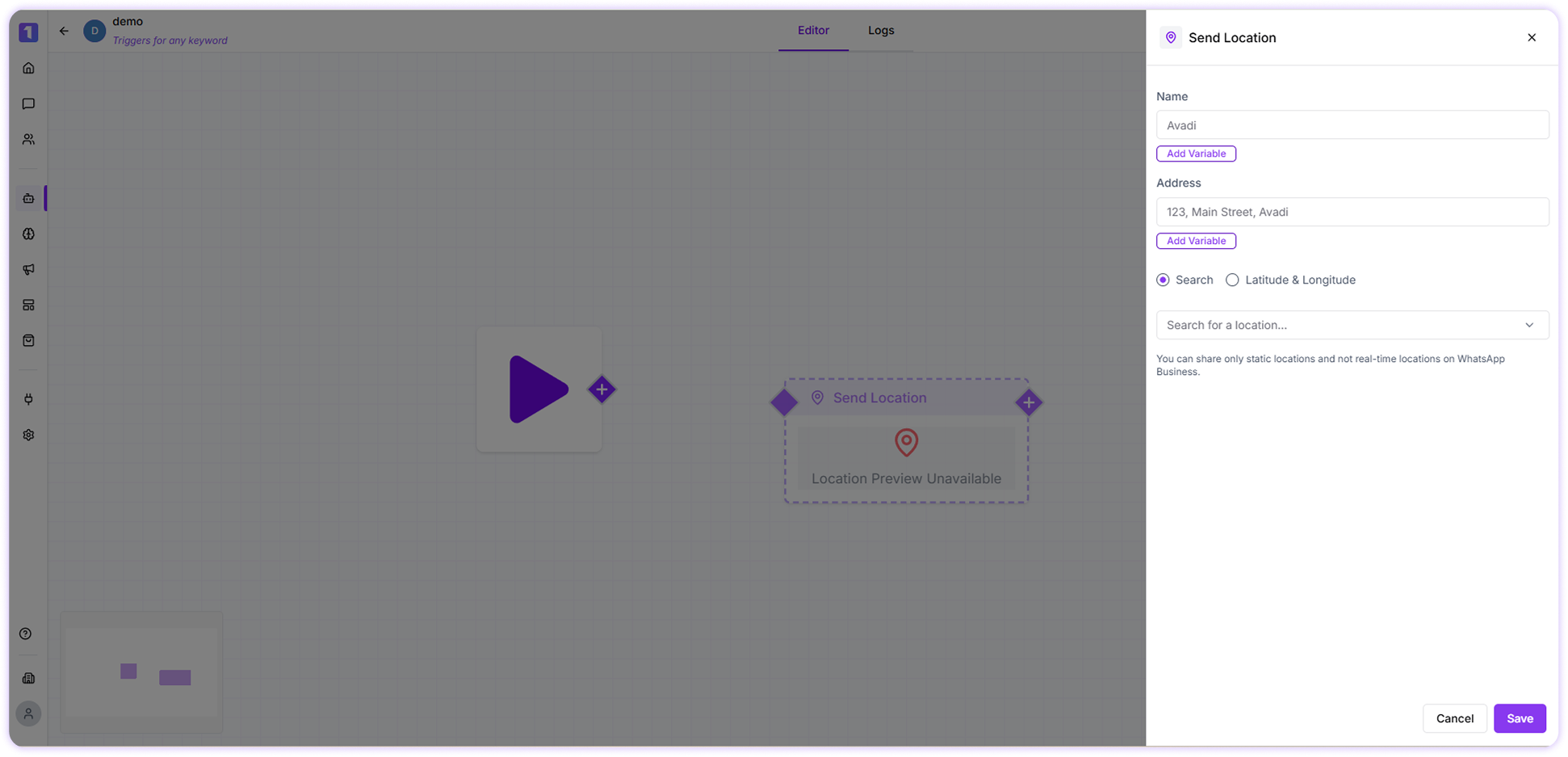
Name
This is the name of the location you are sharing. It can be a business name, landmark, or any identifiable place.Address
Enter the full address of the location, including street details, city, and country, to help users recognize the place easily.Location
You can define the location in either of the following ways:- Search Location
Search for the location by entering its name or address. You can use the View on Map option to verify that the selected place is correct. - Latitude & Longitude
Manually enter the exact latitude and longitude coordinates of the location if you already have them.
Only static locations can be shared. Live or real-time locations are not supported through the WhatsApp Business API.
Implementation Example
To send a location using this card, follow these steps:- Enter the location name, such as Habitat Center.
- Add the complete address of the location.
- Choose how you want to set the location:
- Search and select it using the map search, or
- Enter the latitude and longitude manually.
- Review the details and save the Send Location card.